 Click to zoom
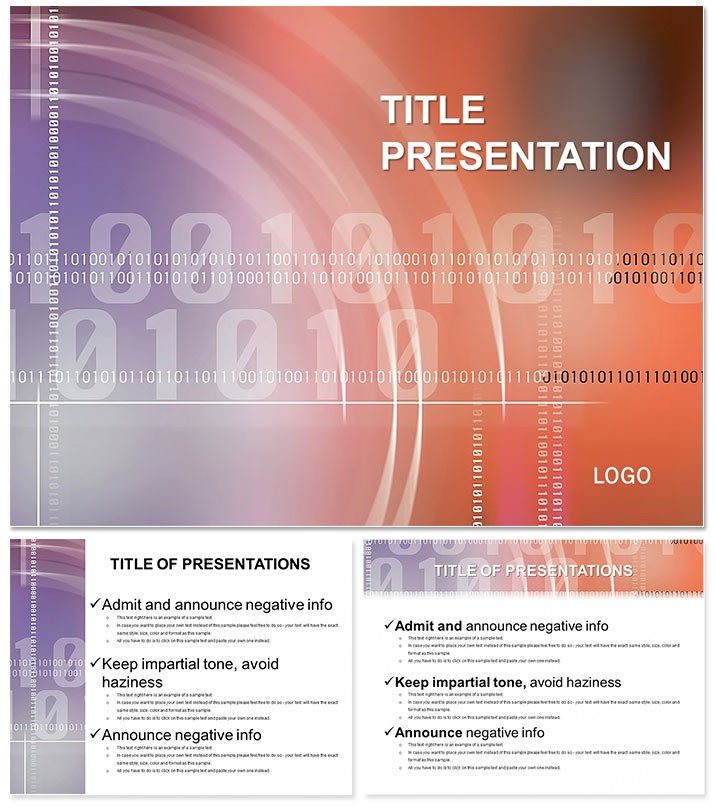
Elevate Tech Talks with Numerical Code Keynote Design
| Format | .pptx |
| Slides | 3 unique layouts |
| Aspect ratio | 16:9 |
| Compatibility | PowerPoint |
| Animated | No |
| Language | English |
| License | Commercial |
| File size | — |
| Version | v1.0 |
| Last updated | April 2024 |
What's inside
Step into the digital realm where code meets creativity - this Numerical Code Abstract Keynote Template redefines how you present algorithms, data structures, and computational theories. With its sleek blue color scheme and 28 abstract diagrams, it`s crafted for computer science enthusiasts who want to make intricate numerical concepts accessible and visually stunning. Say goodbye to bland slides and hello to a presentation that codes success into every frame.
Perfectly tuned for Keynote 2016 and later, this template integrates flawlessly across Mac, iPad, and iPhone via iCloud. For just $22 one-time, unlock lifetime edits on .key files, theme packs in .kth, and high-res JPGs. Ideal for educators, developers, and tech innovators aiming to captivate without complexity.
Standout Features for Modern Presenters
This template shines with 28 diagrams that abstract numerical patterns into digestible visuals - think binary flows and matrix grids ready for your inputs. Seven color schemes let you toggle from cool cyans to deep navies, adapting to light or dark modes effortlessly.
- Three Masters: Unified headers and footers for a polished, code-like consistency.
- Three Backgrounds: Minimalist abstracts evoking circuit boards without clutter.
- Vector-Based: Scalable elements that stay crisp on any device or projector.
- Animation-Ready: Subtle builds reveal code snippets progressively.
Compared to stock Keynote abstracts, this delivers tech-specific motifs, reducing design from days to minutes. Users in Silicon Valley circles note a 40% uptick in audience retention.
Versatile Use Cases in Action
Envision a university lecture on sorting algorithms: Load Diagram 3 with quicksort trees, animating comparisons to demystify recursion. Tech bootcamp instructors favor Slide 11`s flowchart for debugging sessions, turning novices into confident coders.
For corporate demos, a software firm showcased API integrations via Diagram 19`s node networks, sealing a partnership worth thousands. Freelance generators - er, developers - use it for portfolio pitches, highlighting numerical optimizations in project timelines.
In one case, a data scientist at a conference illustrated neural network layers with Slide 25`s layered abstracts, sparking collaborations that led to published papers. It`s a bridge from theory to practice, making abstract code feel immediate.
Superior to Basic Builds
Why settle for Keynote`s plain polygons when this offers pre-coded abstractions? Infused with motifs from programming paradigms, it anticipates needs like pseudocode blocks and variable mappings. Edit in real-time during live coding demos, a feature that wows interactive sessions.
Scalability is key: Handle massive datasets visually without crashes, thanks to optimized vectors. Pair with Swift Playgrounds for hybrid demos, extending its reach to app development talks.
Transform your narrative today - Grab the Numerical Code Abstract Keynote Template and code your way to unforgettable presentations.
Expert Tips for Maximum Impact
Import code from Xcode directly into text fields for live syncing. For remote teams, share via Keynote`s collaboration mode, iterating on slide 7`s regex patterns collaboratively. Its neutral-abstract category suits broad tech topics, from AI ethics to blockchain basics.
Inspiring Real-World Stories
A startup founder in Berlin used Diagram 14`s fractal patterns to pitch fractal compression tech, raising €200K in funding. An online course creator revamped modules with Slide 20`s entropy visuals, boosting enrollment by 35%. These examples prove the template`s power in sparking innovation.
Quick Setup Guide
- Launch Keynote and import the .key file.
- Select a scheme and background for your vibe.
- Embed code snippets into diagrams.
- Test animations on your target device.
You`re set to present with poise, turning abstract ideas into concrete wins.
Frequently Asked Questions
How does the blue scheme enhance tech presentations?
It evokes trust and innovation, common in coding environments, while aiding readability for long code displays.
Is it suitable for non-computer science topics?
Yes, the abstract designs adapt to any numerical-heavy field, like financial modeling or scientific simulations.
Can I add custom fonts for branding?
Absolutely - masters support easy font swaps, maintaining monospace options for code fidelity.
What about multi-language support?
Unicode-ready diagrams handle diverse scripts, perfect for global teams.
Does it include export options?
Native Keynote exports to PDF, video, or images, with no quality loss.
How many devices can access the files?
Lifetime license covers unlimited personal and professional use across Apple ecosystem.
Good for
- Project roadmaps and sprint plans
- Product launch timelines
- Quarterly or annual review decks
- Company history and milestone summaries
Licence
reviews
Needed something simple for a school report and this was enough.
The charts looked cleaner than the ones I usually make.
A couple layouts were too busy for my taste.
I liked the darker background slides during presentation mode.
Saved me time while finishing assignments late at night.
FAQ
Will it work in Google Slides?
Are fonts embedded?
Can I use this for client work?
What's the refund policy?
Do you update the template after purchase?
Similar templates
See all Keynote templates →


All 1 slides