 Click to zoom
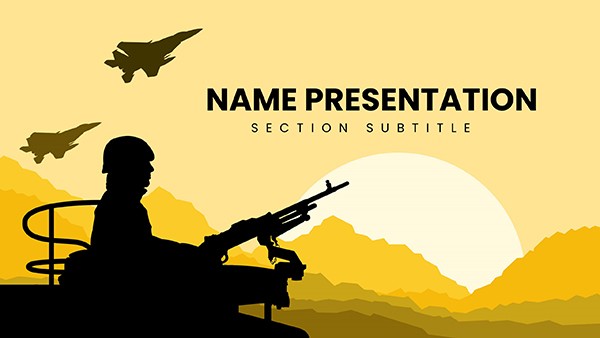
"Camouflage Military Keynote Template: Blend In, Stand Out Strategically"
| Format | .pptx |
| Slides | 3 unique layouts |
| Aspect ratio | 16:9 |
| Compatibility | PowerPoint |
| Animated | No |
| Language | English |
| License | Commercial |
| File size | — |
| Version | v1.0 |
| Last updated | September 2023 |
What's inside
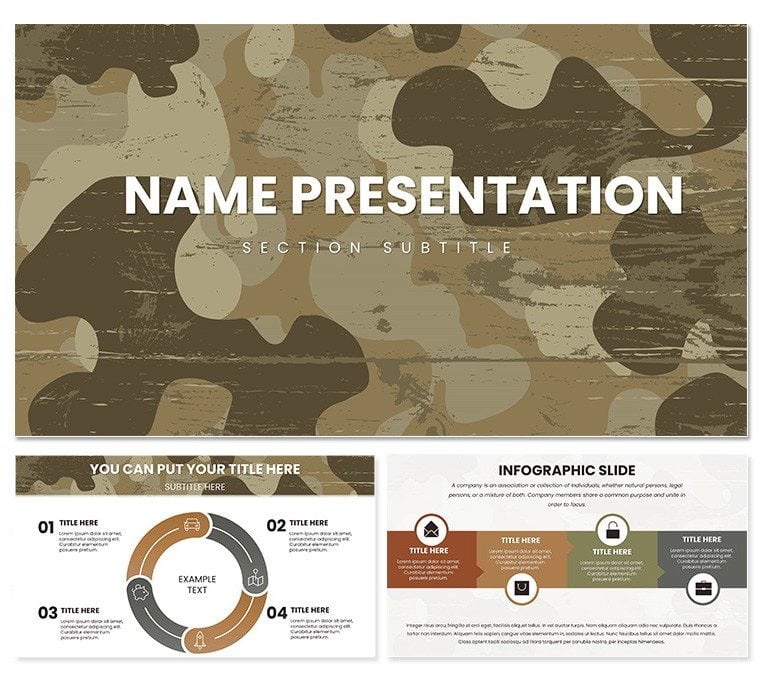
In the world of presentations where information needs to infiltrate minds without raising alarms, the Camouflage Military Keynote Template excels at subtle infiltration. Geared toward analysts, trainers, and ops coordinators who blend tactical details into cohesive stories, this template deploys 28 diagrams wrapped in earthy camouflage patterns that evoke the terrain of real-world scenarios - greens bleeding into browns, grays shadowing the edges.
It's more than backdrop flair; these designs let you embed intel like a hidden asset, with placeholders for layered overlays that reveal intel progressively. Whether masking sensitive data in a redacted report or unveiling phased plans in a training module, the template's restraint ensures your points emerge clearly, not camouflaged in chaos.
For those crafting decks in dim-lit war rooms or virtual syncs, the seven color schemes adapt from dense forest hues to desert sands, harmonizing with your content's gravity. Keynote's native support means no compatibility camo - it deploys smoothly, ready to adapt on the fly.
Stealth Features for Seamless Integration
The genius lies in the understated power: backgrounds that texture without texturing over text, diagrams that nest data like concealed positions. Edits flow naturally, with vector paths that won't pixelate under zoom.
- Layered Diagrams: 28 options, from contour maps for terrain intel to hierarchy trees for chain-of-command visuals - each with opacity controls for blending layers.
- Themed Graphics: Icons of assets like vehicles and outposts, rendered in tonal matches to avoid visual noise.
- Master Blends: Three base layouts with camouflage variants, allowing global swaps for scenario shifts.
From Keynote 2016 up, it handles builds like a pro, exporting to formats that preserve the subtle shading for print or share.
Deployment Scenarios: Hidden Gems Revealed
Think of an intel briefer unveiling threat vectors: the radial diagram starts veiled in pattern, fades to expose hot zones, guiding eyes to priorities. Or a logistics planner mapping routes - the pathfinder slide weaves lines through textured backgrounds, highlighting chokepoints without stark contrasts that scream for attention.
In classroom drills, educators use the org chart to simulate unit embeds, colors fading to show integration levels. It's versatile camouflage for business too - product roadmaps that "hide" in plain sight until the reveal.
Deployment Steps: Infiltrate Your Workflow
- Scout the Scheme: Select a camouflage variant that mirrors your topic's environment - urban grays or woodland mixes.
- Embed Content: Slot data into frames; the pattern auto-adjusts to frame your inserts cleanly.
- Layer Reveals: Apply fade-ins to unmask elements sequentially, timing for narrative beats.
- Exfil Proof: Scan for legibility across devices, note embeds, and secure exports.
Outshines plain slides by embedding context visually, freeing you to focus on the op, not the overlay.
Master the Art of Visual Concealment
This template rewards the detail-oriented: hyperlink hides in icons for deeper briefs, collaborative themes keep teams synced in shadow. It's the quiet authority that lets substance surface on your terms.
Position your presentations to influence without intrusion - secure the Camouflage Military Keynote Template for $22 and master the blend.
Frequently Asked Questions
What makes the backgrounds unique in this template?
The camouflage patterns use earthy tones for a tactical feel, fully customizable to tone down or amp up.
Are the diagrams suitable for sensitive information?
Yes, with layering and opacity tools, you can obscure or reveal as needed for controlled disclosures.
Does it work well for non-military uses?
Certainly - the subtle designs fit strategy or environmental presentations seamlessly.
How many color schemes are available?
Seven schemes, each tuned to different terrains for versatile application.
Is editing straightforward for teams?
Indeed, shared .kth files enable easy handoffs with preserved styling.
Good for
- Project roadmaps and sprint plans
- Product launch timelines
- Quarterly or annual review decks
- Company history and milestone summaries
Licence
reviews
Camouflage military backgrounds blend perfectly with the earthy tones and tactical map diagrams. Used it for a strategy session - icons of gear and ranks add authenticity. One of the better military packs I've tried.
The 28 diagrams include useful troop formation shapes that fit my army presentation needs. Green-brown schemes feel realistic. Practical and saved time on design.
As a veteran presenter, the camouflage patterns are spot-on but some icons look dated. Still, the color variety (7 schemes) allows customization for different audiences.
Deadline-pressured manager: these templates with woodland camo and weapon silhouettes got my slides done fast. Professional look without much editing. Highly functional.
The strategic overlays and rank structures in the diagrams stood out. Student-friendly for military history class. Colors are muted and appropriate.
Slightly critical - great camo textures but a couple diagrams feel cluttered. Overall solid for defense-related talks with authentic military vibe.
FAQ
Will it work in Google Slides?
Are fonts embedded?
Can I use this for client work?
What's the refund policy?
Do you update the template after purchase?
Similar templates
See all Keynote templates →
All 1 slides