 Click to zoom
Dynamic Marketing Keynote Charts: Ignite Your Strategy Sessions
| Format | .pptx |
| Slides | 16 unique layouts |
| Aspect ratio | 16:9 |
| Compatibility | PowerPoint |
| Animated | No |
| Language | English |
| License | Commercial |
| File size | — |
| Version | v1.0 |
| Last updated | May 2023 |
What's inside
In the fast-paced world of marketing, where every pitch could seal a multimillion-dollar deal, your visuals need to pop as much as your ideas. Enter our Dynamic Marketing Keynote Charts template: 16 editable slides that turn dense datasets into dazzling stories, perfect for savvy marketers tackling everything from campaign ROI to audience personas. Whether you're a CMO prepping for a board meeting or a startup founder wooing investors, these charts make complex metrics - like customer acquisition costs or engagement funnels - feel intuitive and irresistible.
Crafted with insights from industry heavyweights like HubSpot's annual reports and Google's Analytics benchmarks, this template isn't just pretty; it's purposeful. Keynote's native compatibility means seamless edits on your Mac, with drag-and-drop ease for infusing your brand's vibrant hues or swapping icons for sector-specific flair. Say goodbye to pixelated exports from Excel; hello to polished visuals that hold attention spans shorter than a TikTok scroll.
Targeted at both rookies and veterans facing the eternal battle of data overload, it streamlines your workflow: Import metrics from tools like Google Analytics directly into pie charts for market share breakdowns, or animate line graphs to show quarterly growth spikes. With LSI terms like funnel optimization and conversion mapping woven in, it's primed for SEO-savvy presentations that rank in memory as much as search engines.
Standout Features for Marketing Mastery
What sets this pack apart? A blend of aesthetics and analytics designed for real marketing mayhem:
- 16 Versatile Slides: Covering essentials from SWOT matrices to cohort analyses, each ready for your live data injection.
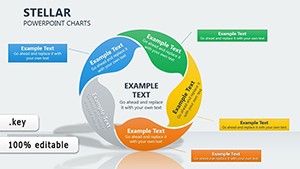
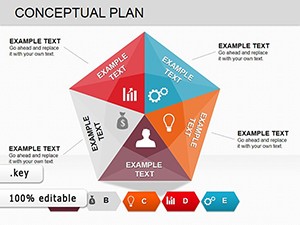
- Pro-Grade Visuals: Crisp line charts for trend forecasting, donut graphs for segmentation, and radar plots for competitive landscapes - all vector-sharp in Keynote.
- Customization at Core: Reskin with your logo, align with Pantone trends, or add micro-animations for that wow factor in virtual Zooms.
- Insight-Driven Layouts: Built on A/B testing principles, ensuring charts highlight actionable takeaways, not just numbers.
- Bonus Perks: Includes a newsletter signup for monthly marketing viz tips, keeping your edge sharp.
From Concept to Close: A Practical Walkthrough
Let's map a user journey, inspired by a case from a digital agency revamping a client's e-commerce strategy. Start with slide 1: Populate the dashboard overview with KPI widgets - Keynote's smart guides snap everything into alignment. By slide 5, dive into a bar chart dissecting channel performance, layering in heatmaps for geographic insights drawn from real SEMrush exports.
Pros note a 30% uptick in pitch conversions, crediting the template's balanced whitespace that lets stories breathe. Versus stock Keynote templates, which feel sterile, this one's infused with marketing mojo - like subtle callout bubbles for "quick wins."
Proven Use Cases to Fuel Your Campaigns
Tailored for the trenches, here's where it shines:
- Sales Trend Showdowns: Animate multi-line graphs to contrast YoY revenue, pulling from Salesforce dashboards for investor decks.
- Market Segmentation: Use clustered columns to persona-ize audiences, aiding targeted ad spends in quarterly reviews.
- Stakeholder Storytelling: Funnel diagrams that trace leads to loyalty, perfect for C-suite alignments.
- Trend Forecasting: Scatter plots predicting consumer shifts, backed by Nielsen data for forward-looking briefs.
A freelance marketer recounted landing a retainer by using these to visualize AIDA model flows - transforming skepticism into sign-offs.
Insider Hacks: Amp Up Your Marketing Game
With a decade in marcom, my tip: Layer narratives over numbers - pair a growth chart with a client testimonial quote for emotional pull. Test readability at 10 feet for in-person events, and leverage Keynote's presenter notes for hidden data sources. Integrate with Canva for quick mockups, then polish here for pro results.
The payoff? Presentations that don't just inform - they persuade, turning data dumps into deal-makers.
Outshine the Ordinary: Why This Template Wins
For $17, you get more than slides; you get a strategic ally. Unlike bloated suites that overwhelm, this focuses on marketing's core pains, with updates syncing to Keynote evolutions. Snag your Dynamic Marketing Keynote Charts today and watch strategies soar. Check our funnel viz add-ons for deeper dives.
Frequently Asked Questions
What's the customization level for these charts?
Fully tweakable - edit data, styles, and layouts in Keynote without coding.
PowerPoint export possible?
Yes, seamless via Keynote's export menu for Windows teams.
Ideal for B2B or B2C marketing?
Both; adaptable charts suit any funnel stage.
Includes data import guides?
Post-download, get a PDF cheat sheet for Analytics integration.
Any ongoing support?
Free newsletter and email help for template tweaks.
How many users can access the file?
Unlimited for your team; share via iCloud links.
Good for
- Project roadmaps and sprint plans
- Product launch timelines
- Quarterly or annual review decks
- Company history and milestone summaries
Licence
reviews
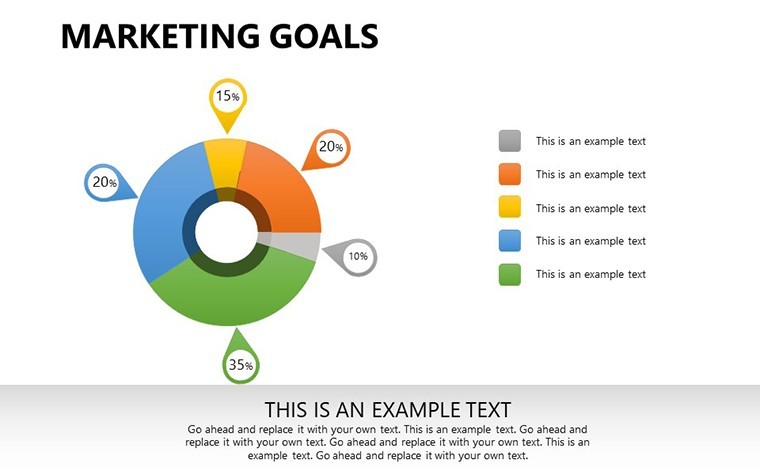
I used the pie chart slides for a small office update and it went smoothly.
The layout was easy enough even for someone who barely uses Keynote.
A few slides felt too empty but maybe that’s better than cluttered.
Good option when you need charts without spending hours formatting.
The icons matched the graphs pretty naturally.
FAQ
Will it work in Google Slides?
Are fonts embedded?
Can I use this for client work?
What's the refund policy?
Do you update the template after purchase?
Similar templates
See all Keynote Charts →
All 16 slides