 Click to zoom
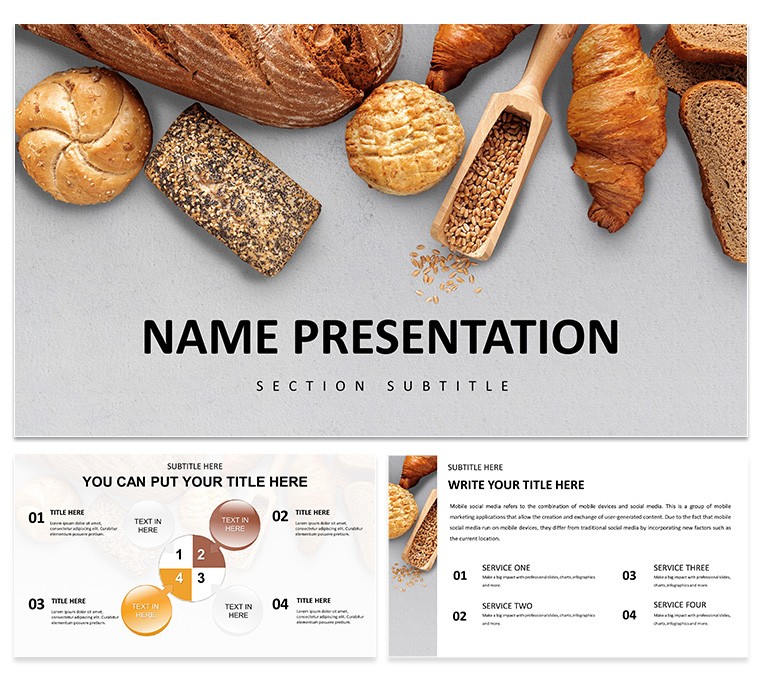
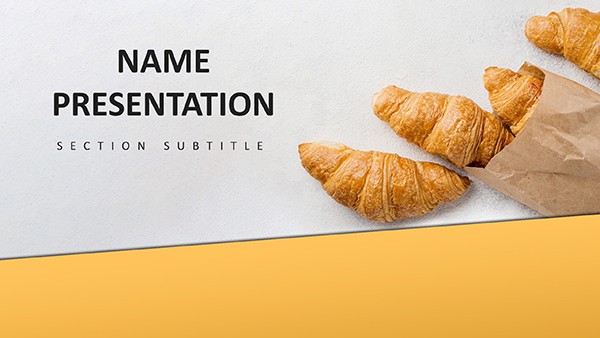
Delicious and Easy Baking Recipes PowerPoint Template
| Format | .pptx |
| Slides | 3 unique layouts |
| Aspect ratio | 16:9 |
| Compatibility | PowerPoint |
| Animated | No |
| Language | English |
| License | Commercial |
| File size | — |
| Version | v1.0 |
| Last updated | February 2026 |
What's inside
Baking doesn't have to be a riddle wrapped in an apron - sometimes, it's as straightforward as measuring flour and letting joy take over. This Delicious and Easy Baking Recipes PowerPoint Template simplifies that spirit for college cooks, bloggers, and bakery pros, delivering 28 diagrams that unpack recipes like friendly chats over cooling racks. Seven lively color schemes burst with citrus zests and vanilla warms, complemented by three masters and backgrounds that feel lively yet grounded, like a bustling kitchen on a sunny afternoon.
From dorm-room demos to client allure, it streamlines sharing steps and stories. Customize freely: Drop in your grandma's cookie snaps, blend colors to your pantry's palette, or choreograph reveals that sync with mixing beats. Rooted in PowerPoint's reliability, it hands you the whisk, so you stir up engagement without the hassle.
Flavorful Foundations: Key Highlights
Picture a template as inviting as a just-out-of-oven batch - accessible, abundant, and always ready to adapt. It layers simplicity with sparkle, making recipe rundowns a delight.
- 28 Lively Diagrams: Flow maps for batter paths or balance scales for ratios - vibrant and straightforward.
- Seven Thematic Color Schemes: Playful pastels or hearty earths, interchangeable for mood shifts.
- Three Masters and Backgrounds: Whimsical patterns or crisp whites, setting a welcoming tone.
- Flexible Edits: Recipe card icons galore; auto-adjusting layouts for varied content lengths.
Tuned for PowerPoint 2016+, it bridges devices, keeping your focus on flavors, not fixes.
Recipe for Relevance: Targeted Uses
Easy baking calls for decks that unfold naturally - this one does, turning tutorials into treasures and promos into pulls.
Student Strategies: Campus Kitchen Wins
Tackle term-time treats with a checklist slide: Ticks for prep phases, nested under a folder icon for sub-recipes. Build it out:
- Embed timer graphics for steps, like "Mix 2 mins for airy texture."
- Add cost breakdowns in side bars, helping budget bakes shine.
- Wrap with a feedback loop diagram, inviting class critiques.
Dorm dwellers love this for group shares, echoing a student bake club that boosted participation with such guided visuals.
Blogger Banter: Post-Pop Boosters
Captivate followers with a storyboard sequence: Frames for each recipe beat, annotated with prods like "Taste-test here." Hyperlink to full posts for deeper dives.
Shop Sells: Treat Teasers
Lure locals with a showcase wheel: Spokes for specials, hubs with prep snippets to hint at freshness and ease.
Kitchen to Crowd: Broader Blends
Fold it into vlogs for scripted overviews or pitches for flavor forecasts via trend lines. A blogger parlayed it into sponsorships, diagramming audience tastes to align with brand briefs.
Print-friendly for flyers or digital for stories, it molds to mediums. Venture into savory by hue shifts, maintaining that easy allure.
Sprinkle Savvy: Handy Hints
Frame key phrases in rounded boxes for scannability - like recipe highlights. Align elements to grids for polish, and save variants in themes for quick swaps. For zest, weave in subtle gradients mimicking swirls.
Leverage outline view for reordering steps, streamlining your narrative flow.
Mix In Some Magic Today
Easy, delicious, and downright effective - this template awaits your ingredients. Download and let the baking begin.
Frequently Asked Questions
Ideal for quick edits?
Spot on - modular design means changes in minutes.
Recipe photo integration?
Seamless placeholders scale and crop intuitively.
Scheme switching speed?
One-click via the variants pane for instant refresh.
Beginner-friendly steps?
Clear instructions in notes guide first-timers.
Branding flexibility?
Total - logos and tags slot right into headers.
Export options?
PDFs, images, or videos from within PowerPoint.
Good for
- Project roadmaps and sprint plans
- Product launch timelines
- Quarterly or annual review decks
- Company history and milestone summaries
Licence
reviews
The node-and-link diagrams helped me map integration dependencies for a technical architecture review and the connector lines stayed aligned.
Used the bilateral tree structures for a stakeholder influence map and the airy spacing kept everything readable even on a small laptop screen.
Good for relationship visualization but not ideal for data-heavy dashboards or sequential process flows.
The vector shapes resized without quality loss and the flat-style design without gradients looked clean.
Wish I could change colors globally through a slide master but I had to use Keynote's format panel to update all matching fills which took extra time.
FAQ
Will it work in Google Slides?
Are fonts embedded?
Can I use this for client work?
What's the refund policy?
Do you update the template after purchase?
Similar templates
See all PowerPoint Templates →
All 1 slides