 Click to zoom
Corporate Capital Structure PPT - Editable PPTX
| Format | .pptx |
| Slides | 47 unique layouts |
| Aspect ratio | 130/73 |
| Compatibility | PowerPoint |
| Animated | No |
| Language | English |
| License | Commercial |
| File size | — |
| Version | v1.0 |
| Last updated | April 2026 |
What's inside
Corporate Capital Structure PowerPoint Template
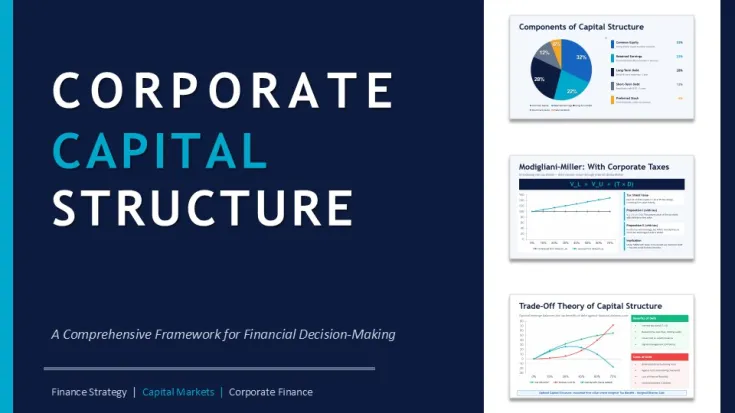
This is one of those files where you immediately see it was built by someone who actually understands finance, not just slide design. The deck runs through capital structure from basics all the way to scenario modeling, and it`s not just filler slides - there`s real structure in how the content flows. You open it and it already feels like a full workshop, not a blank template.
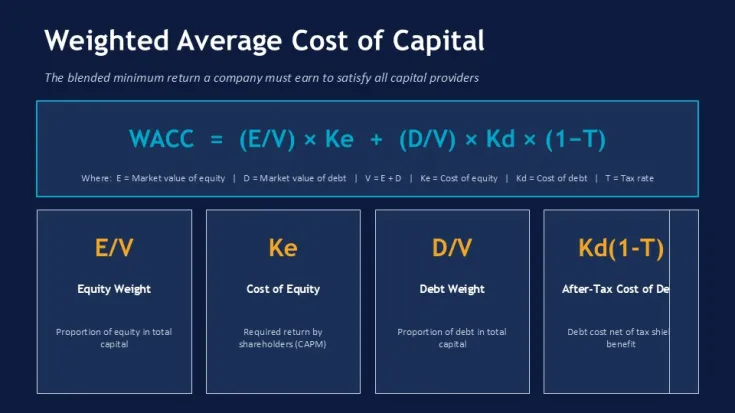
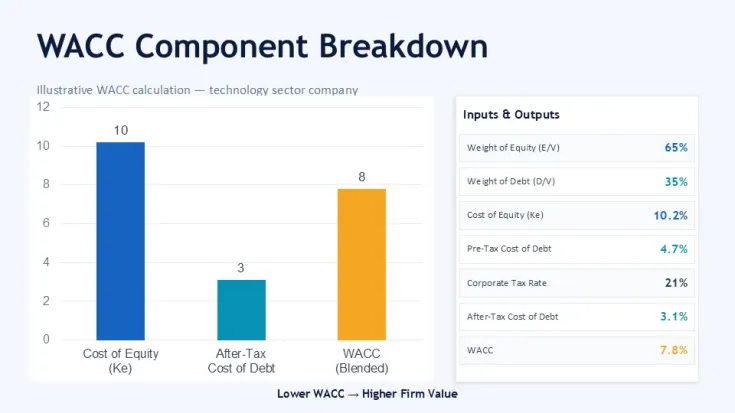
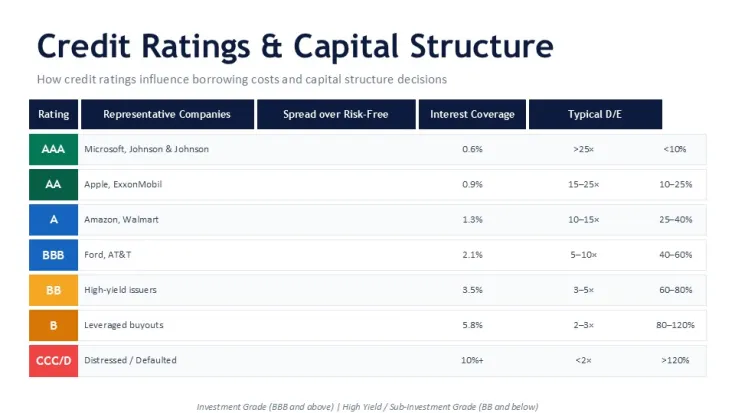
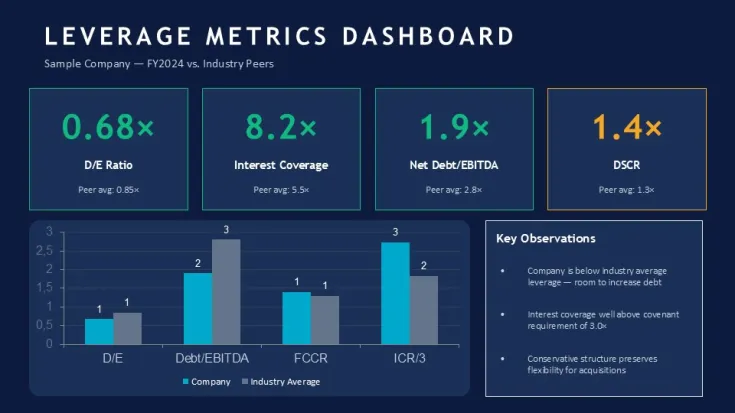
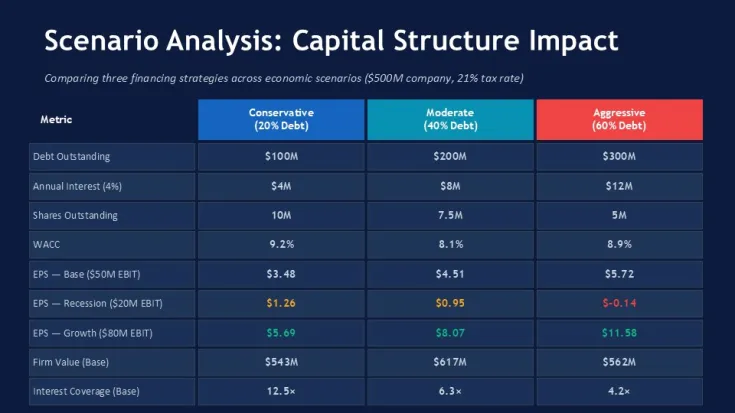
When I opened the file, the first thing I checked was how the heavier tables behave. I dropped in longer labels into the WACC breakdown slide and it held up - spacing didn`t collapse, which is honestly where a lot of free templates fail. And the ratio dashboards? They`re grouped cleanly, so you move blocks around without breaking alignment. That`s something you only notice after actually editing. Oh, and the aspect ratio is 16:9 by default.
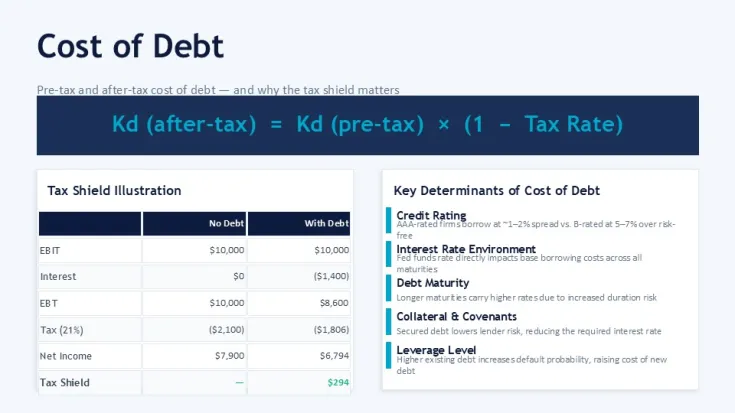
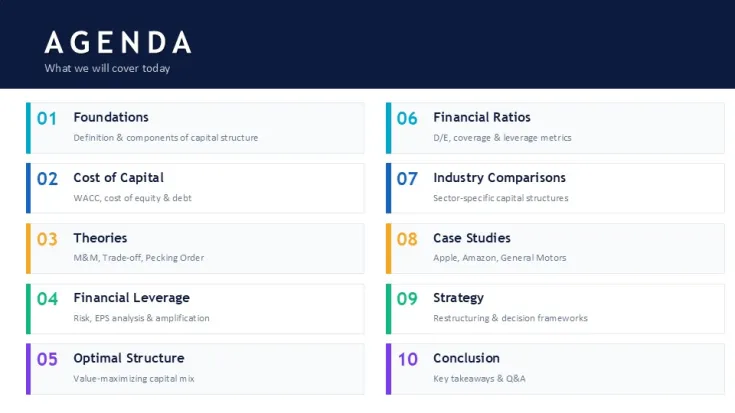
The layout structure leans heavily on horizontal flows and segmented blocks. You get multi-step agenda slides, side-by-side comparisons, and a few dense data tables that are already formatted for financial metrics. The icon style is minimal, mostly supporting labels rather than leading them. And that`s good here - the content carries the slides. In practice, this means you can fit quite a bit of data without it looking cramped. I liked how the vertical spacing stays consistent even when you push more text than you probably should.
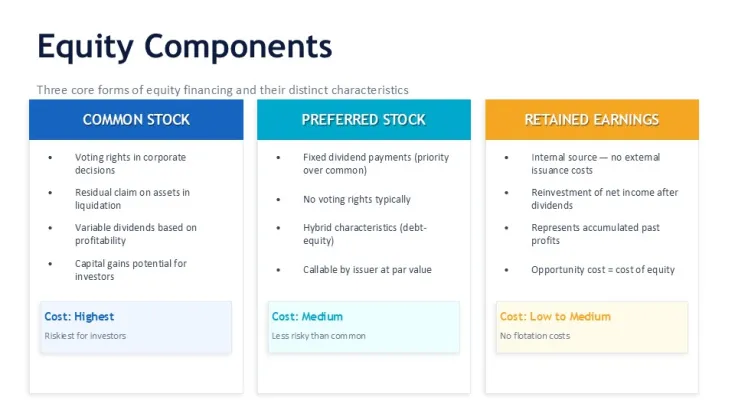
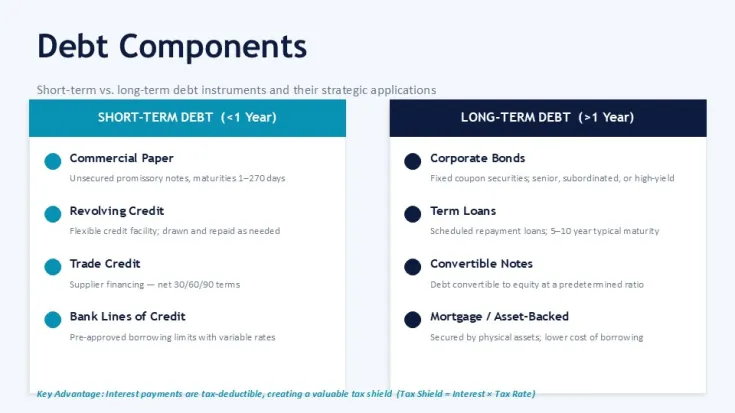
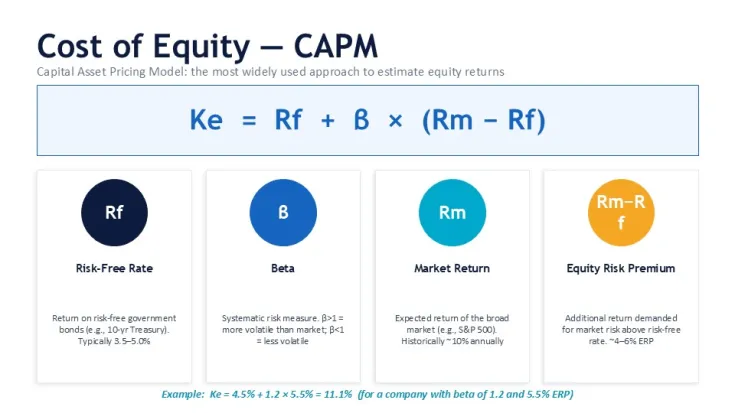
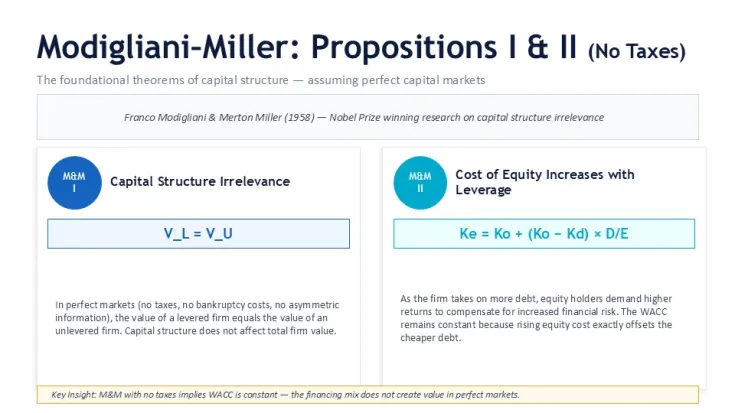
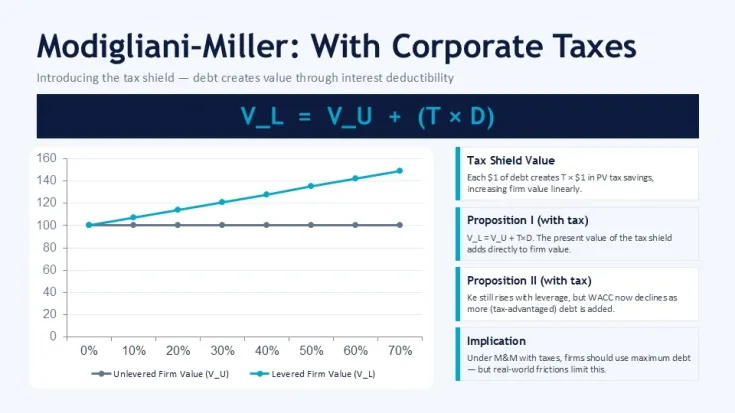
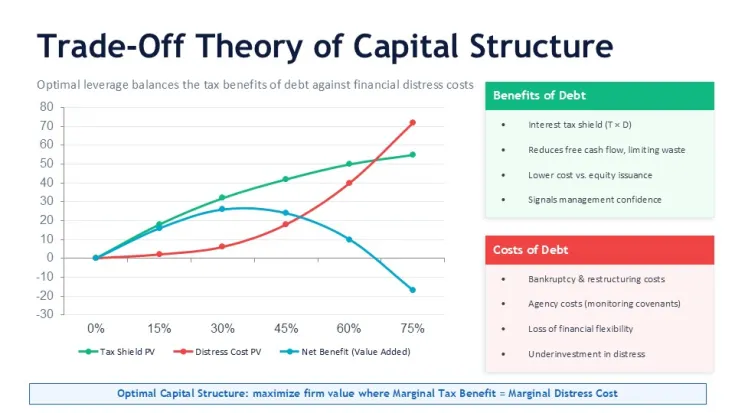
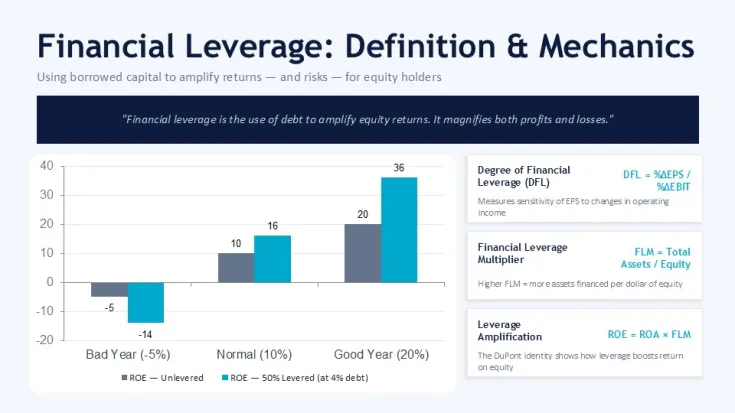
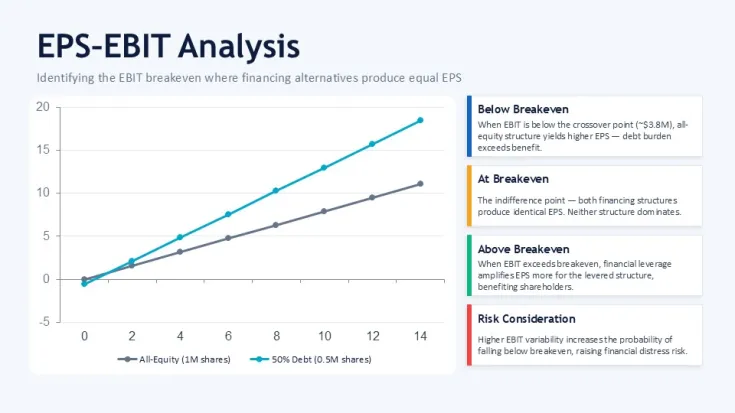
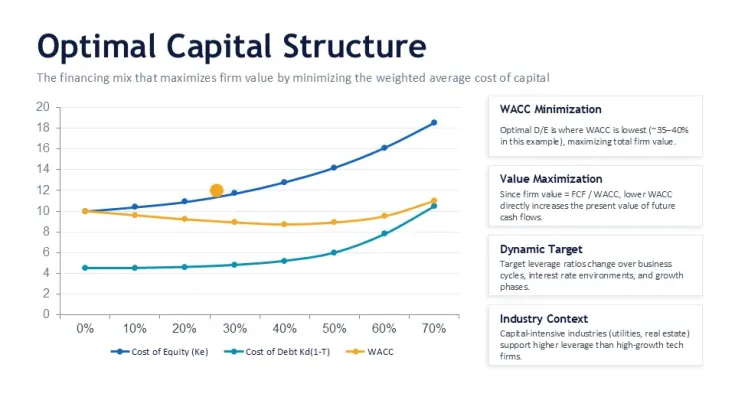
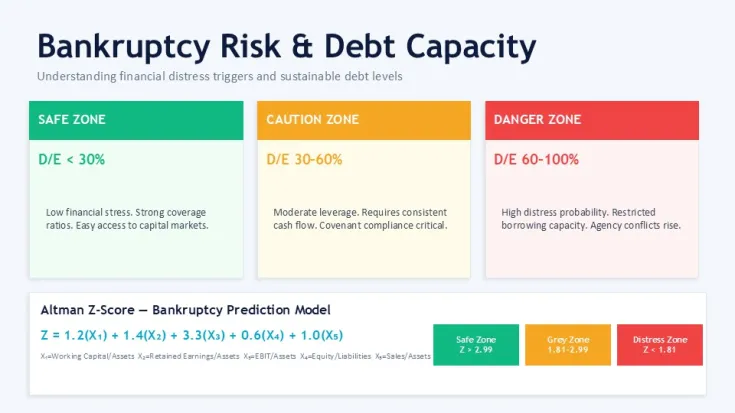
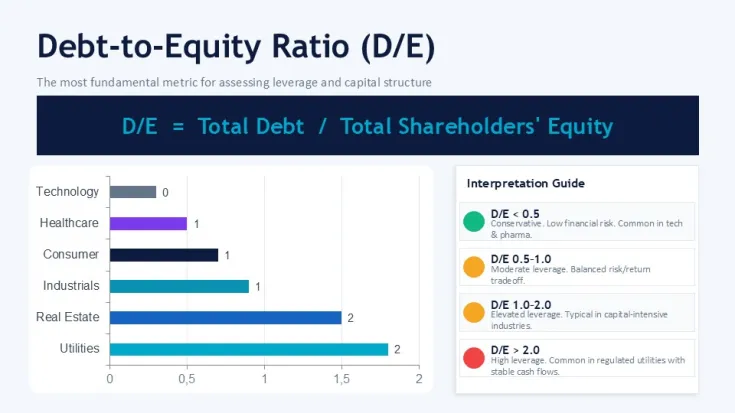
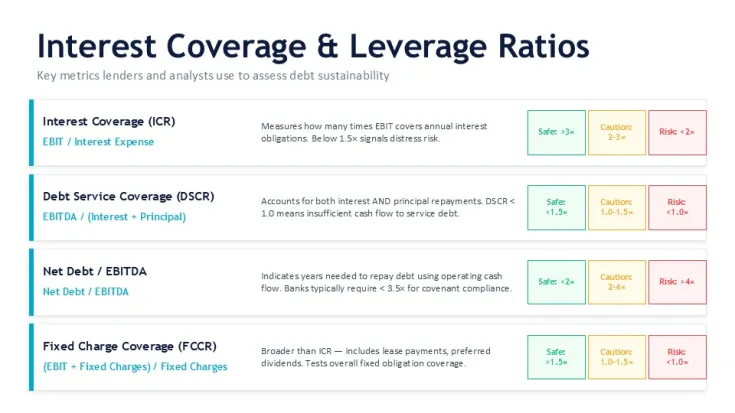
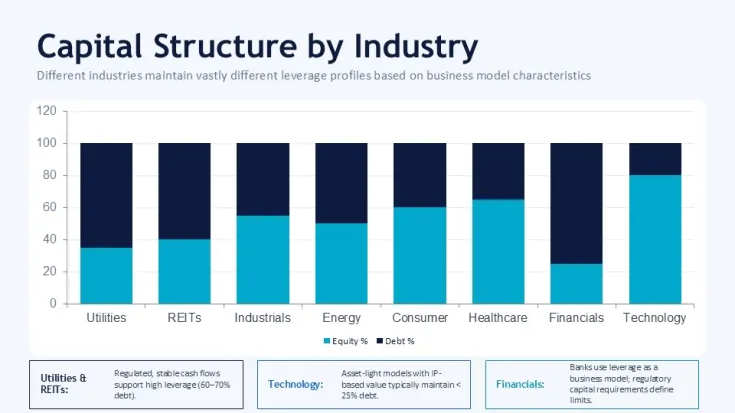
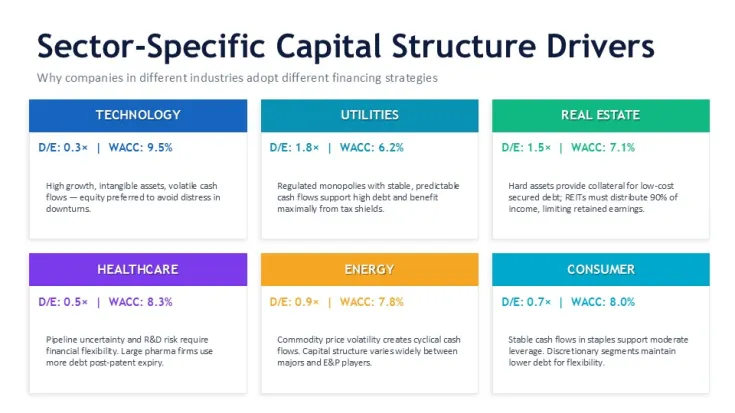
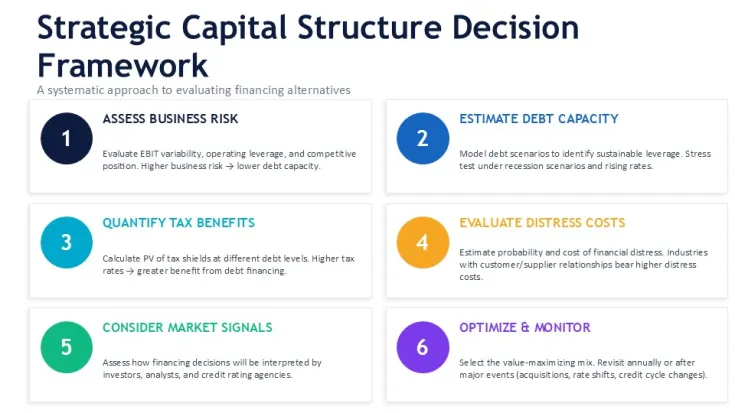
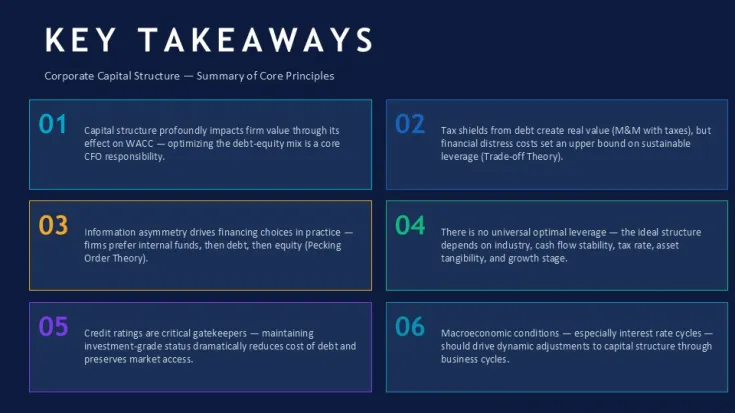
There`s a clear strength in how it handles financial theory slides. The Modigliani-Miller sections, WACC formulas, and leverage visuals are already structured logically - not just text boxes dropped on a slide. The horizontal flow layouts are genuinely well-structured - each step connects without crowding the slide. If you`ve ever had to explain capital structure to a client or internal team, this saves time. A lot of time.
But it`s not for everything. If you need highly visual storytelling or marketing-style slides, this isn`t it. It`s dense. Works best when you actually have numbers, frameworks, and analysis to present. Not ideal for light summaries or pitch decks. That`s it. No extras.
Honestly, I just opened it, changed the colors in the master, and it looked fine. Took maybe five minutes. The color switching is slightly confusing the first time, but once you find the slide master it`s straightforward. And you`ll want to do that early - everything is tied to theme colors, which is good, just not obvious at first glance.
You know that situation when the deck is due tomorrow and you still need to explain leverage scenarios? This is exactly when you grab something like this. CFO teams, analysts, consultants - anyone dealing with capital structure decisions - will get the most out of it. Also works for internal team updates, not just client decks.
The paid version is around typical marketplace pricing. Compared to free alternatives, this goes deeper - especially in theory coverage and structured diagrams. Free ones usually stop at basic charts. Here you get full frameworks, and they actually connect logically slide to slide. In a real project, that matters.
Template Specifications
FeatureDetailsSlides/diagrams40+ slides including WACC models, leverage charts, ratio dashboardsFile format.pptx (PowerPoint)Software versionPowerPoint 2016+ compatibleColor schemesMultiple themes controlled via slide masterEditable elementsTables, charts, icons, and text blocks resize independentlyAspect ratio16:9 widescreen layoutFree vs PaidPaid version includes full slide set and editable diagramsMasters/BackgroundsStructured slide master controlling colors and typographyBest used forFinancial strategy presentations, capital structure analysis, investor decksFAQ
How do I change the colors using the slide master?Open the View tab and go to Slide Master. From there, you`ll see the main theme colors used across all slides. Change those, and everything updates automatically - charts, icons, even tables. It`s slightly confusing the first time, but after that it`s quick.
Can I use this template for client work?It`s the same license most marketplaces use - one buyer, one project, commercial use is fine. You can present it to clients or include it in deliverables. Just don`t resell the template itself. That`s basically it.
What`s the difference between free and paid versions?The short answer is: the free one is limited. You usually get a few sample slides, not the full framework. The paid version includes all diagrams, structured sections, and editable layouts. If you actually plan to use it in a real project, you`ll need the full version.
Are refunds available after purchase?Refunds depend a bit on the marketplace policy. Usually, if the file is downloaded, refunds aren`t guaranteed unless there`s a technical issue. In most cases, everything works fine though.
Can I export this presentation to PDF or video?Honestly, yes - just use PowerPoint`s export options. Go to File - Export and choose PDF or video. Works fine. Oh, and you can also export to PDF from there.
Good for
- Project roadmaps and sprint plans
- Product launch timelines
- Quarterly or annual review decks
- Company history and milestone summaries
Licence
reviews
The aspect ratio is 16:9 by default and you can resize individual bars independently but avoid stretching the whole group too far.
Works fine for what I needed but next time I'll look for something with editable Excel integration because copying numbers manually took extra time.
The clustered columns with line overlays helped me show market share movement over multiple periods and the structure already accounts for labels.
Used these for a competitor analysis and the spacing adjusted without breaking the rest of the slide when I added a new competitor.
Good for analysts but the color palette is limited to what's in the slide master so customization options are basic.
FAQ
Will it work in Google Slides?
Are fonts embedded?
Can I use this for client work?
What's the refund policy?
Do you update the template after purchase?
Similar templates
See all PowerPoint Charts →

All 47 slides