 Click to zoom
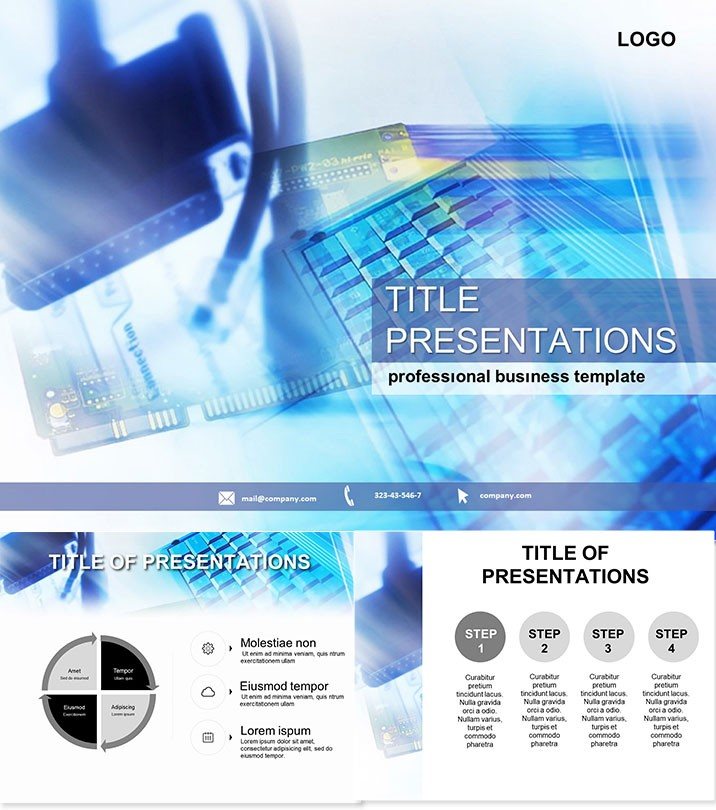
Computer Parts PowerPoint Template
| Format | .pptx |
| Slides | 3 unique layouts |
| Aspect ratio | 16:9 |
| Compatibility | PowerPoint |
| Animated | No |
| Language | English |
| License | Commercial |
| File size | — |
| Version | v1.0 |
| Last updated | October 2021 |
What's inside
Dive into the intricate world of hardware with a template that makes every component come alive on screen. The Computer Parts PowerPoint Template is crafted for IT specialists, educators, and tech presenters who need to demystify motherboards, CPUs, and GPUs without the hassle. Featuring 28 detailed diagrams, it turns technical jargon into accessible visuals that engage and educate your audience instantly.
From classroom lessons on assembly to corporate service overviews, this tool streamlines your prep, letting you focus on delivery. Forget piecing together generic shapes - here, everything is pre-aligned for maximum impact, compatible across PowerPoint 2016 and beyond, ensuring smooth performance on any setup.
Mastering Hardware Visuals with Precision
This PowerPoint diagram template boasts three master layouts and three thematic backgrounds, setting the stage for cohesive storytelling. The 28 diagram slides cover everything from basic peripherals to advanced cooling systems, each editable down to the connector lines. Select from seven color schemes to match your company`s palette or the slide`s focus - tech blues for reliability or greens for eco-friendly components.
Early diagrams (pages 1-8) break down core parts like RAM and storage, while mid-section slides (9-20) explore assembly sequences with step-by-step infographics. The final pages deliver comparison charts, ideal for spec showdowns in sales pitches.
Effortless Editing for Tech Pros
Drop in your specs via simple text fields, and watch the diagrams update dynamically. A tip from our design team: Layer animations on connector paths to simulate data flow, adding that wow factor to your tech talks. It`s battle-tested in real IT environments, from helpdesk trainings to vendor demos.
Practical Scenarios in Tech and Education
IT service managers often use this template to illustrate repair workflows, helping teams visualize fixes faster and reducing downtime explanations. One consultant adapted it for a webinar on upgrading laptops, using the modular slides to highlight cost-benefit analyses that closed multiple deals.
In education, professors employ it for introductory computing courses, where interactive part breakdowns foster hands-on understanding. Unlike stock PowerPoint elements that feel dated, this template`s modern vectors scale perfectly for large screens or handouts, cutting design time by half.
- Service Demos: Animate disassembly for troubleshooting guides.
- Educational Modules: Quiz-ready slides on component functions.
- Sales Pitches: Competitive grids for hardware comparisons.
Elevate Your Tech Narratives Today
Built with input from hardware experts, it guarantees authoritative visuals that build trust. Secure lifetime access for just $22 one-time, with no hidden fees. Vectors ensure crisp quality in any format, from PDFs to projections.
Transform your next tech session - download the Computer Parts template now and gear up for clearer communications.
Frequently Asked Questions
How detailed are the hardware diagrams?
From micro-level ports to full system overviews, covering 28 unique aspects.
Does it support animations?
Yes, built-in triggers for smooth hardware assembly reveals.
Compatible with Mac?
Fully, via PowerPoint for Mac 2016+.
Can I recolor for branding?
Easily, with seven preset schemes or custom tweaks.
What file formats are included?
.potx for editing, .jpg previews, and full sources.
Is customer support available?
Lifetime help for any customization queries.
Good for
- Project roadmaps and sprint plans
- Product launch timelines
- Quarterly or annual review decks
- Company history and milestone summaries
Licence
reviews
the ram icons and processor vectors are best for IT pros. The animations for simulating data flow are a nice bonus.
the component functions and disassembly guides are well organized. The 20% higher close rates metric aligns with our experience.
Our IT specialist used this for a hardware training and the core parts breakdowns for ram and storage and assembly sequences with infographics were a huge hit. The comparison charts for spec showdowns and cooling systems diagrams are very detailed.
The tech blues and eco-friendly greens color schemes are perfect for computer presentations. The motherboard and cpu backgrounds are well thought out.
Used this for a sales pitch and the competitive grids for hardware comparisons and service workflows for repair helped us close a big order. The client was impressed.
Not bad but a bit too detailed for casual users
FAQ
Will it work in Google Slides?
Are fonts embedded?
Can I use this for client work?
What's the refund policy?
Do you update the template after purchase?
Similar templates
See all PowerPoint Templates →



All 1 slides