 Click to zoom
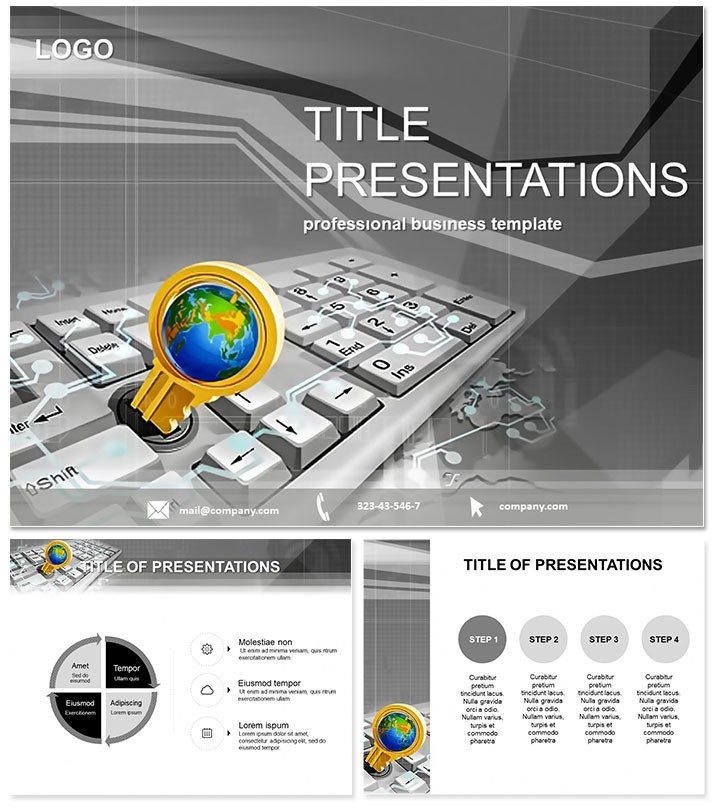
Computer Lessons PowerPoint Template
| Format | .pptx |
| Slides | 3 unique layouts |
| Aspect ratio | 16:9 |
| Compatibility | PowerPoint |
| Animated | No |
| Language | English |
| License | Commercial |
| File size | — |
| Version | v1.0 |
| Last updated | August 2020 |
What's inside
Unlock the digital door to captivating education with the Computer Lessons PowerPoint Template, where binary meets brilliance. Envision slides decoding algorithms like open-source magic, empowering teachers to turn code confusion into eureka moments for students.
As tech literacy booms, presentations must boot faster than ever. This template compiles clarity for IT instructors, bootcamp leads, and self-learners, compiling complex topics into byte-sized visuals. From basic syntax to cybersecurity, it runs smoothly on PowerPoint 2016+, with a single purchase compiling lifetime compilations.
Byte-Sized Features for Tech Pros
- 28 Algorithmic Diagrams: Tree structures for decision branches to loop flows for iterations.
- 7 Digital Color Schemes: Neon blues for innovation or grays for systems - compile to your curriculum.
- 3 Masters and Backgrounds: Circuit-board patterns and pixel grids for a tech-savvy canvas.
- Layered Editability: Peel back elements to debug or enhance without crashes.
Robust as a firewall, these enable interactive demos, like clickable nodes in network diagrams.
Code Walkthrough: Slide Structure
Initialize with 28 slides scripting your session. Slide 1: A binary title cascade, setting variables for the lesson. Slides 2-5 initialize basics - Venn diagrams overlapping hardware/software realms.
Loop into core: Slides 6-15 execute functions, with flowchart diagrams parsing loops and conditionals. For data, Slides 16-22 deploy matrix arrays visualizing databases.
Debug finale in Slides 23-28: error timelines and security shields. Syntax highlights via animations simulate runtime, executing engagement.
Applications: From Classroom to Cloud
A CS prof used radial diagrams to orbit OOP principles, boosting comprehension 30% per feedback. In corporate training, flowchart sales funnels as code paths, aligning teams on digital strategies.
A hobbyist coder prototyped app ideas via process maps, iterating faster to launch. Spans lectures, webinars, and hackathon recaps, debugging dull decks.
Superior Scripting Over Defaults
Plain PowerPoint is uncompiled code - raw, error-prone. This template optimizes: semantic icons for instant recognition, modular masters for reuse, and WCAG-compliant contrasts. Edit cycles shrink from days to debug sessions.
Export-ready for LMS integration, extending reach.
Compile your edge. Download the Computer Lessons PowerPoint Template today and program persuasive power.
Frequently Asked Questions
Version support?
2016+, cloud-inclusive for hybrid classes.
Color coding options?
Seven themes, hex-editable for theme harmony.
Non-CS uses?
Adapts to workflow diagrams in any field.
Slide inventory?
28 executable diagrams, forkable endlessly.
Usage rights?
Lifetime, open-source style for all endeavors.
Dynamic elements?
Hover effects and paths for live coding feel.
Good for
- Project roadmaps and sprint plans
- Product launch timelines
- Quarterly or annual review decks
- Company history and milestone summaries
Licence
reviews
Needed a ton of data visualization for a last-minute board meeting. The bar charts here are clean.
Not a huge fan of the default color palette, but it took two seconds to change.
Does what it says on the tin. The editable graphs saved me a lot of time.
The layout for the KPI dashboard is decent, though some of the placeholder text was weird.
Got a compliment on the 'growth arrows' slide from my director, so I guess that's good.
FAQ
Will it work in Google Slides?
Are fonts embedded?
Can I use this for client work?
What's the refund policy?
Do you update the template after purchase?
Similar templates
See all PowerPoint Templates →

All 1 slides