 Click to zoom
Competitor Price Analysis Keynote Template: Master Market Comparisons
| Format | .pptx |
| Slides | 30 unique layouts |
| Aspect ratio | 16:9 |
| Compatibility | PowerPoint |
| Animated | No |
| Language | English |
| License | Commercial |
| File size | — |
| Version | v1.0 |
| Last updated | January 2022 |
What's inside
Navigating the competitive landscape requires more than gut feelings - it demands data-driven insights. Our Competitor Price Analysis Keynote Template equips you with the tools to dissect market dynamics, from pricing strategies to product quality benchmarks. Tailored for business analysts, marketers, and entrepreneurs, this template features 30 editable slides that transform raw data into actionable intelligence. Whether you're assessing e-commerce rivals or B2B suppliers, you'll uncover hidden opportunities and threats with ease.
Imagine presenting a comprehensive market overview where demand curves, cost breakdowns, and competitor positioning come alive. This isn't just about numbers; it's about storytelling that influences decisions, like adjusting your pricing to capture more share. Fully compatible with Keynote on Mac, the template ensures your visuals pop without technical glitches, letting you focus on the big picture.
Standout Features for In-Depth Analysis
Each slide is engineered for clarity and impact, with layouts that accommodate complex datasets. Editable elements allow you to input specifics like average market values or quality metrics, creating a personalized narrative. The design emphasizes usability, with intuitive placeholders for charts that highlight variances in competitor offerings.
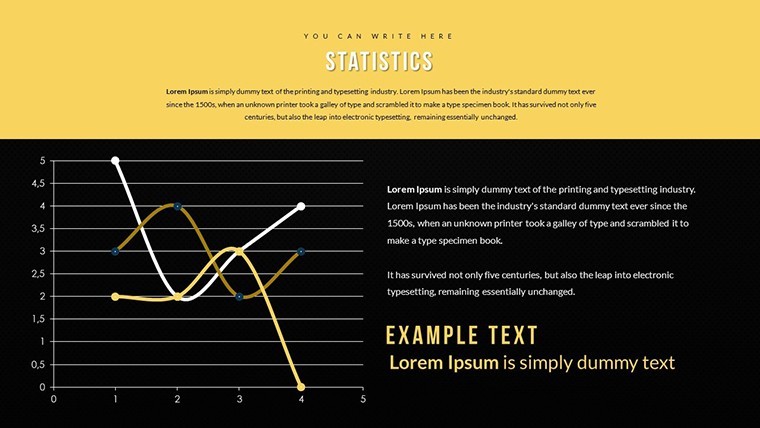
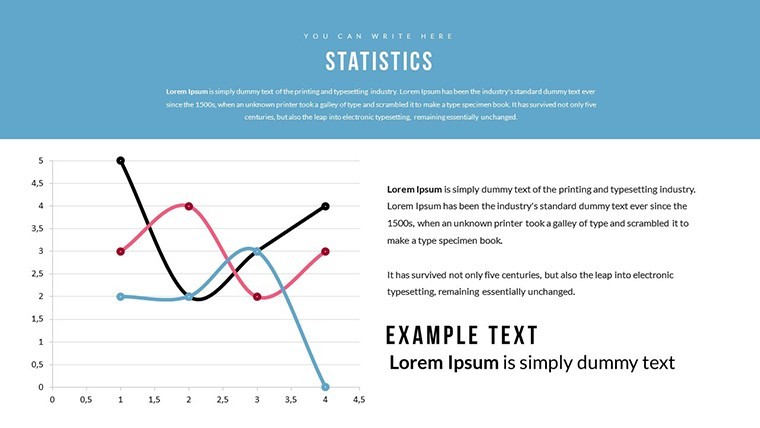
- Comprehensive Chart Variety: Include bar graphs for price comparisons, scatter plots for quality vs. cost, and line charts for demand trends.
- Data Integration Ease: Seamlessly import from spreadsheets, ensuring accuracy in representations of market states.
- Visual Enhancements: Subtle animations reveal insights progressively, building suspense in your presentation.
- Branding Flexibility: Adapt themes to your company's style, fostering a professional, cohesive look.
These aren't off-the-shelf; they're optimized for real business scenarios, such as evaluating SaaS pricing tiers against competitors like Zoom or Slack.
Practical Use Cases in Business Strategy
Envision a product launch meeting where you use this template to showcase how your offering undercuts competitors on price while surpassing in quality - perhaps in the consumer electronics sector, comparing smartphone features. Or, in a strategy session, map out market saturation using pie charts to allocate resources effectively. This template excels in annual reviews, helping teams identify pricing sweet spots that boost profitability.
For consultants, it's a game-changer in client reports, illustrating competitive landscapes in industries like retail, where factors beyond price, such as delivery speed, matter. Draw from case studies like Amazon's dynamic pricing to inspire your audience, turning data into strategies that drive growth.
Workflow Integration Tips
- Gather Data: Compile competitor info from sources like industry reports or tools like SEMrush.
- Customize Slides: Populate with your findings, adjusting visuals for emphasis.
- Refine Narrative: Add notes for smooth delivery, highlighting key takeaways.
- Present and Iterate: Gather feedback post-presentation to refine future analyses.
Versus standard Keynote blanks, this template provides structured frameworks that cut preparation time, enabling deeper dives into metrics like customer perceived value.
Unlocking Value Through Smart Insights
The benefits extend to fostering informed decisions that enhance competitiveness. Users often see improved strategy alignment, as visuals make abstract concepts concrete - like visualizing price elasticity in response to competitor moves. In a trust-building move, align your presentations with reliable data sources, positioning you as an authority in market analysis.
Integrate with workflows involving CRM systems or analytics platforms for real-time updates, ensuring your insights remain current in volatile markets.
Pro Tips for Engaging Presentations
Balance data with anecdotes; for instance, reference how Apple's premium pricing thrives amid competitors. Use color coding to differentiate your product positively. Test on various devices for accessibility, and end with clear calls to action, like revising go-to-market plans.
Elevate your market intelligence today with this indispensable tool. Start crafting presentations that not only analyze but also inspire strategic shifts.
Frequently Asked Questions
What makes this template ideal for competitor analysis?It includes specialized charts for price, quality, and demand comparisons, making complex data accessible.Can I edit all 30 slides fully?Yes, every aspect is customizable, from data inputs to visual styles.Is it only for Keynote users?Absolutely, optimized for Mac's iWork Keynote for best results.How does it help in market strategy?By providing visual tools to compare factors beyond price, aiding comprehensive decision-making.Are there examples included?Placeholders guide you, but you input your data for tailored insights.What's the file format?.key files in a .zip download.Good for
- Project roadmaps and sprint plans
- Product launch timelines
- Quarterly or annual review decks
- Company history and milestone summaries
Licence
reviews
Used for a school project last minute it was fine
Maps and charts helped visualize numbers without confusion
Put it in a client report it was easy to edit
Used it for quick slides nothing complicated
Not bad but I had to adjust some layouts
FAQ
Will it work in Google Slides?
Are fonts embedded?
Can I use this for client work?
What's the refund policy?
Do you update the template after purchase?
Similar templates
See all Keynote Charts →



All 30 slides