 Click to zoom
Cloud Keynote Themes: Stunning Presentation Kit
| Format | .pptx |
| Slides | 3 unique layouts |
| Aspect ratio | 16:9 |
| Compatibility | PowerPoint |
| Animated | No |
| Language | English |
| License | Commercial |
| File size | — |
| Version | v1.0 |
| Last updated | August 2023 |
What's inside
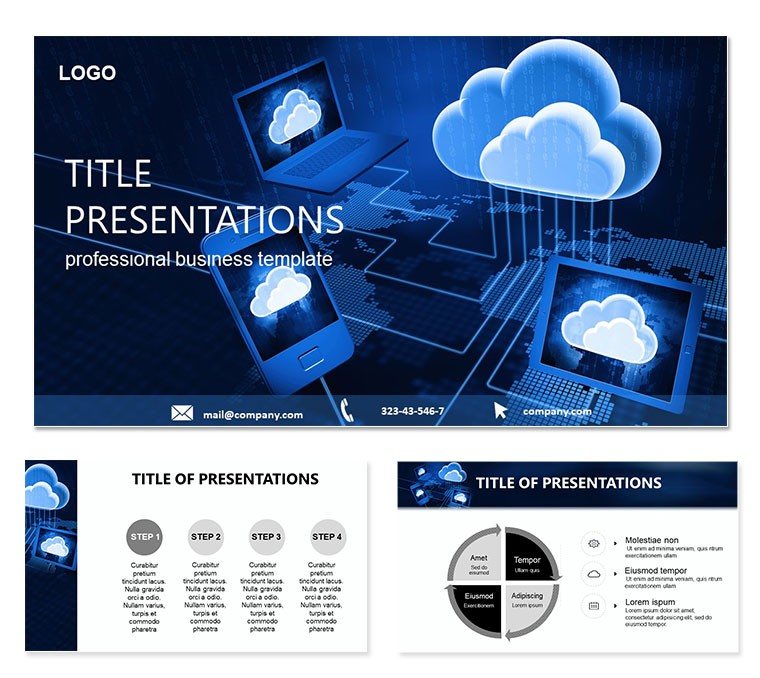
In a world where ideas compete for attention, your Keynote deck can be the difference between a forgotten memo and a standing ovation. The Cloud Keynote Themes template is your ally for professionals, educators, and innovators aiming to weave cloud-inspired visuals into narratives that inspire action. Boasting 28 diagrams ready to adapt to your story, seven color palettes that evoke trust and modernity, this kit includes three masters and backgrounds to ground your content in ethereal yet professional aesthetics.
Targeted at those delivering pitches, lectures, or project showcases, it addresses the challenge of making abstract cloud benefits tangible. Picture explaining scalability not with bullet points, but with flowing diagrams that mirror data streams across virtual realms. Compatible with Keynote on macOS and iPad, it`s designed for quick iterations - import your data, tweak layouts, and rehearse with built-in presenter notes.
Essential Elements That Power Your Deck
At its heart, this template thrives on flexibility. The diagrams range from process flows to comparative matrices, all vector-sharp for retina displays. Slide 12`s ecosystem overview, for example, uses interconnected nodes you can link to live hyperlinks, pulling in real-time stats from cloud dashboards during your talk.
- Versatile Layouts: Mix grid-based content slides with full-bleed visuals for rhythm in your flow.
- Theme Integration: Cloud motifs like wispy gradients and node clusters that subtly reinforce digital themes without overwhelming text.
- Asset Pack: Pre-loaded fonts and shapes compliant with Apple`s design guidelines for seamless exports.
For a marketing lead unveiling a new SaaS rollout, the adoption curve diagram (slide 20) becomes a canvas: Input user growth projections, apply a smooth curve animation, and watch your forecast come alive, much like how a product manager at a startup used it to align sales forecasts with demo days.
Mastering Customization in Minutes
Leverage the three backgrounds - one opaque for readability, one translucent for overlays, and one patterned for accents - to set tones per section. Editing flows naturally: Highlight a diagram, use the format sidebar to adjust opacity on cloud overlays, and sync changes across duplicates with the master applicator tool.
Practical Scenarios: Where Cloud Themes Shine
Educators find gold in the collaborative workspace slide (diagram 8), populating it with student project icons to illustrate shared editing in real-time tools. Step one: Duplicate the slide, two: Assign colors to roles via the scheme switcher, three: Animate entry to simulate joins, four: Embed a QR code for live polls.
Business execs tackling investor updates can repurpose the ROI funnel (slide 16) by funneling metrics from acquisition to retention, ensuring each layer`s drop-off tells a story of optimization opportunities. In one board meeting, this visual shifted focus from numbers to narratives, sparking strategic pivots.
Enhancing Educational and Freelance Flows
Freelancers pitching web services might chain the migration pathway (diagram 4) with before-after comparisons, using split-screen masters to contrast legacy vs. cloud setups. This not only clarifies value but invites questions, turning monologues into dialogues.
- Layer in hyperlinks to case studies for deeper dives.
- Use magic move for seamless transitions between related diagrams.
- Export sections as standalone PDFs for handouts.
For team trainings, the security layers onion (slide 24) peels back risks interactively, fostering discussions on best practices without rote slides.
The Edge Over Standard Slides
Unlike basic themes, this kit`s cloud-inspired elements add a layer of relevance for tech-forward talks, with animations that feel organic rather than gimmicky. It`s built for collaboration too - share .key files via Messages for co-edits, keeping everyone synced.
Visualize closing a client deal with a deck that feels as expansive as the cloud itself: Fluid, connected, boundless.
Quick Wins for Polish
Boost accessibility by describing visuals in notes: "Diagram showing multi-tenant architecture with isolated pods." Pair with Keynote`s record slideshow for practice runs, refining timing on diagram reveals.
Secure your Cloud Keynote Themes today for $22 - unlock decks that don`t just inform, but transform.
Frequently Asked Questions
Who is the Cloud Keynote Themes template best for?
It`s ideal for business pros, teachers, and freelancers needing engaging, customizable slides for diverse talks.
Are the diagrams fully resizable?
Yes, vector construction ensures no pixelation when scaling for different aspect ratios.
Can I use it on iPad?
Perfectly - optimized for Keynote on iPadOS with touch-friendly controls.
What if I need more than seven colors?
Easily extend schemes by editing the color wells in the master slides.
Does it include presenter tools?
Yes, with navigation cues and notes fields integrated into each layout.
How quick is setup?
Under five minutes: Open, select master, insert content, and preview.
Good for
- Project roadmaps and sprint plans
- Product launch timelines
- Quarterly or annual review decks
- Company history and milestone summaries
Licence
reviews
The charts looked fine on a big classroom screen.
I only edited the titles and data fields.
There were enough slide variations for my report.
Some icons looked slightly old but still okay.
Helped me avoid starting from a blank page.
FAQ
Will it work in Google Slides?
Are fonts embedded?
Can I use this for client work?
What's the refund policy?
Do you update the template after purchase?
Similar templates
See all Keynote templates →

All 1 slides