 Click to zoom
Neural Network Keynote Template for Tech Talks
| Format | .pptx |
| Slides | 3 unique layouts |
| Aspect ratio | 16:9 |
| Compatibility | PowerPoint |
| Animated | No |
| Language | English |
| License | Commercial |
| File size | — |
| Version | v1.0 |
| Last updated | December 2023 |
What's inside
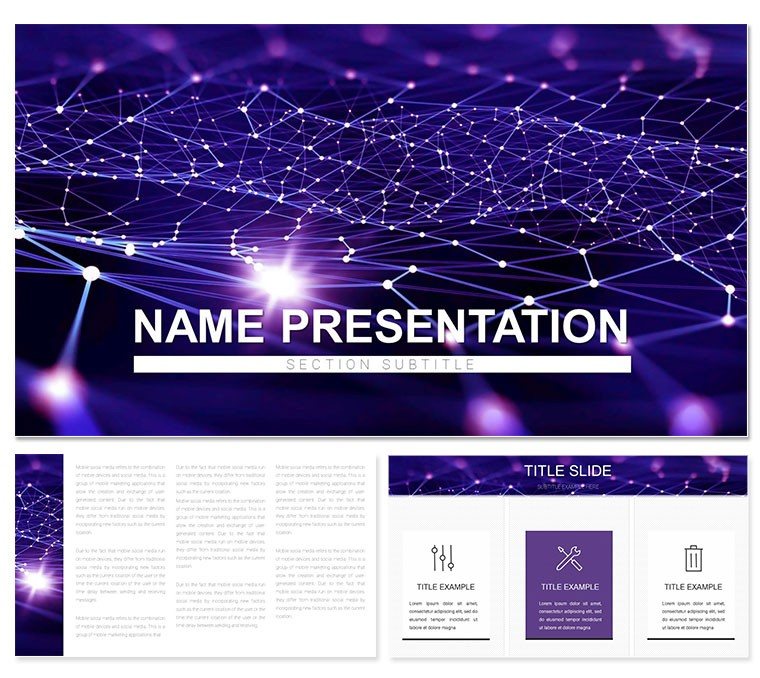
Picture neurons firing across a digital synapse, your slides pulsing with the rhythm of innovation - that's the electric vibe this Neural Network Keynote template brings to tech presentations. Geared toward developers, educators, and visionaries exploring AI, machine learning, and abstract computing, it turns dense algorithms into dazzling displays that hook and hold attention. No more flat flowcharts; this is neural artistry for the modern age.
Loaded with 28 interconnected diagrams, three masters for structural elegance, and three backgrounds that evoke circuit boards or data webs, the template offers seven color schemes to mirror synaptic sparks or deep learning depths. Tailored for Keynote, it harnesses smooth transitions to simulate signal propagation, making your deck as alive as the concepts it conveys.
It's engineered for impact: visuals that abstract complexity into intuition, whether decoding convolutional layers for a startup demo or illustrating backpropagation in a classroom.
Features That Wire Up Winning Presentations
The template's prowess stems from its tech-tuned diagrams - nodes and edges that flex with your code snippets or model outputs.
- Expansive Diagram Network: Twenty-eight configurations, from layered perceptrons to recurrent loops, each wired for scalability.
- Intuitive Edit Suite: Keynote vectors enable rerouting connections or neuron clustering with precise control points.
- Masterful Frameworks: Three variants for overviews, deep-dive analytics, and forward-looking projections.
- Synaptic Color Choices: Seven themes, blending neon accents for activation functions with matte tones for stable architectures.
In a developer meetup, these let you overlay training curves on a feedforward slide, revealing epochs of progress in a glance.
Innovative Applications in AI Arenas
Launch a webinar on e-commerce personalization? Cascade through the template's tree diagrams to branch recommendation engines, animating paths to mimic user journeys. Educators might use the grid layouts for matrix multiplications, color-coding weights to demystify gradient descent.
For abstract IT pitches, the radial nets expand from central hubs - like core algorithms - to peripheral applications, fostering "aha" moments in boardrooms.
Neural Pathway to Polished Decks
- Activate Keynote: Open the .key file, opting for a master with neural motifs to set an innovative tone.
- Embed Intelligence: Feed loss functions into a heatmap diagram; adjust opacity for gradient emphasis.
- Calibrate Palette: Sidebar tweaks to a scheme that pulses - iridescent for simulations, grounded for results.
- Propagate Animations: Chain build effects across nodes, echoing signal travel in real networks.
- Transmit Output: Broadcast via AirPlay or archive as MOV for archival integrity.
This sequence powers how AI consultants prototype client mocks, iterating visuals as swiftly as models train.
Leaps Ahead of Standard Tech Templates
Off-the-shelf Keynote files rarely capture neural fluidity; this one does, with curved bezier lines for organic flows and backgrounds that subtly grid like tensors. Masters accommodate equations or pseudocode without strain, shining on iPads for mobile brainstorming.
In internet commerce talks, the sequence diagrams sequence transaction predictions, layering confidence intervals for credible forecasts.
Tactics to Amplify Neural Narratives
Hyperlink nodes to GitHub repos, turning passive slides active. Balance density with pauses - reveal layers incrementally - and test on external displays to catch rendering quirks.
Add levity by quipping about "overfitting your slides," keeping tech crowds engaged amid the jargon.
Synapse your stories with superior style. Download the Neural Network Keynote template right away and network your way to presentation prowess.
Frequently Asked Questions
Does it support code embedding?
Yes, paste snippets into monospaced text fields within diagrams for clean integration.
Compatible with iPad Keynote?
Fully - touch-friendly edits make on-the-go tweaks a breeze.
Can I export to other formats?
Easily to PDF, PowerPoint, or video, retaining animations where possible.
How do the color schemes work?
Apply globally or per-slide via the theme chooser for targeted highlights.
Is it beginner-friendly for AI novices?
Yes, with intuitive placeholders guiding data placement.
Good for
- Project roadmaps and sprint plans
- Product launch timelines
- Quarterly or annual review decks
- Company history and milestone summaries
Licence
reviews
Neural network template with node connection diagrams in electric blues and purples looks very tech-forward. Great for my AI talk.
Tech presenter: the layer visualizations clarified backpropagation simply. 28 diagrams cover training flows well.
Practical developer: used the activation function icons - modern and clean design.
Enthusiastic data scientist: the architecture overviews with glowing nodes impressed the audience.
Mixed on some abstract neuron icons feeling too simplified but editable.
Student: perfect for explaining CNNs with the convolution layer slides.
FAQ
Will it work in Google Slides?
Are fonts embedded?
Can I use this for client work?
What's the refund policy?
Do you update the template after purchase?
Similar templates
See all Keynote templates →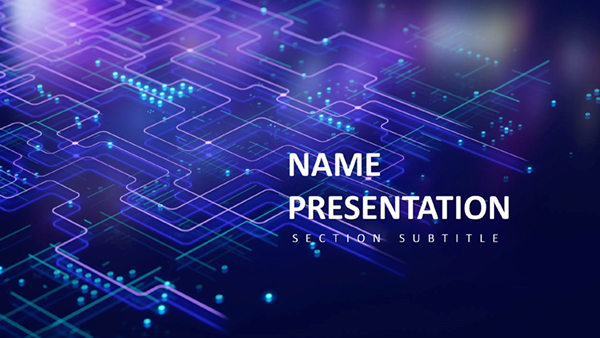


All 1 slides