 Click to zoom
Cloud Computing Keynote Template - Fully Editable IT Diagrams | ImagineLayout
| Format | .pptx |
| Slides | 3 unique layouts |
| Aspect ratio | 16:9 |
| Compatibility | PowerPoint |
| Animated | No |
| Language | English |
| License | Commercial |
| File size | — |
| Version | v1.0 |
| Last updated | March 2026 |
What's inside
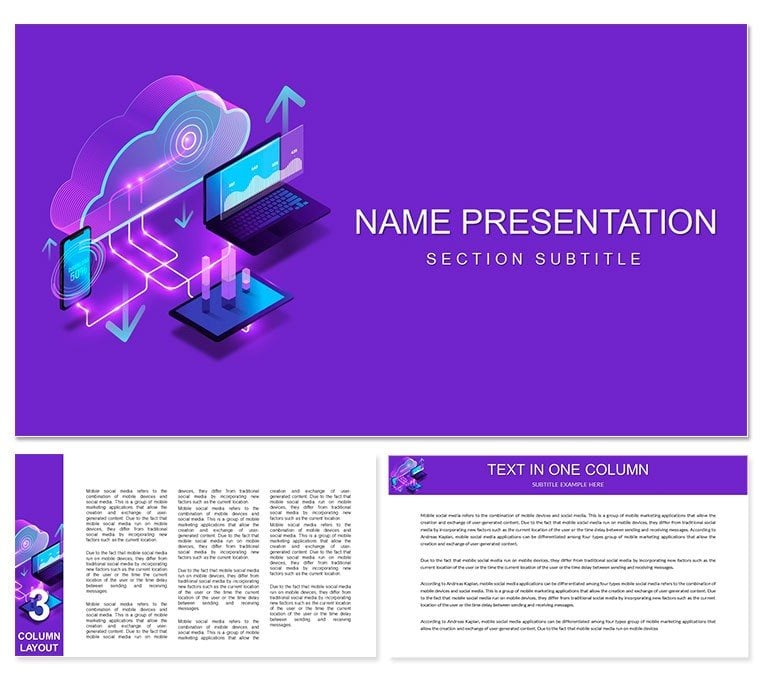
Professional Cloud Technology Keynote Template with 28 diagrams in 7 color schemes for IT and cloud computing presentations. Perfect for cloud security, distributed systems and virtual infrastructure topics. Instant download.
What's Included
The Cloud Technology Keynote Template supplies 28 editable diagrams across 7 color schemes in native KEY and KTH formats (product ID 11016, priced at $10). The collection is categorized under Computer - IT Keynote Theme and covers core cloud concepts including computing, security and distributed systems.
Key Features
Seven color schemes provide immediate brand alignment. Every diagram features editable text placeholders, icon layers and connection lines that represent data flows and infrastructure relationships. The pack supports both high-level overviews and technical deep-dives.
FeatureBenefit28 DiagramsFull cloud topic coverage7 Color SchemesCorporate palette matchingKEY KTHSeamless Keynote workflowCloud IconsVirtual server and network visualsConnection LinesData flow mappingSecurity ElementsLock and shield graphicsProfessional Use Cases
An IT project manager at a software company used the cloud diagrams to present a multi-region migration plan to the executive team, clarifying hybrid architecture components and expected downtime windows. The visual clarity accelerated approval and reduced follow-up questions.
Cloud Security Briefings
Security architects map threat vectors and compliance layers using the built-in shield icons and segmented cloud outlines.
How to Customize
Open the KEY file, select desired color scheme, replace placeholder labels with your infrastructure names, and drag connection lines to match actual data paths. Add or remove virtual console or notebook icons as needed. Full customization finishes in minutes before exporting to PDF or PPT.
Designing equivalent cloud architecture slides from scratch commonly takes 6 hours; this template eliminates alignment and icon creation work.
Why Choose This Template
Related products cover general web systems or virtual reality headsets, but this pack concentrates exclusively on cloud computing, security and distributed technology diagrams needed by IT professionals. The 28-diagram library ensures every common presentation scenario is pre-visualized.
How many diagrams does the pack contain?28 fully editable diagrams organized in 7 color schemes provide complete coverage of cloud computing, security and distributed systems topics.
Are the diagrams editable in Keynote?Yes. All shapes, text, icons and lines remain fully vector editable directly inside Keynote. No external software needed.
Can I export to PowerPoint?The KEY files export to PPTX with complete preservation of cloud icons, connection lines and color schemes.
Is this suitable for technical deep-dive presentations?Yes. The pack includes both high-level architecture overviews and granular diagrams showing virtual machines, storage layers and security protocols.
What is the delivery time?Instant download link provided right after checkout. The ZIP archive contains all KEY and KTH files.
Good for
- Project roadmaps and sprint plans
- Product launch timelines
- Quarterly or annual review decks
- Company history and milestone summaries
Licence
reviews
My supply chain disruption recovery plan slides used these templates effectively. Team understood recovery steps. Implementation smoother. Practical.
During poetry workshop the visual metaphors enhanced readings. Participants inspired. Creative atmosphere. Nice.
Honestly the clean lines match my minimalist preference. Editing quick. My design clients approve. Solid.
This pack elevated our customer success stories. Testimonials displayed impactfully. Retention rates up. Valuable.
For bakery menu launch these visuals made items appetizing. Customers ordered more specials. Sales boost.
The templates structured my language learning progress report. Students tracked improvement. Motivation high.
FAQ
Will it work in Google Slides?
Are fonts embedded?
Can I use this for client work?
What's the refund policy?
Do you update the template after purchase?
Similar templates
See all Keynote templates →

All 1 slides