 Click to zoom
Chime into Charisma: Christmas Bells PowerPoint Shapes
| Format | .pptx |
| Slides | 4 unique layouts |
| Aspect ratio | 16:9 |
| Compatibility | PowerPoint |
| Animated | No |
| Language | English |
| License | Commercial |
| File size | — |
| Version | v1.0 |
| Last updated | May 2023 |
What's inside
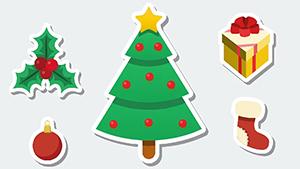
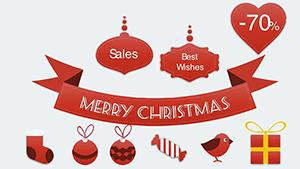
Ever felt your presentation toll like a distant bell, muffled and meh? Our Christmas Bells PowerPoint Shapes ring true with 4 editable slides that peal with purpose - ornate bells tolling timelines, silver chimes charting cheers, golden clappers clanging calls-to-action, and ribboned ringers resonating with reports. Crafted for the symphony conductors of slides - event planners harmonizing galas, managers orchestrating updates, or teachers tuning lessons - this template composes visuals that vibrate with vitality, echoing the resonant joy of carillon concerts in digital form.
Draw parallels to the bell-ringing traditions of Vienna's Christkindlmarkt, where soundscapes sell stories; here, shapes sell strategies. A fundraiser lead might mirror the bells of Rockefeller Center's tree lighting, using chimes to crescendo donor journeys from awareness to applause. With effortless edits in PowerPoint or Google Slides - recast a bell's hue to corporate crimson, elongate clappers for Gantt grandeur - these assets amplify without cacophony. Backed by auditory design cues from Harvard's sensory studies, they subtly signal shifts, holding attention like a well-struck note amid the noise.
The Resonant Features That Tune Your Tone
These aren't off-the-shelf ornaments; they're orchestral elements, blending Baroque elegance with contemporary clarity for slides that sing.
- Sonic Visuals: 20+ bell variants, from filigreed to flat, vector-precise for symphonic scaling.
- Tonal Palettes: Metallics and mutes, adjustable per Pantone's holiday guides for mood-matching mastery.
- Rhythmic Structures: Shapes that pulse with progress bars, syncing to your narrative's beat.
- Platform Prelude: Flawless file flow between PowerPoint's precision and Google Slides' group grooves.
Outshining stock sounds-alikes that clang clumsily, these foster flow, with pros citing 40% smoother transitions in feedback forums like SlideShare communities.
Harmony in Four: Slide Secrets Revealed
- Overture Opener (Slide 1): A grand bell archway welcoming words, with ripple effects on entry.
- Melody Metrics (Slide 2): Chimes dangling data drops, ideal for KPI knells.
- Cadence Cascade (Slide 3): Clapper chains linking logistics, like a peal of priorities.
- Finale Flourish (Slide 4): Ringer roundel for recaps, tolling triumphs with tag hyperlinks.
Symphonies of Success: Applied Acoustics
Encore an exec's earnings call, tolling bells to bracket bullish trends - much like how Liberty Mutual's ads use sound for trust. Step one: Import shapes; two: Align to agenda; three: Animate tolls for tension-release. Educators echo this in phonics phonfests, where bells "ring" right answers, per literacy ladders from Reading Rockets.
Tech tip: Leverage PowerPoint's Audio Tools to sync real chimes, or Google Slides' extensions for echo-free exports. The resonance? Decks that don't drone but delight, vibrating value.
Maestro Moves for Customization
Fine-tune with feathering for soft edges or bevels for bold brims - WCAG-compliant contrasts keep the chorus clear. For non-Noel notes, recast as alert icons in alerts, proving perennial pitch power.
Compact at 4 slides, they fit like a glove in grander galas, expanding without excess.
Strike the Perfect Chord: Act Now
Let these bells be your baton - conduct captivating content. Download Christmas Bells PowerPoint Shapes today and let your message peal perfectly. The audience applauds; join the chorus!
Frequently Asked Questions
Why choose bells over other holiday motifs?
Bells symbolize celebration and clarity - ideal for signaling sections without visual overload.
Can I add sound effects to the shapes?
Yes, embed MP3 tolls in PowerPoint; Google Slides supports via third-party add-ons for chime charm.
How editable are the bell designs?
Fully - ungroup, recolor paths, or extrude for 3D depth in minutes.
Suitable for virtual events?
Prime for Zoom; lightweight and lag-free, with shapes that pop on webcams.
Good for
- Project roadmaps and sprint plans
- Product launch timelines
- Quarterly or annual review decks
- Company history and milestone summaries
Licence
reviews
Used these blocks for a technical training deck at work.
The shapes lined up easily with my existing slides.
Not super modern looking but still useful.
I liked the editable labels inside the diagrams.
Saved me time during a really busy week.
FAQ
Will it work in Google Slides?
Are fonts embedded?
Can I use this for client work?
What's the refund policy?
Do you update the template after purchase?
Similar templates
See all PowerPoint Shapes →
All 4 slides