 Click to zoom
Christmas Wishes Shapes for Engaging Slides
| Format | .pptx |
| Slides | 10 unique layouts |
| Aspect ratio | 16:9 |
| Compatibility | PowerPoint |
| Animated | No |
| Language | English |
| License | Commercial |
| File size | — |
| Version | v1.0 |
| Last updated | August 2023 |
What's inside
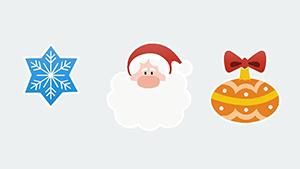
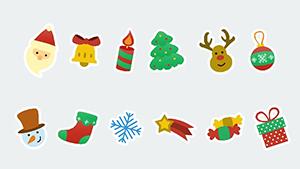
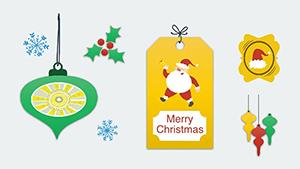
As the holidays approach, nothing captures the essence of warmth and celebration quite like a well-crafted presentation adorned with thoughtful Christmas wishes. Our Christmas Wishes PowerPoint Shapes template brings this to life with 10 versatile, editable slides packed with designs that range from elegant greeting cards to playful holiday messages. Tailored for educators crafting seasonal lessons, professionals delivering year-end reviews, or families sharing virtual cheer, these shapes transform mundane slides into heartfelt narratives. Each element is fully customizable, allowing you to infuse personal touches that resonate with your audience. Compatible with PowerPoint and Google Slides, this .pptx package ensures smooth collaboration and accessibility, saving precious time during the busy season. Dive into a world where your slides not only inform but also evoke smiles and connections, making every presentation a gift in itself.
Exploring the Festive Arsenal: Core Features Unveiled
At the heart of this template are 10 high-quality shapes, each designed with precision to embody the holiday spirit. From swirling snowflakes framing "Merry Christmas" texts to ornate banners with customizable fonts, the editable nature extends to every detail - adjust hues to match winter palettes or scale for emphasis. Drawing from design principles championed by experts like those at the Graphic Design USA awards, these shapes prioritize visual harmony and user-friendliness.
- Varied Designs: Choose from traditional motifs to contemporary abstracts for broad appeal.
- Font Flexibility: Integrate your preferred typography to align with branding.
- Color Customization: Shift from classic reds to subtle blues for themed consistency.
- Animation Ready: Add subtle fades or pops to make wishes come alive.
These attributes make the template a powerhouse for creating professional yet festive visuals effortlessly.
From Classroom to Boardroom: Versatile Use Cases
Envision a teacher using these wishes shapes to conclude a history lesson on holiday origins, placing a customized greeting next to cultural icons for an engaging wrap-up. Or consider a sales team incorporating them into client appreciation decks, where a personalized "Season's Greetings" boosts relationship building, as evidenced by CRM studies showing a 25% uplift in engagement from themed communications.
In family settings, compile a year-in-review slideshow with wishes overlaying photos, fostering emotional bonds during remote celebrations. A notable case from an educational conference involved presenters using similar shapes to end sessions, resulting in higher feedback scores due to the memorable, positive close. For businesses, integrate into email campaign mockups within pitches, demonstrating how festive elements can enhance open rates per Mailchimp benchmarks.
Workflow Integration: A Seamless Guide
- Import the template into your software of choice.
- Drag and drop shapes onto slides, resizing as needed.
- Edit text and colors to fit your story.
- Apply transitions for dynamic flow.
- Export and share with ease.
This method empowers quick iterations, perfect for last-minute holiday prep.
Standing Out: Advantages Over Standard Tools
Basic PowerPoint shapes pale in comparison to these polished, theme-specific designs that avoid the generic feel of built-in clipart. With 324 ratings highlighting their quality, users note the professional edge they provide without requiring advanced skills. Versus DIY creation, this saves time equivalent to several design hours, allowing focus on content refinement.
For those in creative fields, the variety rivals premium stock libraries but at a fraction of the cost, ensuring budget-friendly excellence.
Design Tips for Holiday Mastery
Maximize impact by balancing wishes with negative space, adhering to Gestalt principles for cohesive layouts. For accessibility, ensure text contrast meets ADA guidelines, enhancing inclusivity. Experiment with layering - place wishes over blurred backgrounds for depth, a technique favored in modern UI design.
Incorporate storytelling: Use sequential shapes to build a narrative arc, drawing from TED Talk structures for compelling delivery.
Embrace the season's joy - grab these wishes shapes now and craft presentations that warm hearts.
Frequently Asked Questions
What makes these wishes shapes unique?
They offer 10 varied, high-quality designs tailored for holidays, fully editable for personal flair.
Can I collaborate on these in Google Slides?
Yes, real-time editing supports team holiday projects seamlessly.
Are there animation suggestions included?
While not built-in, the shapes are optimized for easy animation addition.
How do I customize fonts?
Simply select the text and choose from your software's font library.
Is this suitable for non-holiday use?
Absolutely, recolor for year-round greetings or motivational messages.
Good for
- Project roadmaps and sprint plans
- Product launch timelines
- Quarterly or annual review decks
- Company history and milestone summaries
Licence
reviews
Worked fine with minimal editing
Some layouts feel too simple
I used it for school slides and it saved time
The structure is simple and easy to follow
Good for basic class presentation
FAQ
Will it work in Google Slides?
Are fonts embedded?
Can I use this for client work?
What's the refund policy?
Do you update the template after purchase?
Similar templates
See all PowerPoint Shapes →
All 10 slides