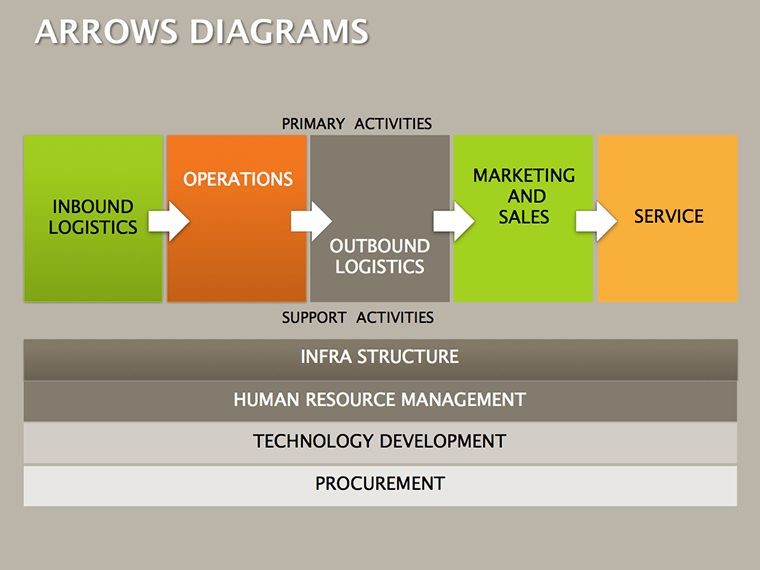
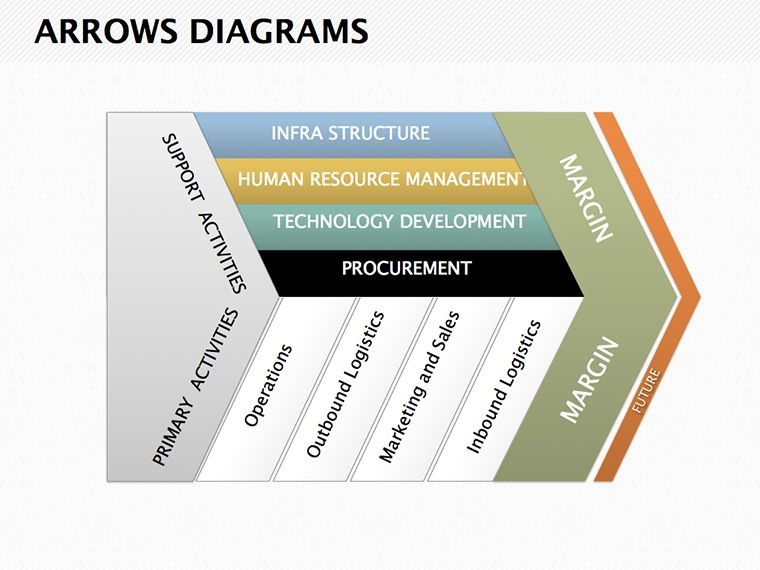
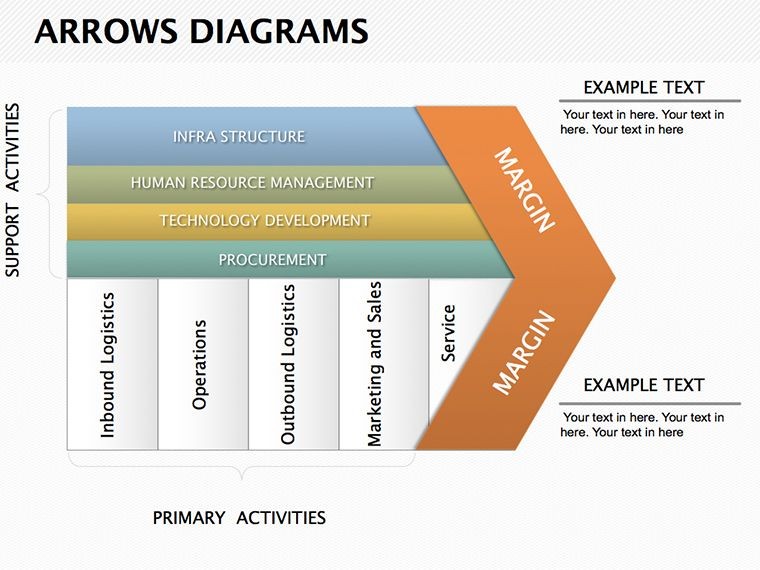
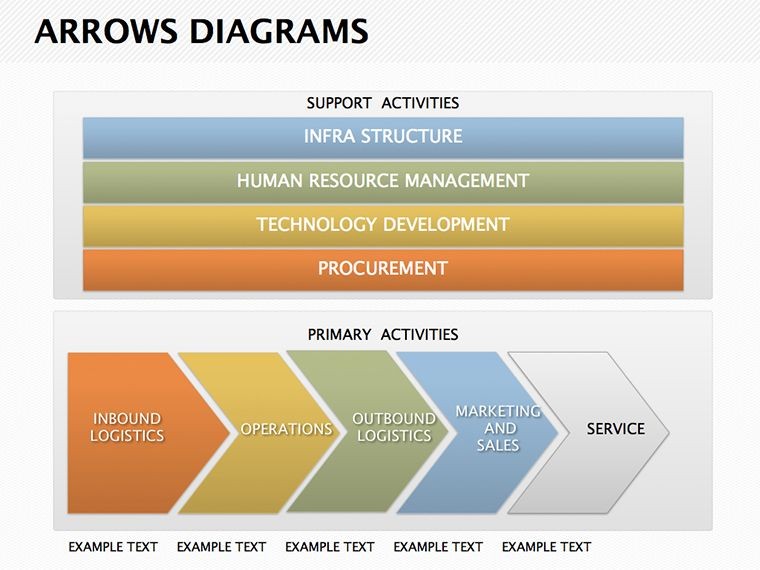
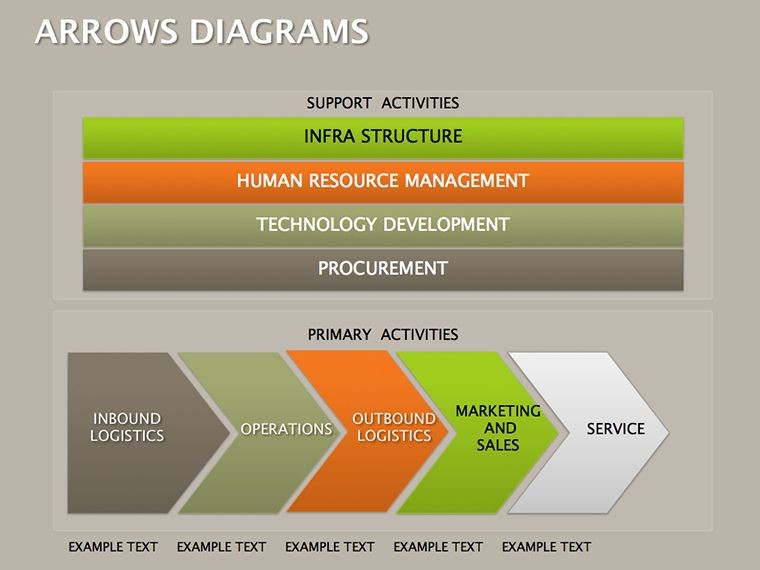
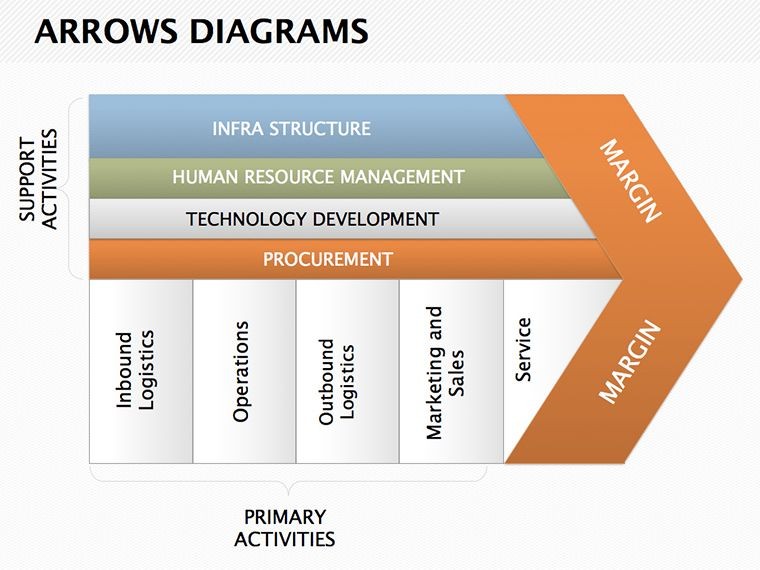
 Click to zoom
Arrows Keynote Diagrams Template
| Format | .pptx |
| Slides | 10 unique layouts |
| Aspect ratio | 16:9 |
| Compatibility | PowerPoint |
| Animated | No |
| Language | English |
| License | Commercial |
| File size | — |
| Version | v1.0 |
| Last updated | September 2023 |
What's inside
Direction isn't just a line on a slide - it's the invisible thread that pulls your audience through your message, from intrigue to conviction. The Arrows Keynote Diagrams Template captures that essence with 10 editable slides centered on tables and arrows, designed to make speeches unforgettable and visuals unignorable. Suited for speakers, trainers, and storytellers who want to guide focus with precision, this template infuses presentations with momentum, whether highlighting key takeaways or sequencing persuasive points.
Think of a motivational coach arrowing through habit-building steps to energize a workshop, or a salesperson directing paths to pain-point resolutions in a demo. These aren't mere pointers; they're narrative navigators that amplify impact, ensuring your words land with force and flow.
Core Strengths for Compelling Direction
Keynote-optimized with crisp vectors and layered builds, the arrows curve and cluster intuitively, supporting table integrations for data-backed direction. Effortless recoloring and scaling keep edits light, while alignment tools ensure pixel-perfect poise.
- Dynamic Arrow Variants: Straight, curved, and clustered for varied emphases, from linear progress to branching choices.
- Table Synergies: Arrows overlaying grids to spotlight metrics, blending structure with guidance.
- Attention-Grabbing Builds: Layered reveals that pace disclosures, building anticipation organically.
Inspired by rhetorical devices like Aristotle's progression, these elements steer viewers purposefully, turning slides into subtle conductors of your discourse.
Unpacking the 10 Arrow-Powered Slides
Concise yet potent, the slides escalate from simple directives to sophisticated sequences. Slide 1's lone arrow table introduces priorities, culminating in Slide 9's multi-arrow convergence for climactic unifications.
- Basic Directives (Slides 1-3): Single arrows in tables for focal points, like agenda highlights.
- Sequential Guides (Slides 4-6): Chained arrows mapping steps, perfect for tutorial overviews.
- Decision Branches (Slides 7-8): Forked paths for options, aiding choice presentations.
- Convergent Climaxes (Slides 9-10): Merging arrows to synthesize, closing with unified impact.
Refine by selecting arrow tails for rotation or heads for emphasis scaling. A event planner could curve Slide 5's chain to timeline logistics, creating a roadmap that anticipates queries.
Deploying Arrows in Engaging Contexts
Versatile for TED-style talks where arrows propel anecdotes, or sales calls directing to upsell paths. In training, table-arrows dissect skills acquisition, echoing corporate learning models that sequence competencies.
Imagine a chef demo: Arrows flowing ingredients to finale, engaging senses visually as words describe tastes. This directional clarity heightens retention, making messages stick like well-aimed darts.
Enhance with Keynote's draw tool for custom arrow flourishes, or sync to music cues for rhythmic reveals - crafting presentations that pulse with purpose.
Directional Design Hacks
Tailor arrow thickness to urgency - bold for calls-to-action, fine for subpoints. Balance with white space around tables, and rehearse builds for natural timing. Solicit peer reviews on flow: Does it guide or goad? Refinement here sharpens your edge.
A public speaker adapted converging arrows for narrative arcs, weaving personal stories into universal truths that drew standing ovations. It's how direction becomes destiny.
Fitting into Your Keynote Repertoire
Geared for Keynote 10+, it collaborates with iMovie exports for video hybrids or Pages for handout arrows. Cloud-sync enables remote polishing.
It's the gentle nudge your slides need to lead boldly.
Steer your story with savvy. Download the Arrows Keynote Diagrams Template for $15 and point to persuasion.
Frequently Asked Questions
How flexible are the arrow shapes?
Highly - morph straight to curved via edit points, or duplicate for custom clusters.
Can arrows integrate with Keynote tables?
Seamlessly - overlay or embed, with auto-snapping for aligned precision.
What about accessibility for arrow-heavy slides?
High-contrast defaults and alt-text prompts ensure screen-reader compatibility.
Are build effects pre-configured?
Yes, sequential scales on paths; tweak order in the Build Order inspector.
How do I export for non-Apple users?
Via PDF or PowerPoint, retaining arrow vectors for sharp renders.
Can I add shadows or glows to arrows?
Absolutely - apply via Format > Style for subtle depth without distraction.
Good for
- Project roadmaps and sprint plans
- Product launch timelines
- Quarterly or annual review decks
- Company history and milestone summaries
Licence
reviews
The ecosystem diagram with species.
Used this for an environmental science class.
The arrows show energy flow.
FAQ
Will it work in Google Slides?
Are fonts embedded?
Can I use this for client work?
What's the refund policy?
Do you update the template after purchase?
Similar templates
See all Keynote Diagrams →
All 10 slides