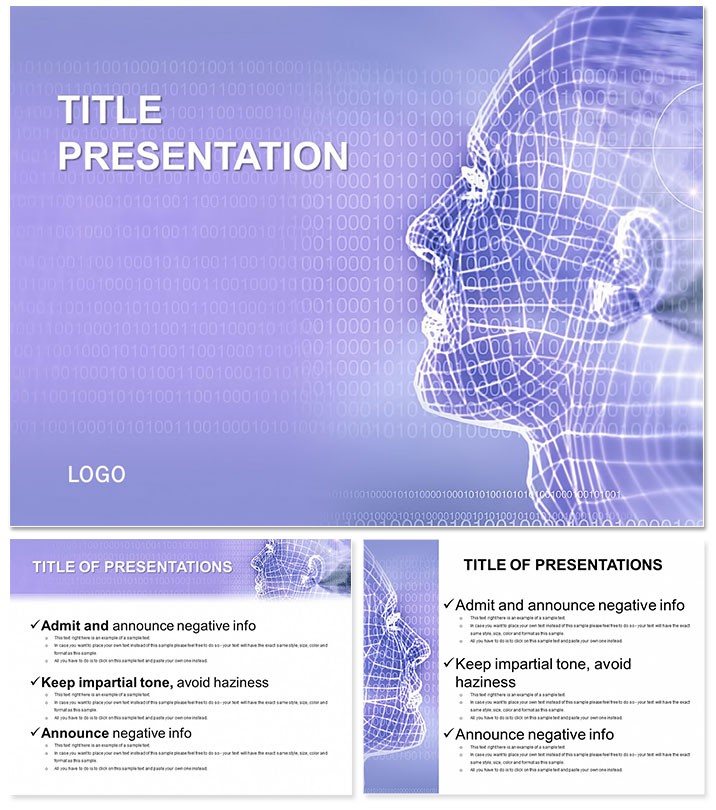
 Click to zoom
3D Modeling Lessons Templates: Sculpt Stunning Presentations
| Format | .pptx |
| Slides | 3 unique layouts |
| Aspect ratio | 16:9 |
| Compatibility | PowerPoint |
| Animated | No |
| Language | English |
| License | Commercial |
| File size | — |
| Version | v1.0 |
| Last updated | October 2022 |
What's inside
Struggling to make 3D modeling concepts stick in a sea of flat slides? These 3D Modeling Lessons PowerPoint Templates turn that challenge into a triumph, letting you visualize interiors with precision and flair. Tailored for educators and designers, they help you teach modeling, texturing, and rendering techniques that resonate across industries - from architecture to gaming.
In today`s visual-driven markets, achieving photorealistic results is key, yet it`s tough without the right tools. This pack equips you with 28 diagrams that break down complex workflows into digestible steps, ensuring your audience leaves inspired and informed. Say goodbye to generic visuals; hello to templates that mirror real 3D software interfaces for authentic learning experiences.
Master Key Features for Effortless Teaching
Built with 3 master slides and 3 backgrounds, these templates offer a canvas that`s as flexible as your creativity. The 28 diagrams span wireframe setups to final renders, supported by 7 color schemes that adapt to any theme - vibrant for creative pitches or subdued for corporate training.
- Intuitive Editability: Modify textures and lights with simple clicks, no advanced skills required.
- Versatile Formats: .key and .kth files alongside .jpg for broad compatibility.
- Adaptive Layouts: Optimized for various screen ratios to suit classrooms or webinars.
Fully compatible with PowerPoint 2016+, they slot into your existing decks without a hitch. Designers report cutting prep time by 50%, freeing up energy for interactive demos that wow learners.
Practical Use Cases in Diverse Industries
Envision an interior design firm hosting a workshop: these templates guide participants through texturing a virtual room, using layered diagrams to demonstrate material swaps in real-time. Clients visualize outcomes, leading to higher project conversions.
For game developers, the pack shines in team briefings, where rendering pipelines are mapped out slide-by-slide. One user, a studio lead, shared how it clarified asset workflows, reducing errors and speeding up production cycles. Unlike stock PowerPoint elements, these provide industry-specific icons and flows, making your expertise undeniable.
Even in marketing, showcase 3D visualizations for product launches - animate a model`s evolution to highlight innovative features, captivating stakeholders far beyond basic charts.
Elevate Your Edge with Professional Polish
What sets these apart? They`re crafted by design pros, tested in real training sessions, and trusted for their authoritative depiction of 3D principles. With a one-time $22 fee, enjoy lifetime edits and updates - value that pays off presentation after presentation.
Transform your lessons into masterpieces. Customize instantly and inspire the next generation of creators.
Frequently Asked Questions
How do these templates support 3D texturing tutorials?
Diagrams illustrate layer-by-layer application, with editable nodes for hands-on examples.
What`s the compatibility range for this pack?
Works with PowerPoint 2016 and up, plus Keynote via .key files.
Can I adjust diagrams for different skill levels?
Yes, simplify or expand with the 7 color-coded schemes.
How many diagrams are included exactly?
28 targeted diagrams, complemented by masters and backgrounds.
Are animations built-in for rendering demos?
Indeed, sequence animations mimic render processes dynamically.
Refund policy for unsatisfied users?
Full refund available - just reach out within 30 days.
Good for
- Project roadmaps and sprint plans
- Product launch timelines
- Quarterly or annual review decks
- Company history and milestone summaries
Licence
reviews
Prepared a 3D modeling workshop for interior designers, the wireframe setups to final renders diagrams helped the students understand the texturing process.
The vibrant schemes for creative pitches are great, but the template is very specific to software interfaces; hard to use for general architecture talks.
The layered diagrams for material swaps in real-time helped me demo the software to the client during the sales pitch.
I used it for a game development team briefing, the rendering pipelines mapped out slide-by-slide reduced the production errors significantly.
It is a niche tool, but if you teach 3D, the 28 diagrams are very accurate, and the Keynote compatibility via .key files was a lifesaver for my Mac users.
FAQ
Will it work in Google Slides?
Are fonts embedded?
Can I use this for client work?
What's the refund policy?
Do you update the template after purchase?
Similar templates
See all PowerPoint Templates →

All 1 slides