 Click to zoom
Working Hours PowerPoint Template: Master Business Schedules Visually
| Format | .pptx |
| Slides | 3 unique layouts |
| Aspect ratio | 16:9 |
| Compatibility | PowerPoint |
| Animated | No |
| Language | English |
| License | Commercial |
| File size | — |
| Version | v1.0 |
| Last updated | January 2023 |
What's inside
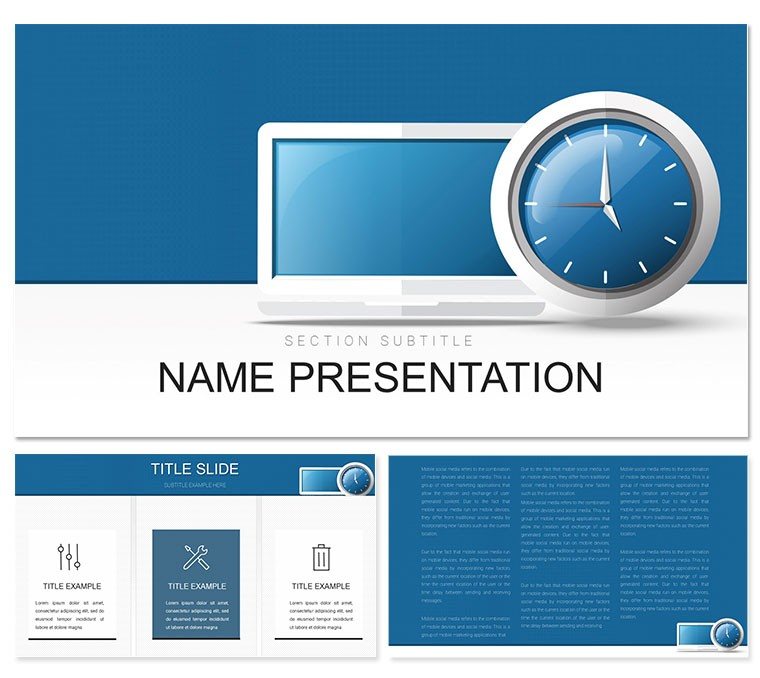
Picture a team meeting where discussions on work-life balance flow smoothly, backed by slides that make shift patterns and remote setups crystal clear - no more confusing spreadsheets or vague emails. The Working Hours PowerPoint Template is your go-to for professionals navigating the nuances of modern work environments, from IT departments optimizing code sprints to managers aligning hybrid teams. This template transforms dry scheduling data into dynamic visuals that drive decisions and foster collaboration, all while keeping your presentation sleek and on-brand.
Centered on themes of working hours, work modes, and communication efficiency, it packs 28 diagrams into a framework that's as flexible as the schedules it depicts. Whether you're illustrating flexible hours for a sales pitch or mapping out on-call rotations for tech support, the template's design elements - like clock icons, calendar grids, and connectivity nodes - bring abstract concepts to life. Built for PowerPoint 2016+, it supports .pptx, .potx, and .jpg files, with three master slides ensuring uniformity and three backgrounds offering variety from corporate blues to energetic greens.
The beauty lies in its practicality: educators training new hires on time management or business leaders reporting quarterly efficiencies can swap in real data effortlessly, watching as the visuals adapt. It's not just about looking good; it's about making your points stick, helping audiences grasp the value of balanced workloads in an always-on world.
Essential Features Tailored for Work Mode Dynamics
This template's strength is in its targeted toolkit, fine-tuned for the ebb and flow of professional routines. The seven color schemes adapt to your company's vibe - cool tones for analytical overviews or warm hues for motivational segments - while maintaining high contrast for virtual meetings.
- 28 Dynamic Diagrams: Includes Gantt charts for project timelines, Venn diagrams for overlapping shifts, and flow maps for transition between office and remote modes, all vector-based for sharp scaling.
- Three Master Layouts: Control headers, footers, and placeholders globally, ideal for recurring status updates where consistency builds trust.
- Three Background Styles: Opt for a clean grid for data slides, a subtle waveform for communication themes, or a solid block for emphasis sections.
- Customizable Icons Set: Featuring laptops, clocks, and network symbols, these add context without overwhelming, perfect for highlighting tools like Slack or Zoom in your narrative.
Such features empower you to craft decks that mirror the rhythm of work life, turning potential friction points into shared understanding.
Practical Use Cases in IT and Business Settings
From boardrooms to breakout rooms, this template adapts to scenarios where time is the ultimate currency. An IT director unveiling a new agile workflow might use the cycle diagrams to show sprint cadences, complete with buffers for unexpected bugs. Meanwhile, HR specialists conducting wellness workshops leverage the balance scales to compare full-time versus part-time impacts, sparking thoughtful dialogues on retention.
In educational training, instructors demo time-tracking apps via the progress bars, making abstract productivity metrics tangible. Or consider a startup founder pitching to investors: the roadmap slides forecast scaling with phased hours, painting a picture of sustainable growth. These applications demonstrate how the template bridges communication gaps, whether clarifying policies or celebrating efficiencies.
Guide to Adapting the Template for Your Workflow
Customization is intuitive, letting you focus on content over cosmetics. Follow this path to personalize:
- Import Your Data: Open the file, select a diagram like the hourly breakdown, and link to your Google Sheet for auto-updates.
- Tweak Layouts: In Slide Master view, align elements to your logo, ensuring every slide reinforces your brand identity.
- Switch Schemes: Experiment with colors under Design options, previewing how they affect mood - perhaps teal for calm remote discussions.
- Incorporate Media: Embed short video clips of team huddles via Insert > Video, syncing with timeline animations.
- Test Delivery: Rehearse with notes pane, then share via SharePoint for feedback loops before going live.
This process not only refines your deck but integrates it into daily tools, enhancing overall team sync.
Standing Out in a Crowded Calendar of Meetings
What makes this template indispensable is its edge over generic slides: where basic PowerPoint falters with rigid grids, this offers fluid adaptations for evolving work norms. In a remote-first landscape, the connectivity-focused graphics underscore collaboration's role, much like how forward-thinking firms like Buffer emphasize transparent scheduling.
Envision a project manager at a mid-sized agency using the overlap visuals to negotiate cross-timezone handoffs - the clarity reduced miscommunications and sped up deliverables. Or a consultant advising on labor laws, employing the compliance checklists to outline flexible hour mandates. These instances show the template's role in not just informing but influencing outcomes.
Pair it with Outlook integrations for real-time pulls, or layer in KPI trackers for deeper analytics. Ultimately, it's about presentations that respect time - yours and your team's.
Clock In to Better Presentations Today
Ready to synchronize your slides with smarter work discussions? Secure the Working Hours PowerPoint Template for $22 and turn scheduling talks into strategic wins. Download now and lead with clarity.
Frequently Asked Questions
Can I adjust diagrams for specific industries?
Yes, the 28 diagrams are versatile, easily modified for IT, finance, or any sector's unique scheduling needs.
What PowerPoint versions are supported?
Designed for 2016 and above, with backward compatibility options available.
Are there pre-built animations?
The template includes basic transitions; enhance with PowerPoint's animation library for custom flows.
How many color options exist?
Seven schemes, each optimized for professional viewing on various screens.
Is it suitable for remote team presentations?
Perfectly, with layouts that emphasize virtual connectivity and hybrid scenarios.
Can I resell customized versions?
For personal or internal use only; check licensing for commercial adaptations.
Good for
- Project roadmaps and sprint plans
- Product launch timelines
- Quarterly or annual review decks
- Company history and milestone summaries
Licence
reviews
Good for social media reports, the engagement trend lines are clean.
The follower growth chart is easy to update.
Used the post reach comparison for a content strategy.
A bit basic but the client understood it.
The hashtag performance table was useful.
FAQ
Will it work in Google Slides?
Are fonts embedded?
Can I use this for client work?
What's the refund policy?
Do you update the template after purchase?
Similar templates
See all PowerPoint Templates →

All 1 slides