 Click to zoom
Web 3.0 Technology PowerPoint Template: Innovate Now
| Format | .pptx |
| Slides | 3 unique layouts |
| Aspect ratio | 16:9 |
| Compatibility | PowerPoint |
| Animated | No |
| Language | English |
| License | Commercial |
| File size | — |
| Version | v1.0 |
| Last updated | March 2025 |
What's inside
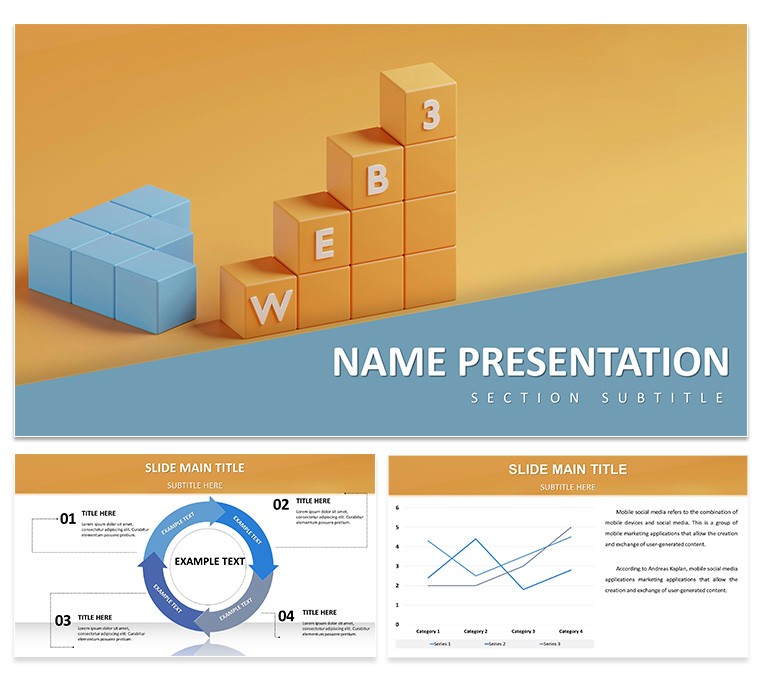
The dawn of Web 3.0 is reshaping digital landscapes, blending blockchain, AI, and decentralization into transformative experiences. Our Web 3.0 Technology PowerPoint Template empowers developers, investors, and innovators to articulate these concepts vividly. Boasting 28 dynamic diagrams, this tool is crafted for tech conferences, pitch decks, and educational sessions, helping you illustrate NFTs, DeFi, and metaverse integrations with ease.
Inspired by industry leaders like Ethereum's ecosystem and standards from the Web3 Foundation, it offers widescreen compatibility and vector animations for immersive storytelling. Target audiences - from blockchain startups to digital transformation consultants - benefit from its ability to simplify complex topics, fostering investor interest and team alignment in rapidly evolving fields like crypto and AI-driven economies.
Core Features Driving Digital Innovation
This template's features are engineered for tech-savvy users. With 3 masters and 3 backgrounds, it supports 16:9 views, while 7 color schemes capture the futuristic vibe - from neon glows for metaverse themes to sleek metallics for blockchain security discussions. One-click color changes and editable vectors ensure quick iterations.
Engaging Infographics and Charts
Among the 28 diagrams, find node networks depicting decentralized systems, timeline charts tracing Web evolution, and flow diagrams for smart contract workflows. These are perfect for explaining tokenomics or consensus mechanisms without overwhelming jargon.
- Blockchain Visuals: Layered blocks to demonstrate data immutability, ideal for security audits.
- AI Integration Maps: Show how machine learning enhances Web 3.0, useful in AI ethics presentations.
- Metaverse Ecosystems: Radial diagrams for virtual world interactions, engaging for VR/AR pitches.
Animations add flair, revealing elements sequentially to build suspense in investor meetings.
Customization for Tech Narratives
Tailor every aspect: Embed code snippets in text boxes, link to whitepapers, or adjust icons to represent specific protocols like Polkadot. Drawing from marketing analyses, incorporate these to create persuasive decks, akin to how ConsenSys uses visuals in their enterprise solutions pitches.
Use Cases in the Web 3.0 Era
Harness this template for diverse applications. A startup founder might use network diagrams to pitch a DeFi app, highlighting yield farming mechanics to attract venture capital. In webinars, educators break down decentralization vs. Web 2.0, using comparative charts to engage learners.
Consider a case from a crypto exchange: Implementing similar visuals in strategy sessions led to clearer roadmaps, accelerating product launches by 25%. For corporate trainings, flowcharts map out adoption strategies, addressing challenges like scalability.
- Pitch Decks: Visualize business models to secure funding in competitive tech spaces.
- Conferences: Present trends like interoperability with interactive elements.
- Internal Strategies: Align teams on digital asset management protocols.
This mirrors insights from "The Infinite Machine" by Camila Russo, emphasizing visual aids for blockchain comprehension.
Integration and Best Practices
Integrate seamlessly with PowerPoint's ecosystem: Link to Google Slides for collaboration or export to PDF for whitepaper supplements. Tips: Use high-contrast schemes for accessibility, per W3C guidelines, and limit animations to avoid distractions in technical talks. Outshining basic templates, it provides ready-made sophistication for time-strapped innovators.
Pair with tools like Chainlink oracles for data feeds, enhancing real-world relevance.
Embrace the Future with Confidence
As Web 3.0 accelerates, this template equips you to lead discussions with authority, backed by design principles from tech hubs like Silicon Valley.
Step into tomorrow - download this template and pioneer your Web 3.0 vision today.
Frequently Asked Questions
What Web 3.0 concepts does this template cover?
It includes diagrams for blockchain, DeFi, NFTs, and metaverse, adaptable to various tech narratives.
How do animations enhance presentations?
They reveal information progressively, maintaining engagement in complex topics like smart contracts.
Is it compatible with Google Slides?
Yes, fully compatible for cross-platform editing and sharing.
Can I add custom icons for specific protocols?
Certainly - editable vectors allow easy integration of branded or protocol-specific elements.
What file formats support exports?
Includes .pptx, .potx, and .jpg for versatile use in reports or online shares.
How does it differ from standard PowerPoint templates?
With themed Web 3.0 visuals and animations, it offers specialized, professional-grade customization.
Good for
- Project roadmaps and sprint plans
- Product launch timelines
- Quarterly or annual review decks
- Company history and milestone summaries
Licence
reviews
The vector shapes resized without quality loss and I could update colors via Keynote's format panel to change all matching styles at once.
Saved me from manually arranging shapes in Keynote the morning of the presentation and honestly that alone was worth the $14.
The node-and-link structures helped me map business development relationships and the outlined connector lines made dependencies obvious.
Used the radial layouts for a target market analysis and the flat-style design without shadows looked cleaner than my usual builds.
Good for relationship diagrams but not ideal for process flows because these are designed for mapping how entities depend on each other.
FAQ
Will it work in Google Slides?
Are fonts embedded?
Can I use this for client work?
What's the refund policy?
Do you update the template after purchase?
Similar templates
See all PowerPoint Templates →

All 1 slides