 Click to zoom
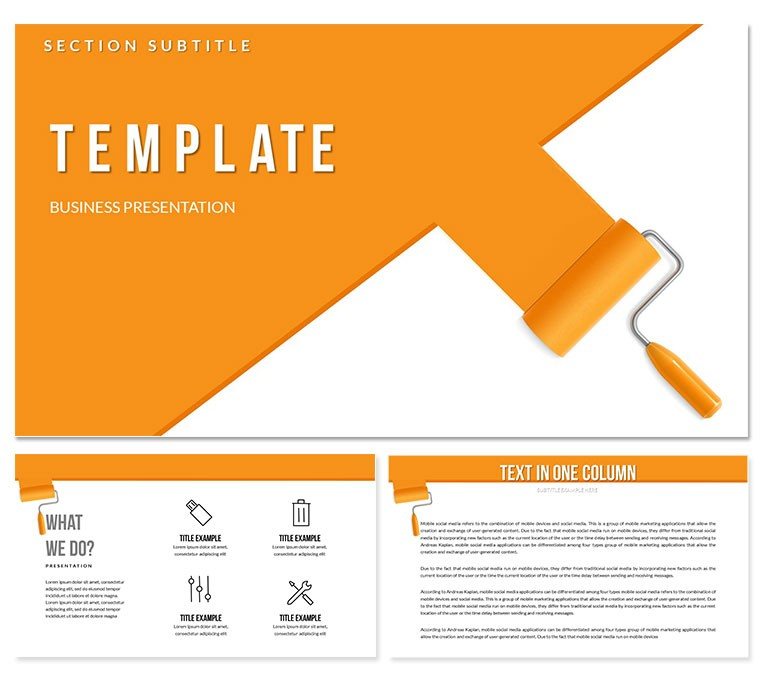
Wall Painting with Roller PowerPoint Template
| Format | .pptx |
| Slides | 3 unique layouts |
| Aspect ratio | 16:9 |
| Compatibility | PowerPoint |
| Animated | No |
| Language | English |
| License | Commercial |
| File size | — |
| Version | v1.0 |
| Last updated | December 2025 |
What's inside
Training teams on precise techniques under tight project deadlines demands absolute clarity. This wall painting with roller PowerPoint template offers sequential layouts that break down professional methods into digestible stages, ensuring contractors, facility managers, and DIY educators deliver flawless results consistently.
The design focuses on practical progression, using realistic tool representations to guide users through preparation, application, and finishing without ambiguity.
Sequential Slide Structures for Technique Mastery
Step-by-step linear flows detail surface preparation, with dedicated sections for patching, priming, and taping. Application diagrams show proper roller loading and W-pattern distribution, complete with angle indicators for even coverage.
Cut-in and edging modules feature close-up zones, while finishing passes highlight feathering techniques. Troubleshooting sidebars address common issues like lap marks or drips directly within the flow.
Training Contexts That Benefit Most
Painting contractors use these slides in crew onboarding to standardize methods across job sites. Property management teams train maintenance staff on efficient interior refreshes during turnover periods.
Vocational instructors incorporate the sequences into curriculum modules, while home improvement retailers demonstrate techniques in customer workshops.
Streamlining Your Instructional Workflow
Fully compatible with PowerPoint 2016+, Keynote, and Google Slides, the template allows immediate content updates. Insert site-specific photos, adjust step durations, or add safety notes without disrupting the proven sequence.
Vector graphics maintain quality when projecting on large screens during hands-on sessions.
Field-Tested Training Examples
A commercial painting firm reduced rework by standardizing roller techniques using these flows in weekly safety meetings. Educational programs enhanced student retention through visual progression tracking.
Facility teams documented best practices for large-scale renovations, ensuring uniform quality across multiple buildings.
Benefits Versus Traditional Training Materials
ElementThis TemplateBasic SlidesManual CreationTechnique ClarityDetailed sequential visuals with tool focusText-heavy descriptionsInconsistent illustrationsEngagement LevelRealistic progression builds understandingStatic bulletsVariable effectivenessUpdate EaseModular steps for quick revisionsRigid formattingLabor-intensive changesSector Applications for Painting Techniques
- Construction: Crew training and quality control protocols.
- Education: Vocational courses and certification programs.
- Retail: In-store demonstrations and product tutorials.
- Facilities: Maintenance standardization across properties.
Frequently Asked Questions
How detailed are the roller application steps?
The template includes specific patterns like W and M techniques, loading amounts, and pressure guidelines with illustrated examples for professional results.
Can I incorporate video clips of painting techniques?
Yes, designated placeholders support embedded videos alongside static diagrams for hybrid training approaches.
Is this suitable for exterior painting instruction?
While focused on interior roller methods, the core sequences adapt easily to exterior variations with minor text adjustments.
Are safety considerations included in the layouts?
Dedicated callouts cover ladder positioning, ventilation, and protective gear placement throughout the preparation and application phases.
How many unique step variations does it support?
Multiple layout options accommodate different surface types, paint sheens, and room configurations for comprehensive coverage.
Good for
- Project roadmaps and sprint plans
- Product launch timelines
- Quarterly or annual review decks
- Company history and milestone summaries
Licence
reviews
Needed a quick org chart for a team meeting. This one was easy to edit and looks clean.
Used the process diagrams for a workflow presentation. They are straightforward
but I wish there were more options for branching paths.
It's a solid pack for basic diagrams. I used a Venn diagram that was perfect for a conference talk.
Couldn't find a good chart in my standard deck
so I grabbed this. It has a good mix of options.
but the design is a bit plain. It'll do for internal stuff
but I'd want something nicer for a client.
FAQ
Will it work in Google Slides?
Are fonts embedded?
Can I use this for client work?
What's the refund policy?
Do you update the template after purchase?
Similar templates
See all PowerPoint Templates →



All 1 slides