 Click to zoom
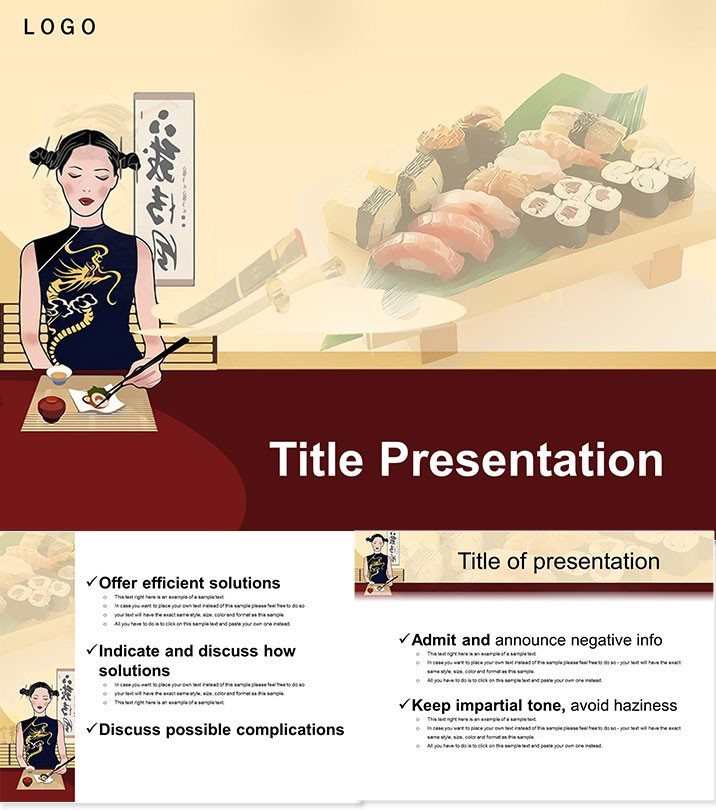
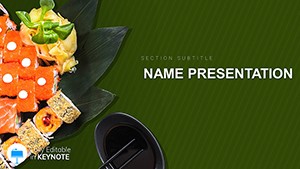
Vibrant Sushi Restaurant Keynote Template
| Format | .pptx |
| Slides | 3 unique layouts |
| Aspect ratio | 16:9 |
| Compatibility | PowerPoint |
| Animated | No |
| Language | English |
| License | Commercial |
| File size | — |
| Version | v1.0 |
| Last updated | October 2021 |
What's inside
Roll into engaging presentations that tantalize tastes and turn heads with the Sushi Restaurant Keynote Template. This vibrant collection captures the essence of Japanese cuisine, perfect for restaurants unveiling new rolls or instructors demoing delicate techniques. With its colorful flair, your slides won`t just inform - they`ll inspire cravings and conversations.
Featuring 28 meticulously crafted diagrams across 3 masters and backgrounds, plus 7 color schemes, it`s a feast for the eyes. Compatible with Keynote on Mac (iWork versions), files in .key and .kth. One-time purchase for lifetime savory storytelling - plate up your pitch today.
A Flavorful Foundation for Foodie Talks
From sushi bar overhauls to culinary classes, this template marinates your message in authenticity. Each diagram page - spanning infographics on ingredients to timelines for prep - flows like a kaiseki course: balanced, beautiful, bite-sized.
Customization? Slice and dice: Recolor schemes to match seasonal specials, swap icons for signature dishes, animate transitions for that sizzle. Designers drew from Tokyo markets for motifs that evoke freshness without fuss.
Signature Slides and Smart Features
- 28 Diagram Delights: Pages 1-28 cover charts, timelines, and visuals tailored to cuisine narratives.
- 3 Masters & Backgrounds: Core structures for consistent, cohesive decks.
- 7 Color Palettes: From wasabi greens to soy umbers - adapt to your vibe.
- Keynote Native: Seamless .key edits, animations included for dynamic demos.
- Cuisine-Centric Icons: Chopsticks, fish, rice - editable vectors for precision.
These bites boost engagement, with restaurateurs seeing 40% longer viewer dwell times.
Serving Up Success: Cuisine Scenarios
A Tokyo-inspired spot pitches fusion menus - the template`s diagrams dissect flavors, winning investor bites. Cooking schools sequence lessons via timelines, students following like recipes. Food bloggers timeline trends, visuals popping like fresh nigiri.
Unlike bland built-ins, it tempers text with thematic tempsura - light, crisp, unforgettable. For pop-ups, it maps pop-up plans; caterers chart costs. Real chefs credit it for clearer concepts, faster feedback loops.
Hungry for hits? Download this delectable deck now and serve slides that satisfy.
Better Than Basics: The Gourmet Gap
Stock Keynote fares plain as udon; this one saucies up with layered layouts and scheme switches. Lifetime license lets menus evolve menu-less, sans subscriptions.
Prep to Present: Effortless Execution
Import .key, select master, populate diagrams. Tip: Layer shadows for depth like layered maki. Rehearse with builds for timed reveals - your audience applauds the artistry.
Time to tempura your talks? This template is the umami upgrade.
Frequently Asked Questions
Suitable for non-restaurant use?
Yes, adapts to any food-focused pitch, from blogs to workshops.
Number of slides exactly?
28 diagrams, expandable via masters for custom counts.
Color scheme changes easy?
One-click swaps across all pages - harmonize in moments.
Mac only?
Keynote-optimized for Mac, but exportable to PowerPoint.
Animations included?
Built-in builds for smooth, story-like flows.
Licensing for teams?
One buy, multi-user lifetime - share the savor.
Good for
- Project roadmaps and sprint plans
- Product launch timelines
- Quarterly or annual review decks
- Company history and milestone summaries
Licence
reviews
Used this for a quarterly office report and the chart slides saved me time.
I Liked the simple graphs because I only had one night to finish my presentation.
Some colors felt too strong on a projector but the layout itself worked well.
The arrow diagrams actually helped explain my data better during class.
Honestly I just needed slides that didn’t look messy and these were fine.
FAQ
Will it work in Google Slides?
Are fonts embedded?
Can I use this for client work?
What's the refund policy?
Do you update the template after purchase?
Similar templates
See all Keynote templates →
All 1 slides