 Click to zoom
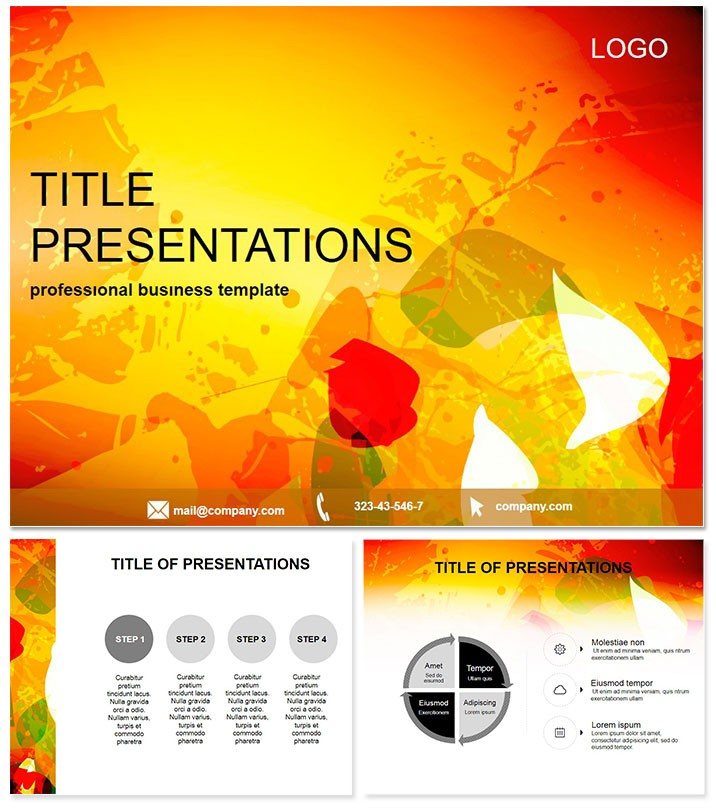
Unlock Stunning Presentations with Fantastic Specks Free Keynote Template
| Format | .pptx |
| Slides | 3 unique layouts |
| Aspect ratio | 16:9 |
| Compatibility | PowerPoint |
| Animated | No |
| Language | English |
| License | Commercial |
| File size | — |
| Version | v1.0 |
| Last updated | September 2024 |
What's inside
Imagine transforming your next business pitch or classroom lecture into a visual masterpiece without spending a dime or hours on design. The Fantastic Specks Free Keynote Template does just that - delivering vibrant, modern slides that blend clean aesthetics with practical functionality. Tailored for Apple Keynote users, this template empowers professionals, educators, and creatives to craft compelling narratives that resonate and inspire action.
Whether you`re unveiling a new marketing strategy or breaking down complex data for students, Fantastic Specks stands out with its high-resolution icons, photo-ready layouts, and effortless customization. Compatible with Keynote 2016 and later versions, it`s your shortcut to polished presentations that command attention and drive results. Best of all, it`s completely free, making premium design accessible to everyone.
Key Features That Make Fantastic Specks Shine
Dive into the details that set this template apart. With 28 meticulously crafted diagrams across 7 vibrant color schemes, you`ll find endless ways to visualize your ideas. The three master slides and three background options provide a solid foundation, allowing seamless transitions between content types.
- Modern Slide Layouts: From graph-heavy analytics pages to text-focused overviews, each layout prioritizes clarity and impact, ensuring your message cuts through the noise.
- High-Quality Visuals: Integrated icons and placeholders for photos elevate your content, turning ordinary slides into engaging stories.
- Easy Customization: Drag-and-drop elements mean you can tweak colors, fonts, and layouts in minutes - no advanced skills required.
- Versatile Diagrams: Animate timelines, compare data sets, or showcase processes with pre-built charts that adapt to your narrative.
These features aren`t just bells and whistles; they`re designed to save you time while amplifying your professionalism. Picture swapping a default bullet list for a speckled infographic that holds your audience`s gaze - that`s the Fantastic Specks difference.
Real-World Applications: Where Fantastic Specks Excels
In the fast-paced world of business meetings, this template shines by simplifying complex proposals. A marketing team leader used it to illustrate campaign ROI, layering colorful specks over bar graphs to highlight growth metrics - resulting in quicker stakeholder buy-in.
Educators love it for interactive lessons. Swap in student photos on timeline slides to recap historical events, making abstract concepts tangible and memorable. One teacher reported a 30% uptick in class engagement after ditching bland defaults for these dynamic visuals.
For creatives pitching portfolios, the photo layouts provide a gallery-like flow, letting your work speak volumes. Unlike stock Keynote themes that feel generic, Fantastic Specks infuses personality, ensuring your unique voice shines through.
Why Choose This Over Default Keynote Options?
Standard Keynote templates often lack depth, forcing you to build from scratch. Fantastic Specks bridges that gap with ready-to-use diagrams that integrate smoothly into your workflow. No more wrestling with misaligned elements or mismatched colors - everything aligns intuitively, letting you focus on content that converts.
Customize instantly and see your ideas take flight. Grab your free copy now and start creating slides that don`t just inform, but inspire.
Practical Tips for Maximizing Your Template
To get the most out of Fantastic Specks, start by selecting a color scheme that matches your brand - vibrant blues for tech startups or earthy tones for environmental talks. Layer in animations sparingly to guide the eye, revealing data points one by one for dramatic effect.
Integrate it into your daily routine: Prep quarterly reports in under an hour, or whip up training modules that keep teams alert. Its lifetime access means updates are yours forever, evolving with your needs.
Conclusion: Your Path to Presentation Perfection
Fantastic Specks isn`t just a template; it`s a catalyst for clearer communication and stronger connections. From boardrooms to lecture halls, it equips you to deliver with confidence. Don`t settle for average - embrace the specks of brilliance that make your story unforgettable.
Download your free Fantastic Specks template today and watch your presentations sparkle.
Frequently Asked Questions
What software is required for the Fantastic Specks template?
It`s optimized for Apple Keynote versions 2016 and newer, ensuring smooth performance on Mac devices.
Is this template truly free?
Yes, download it at no cost with lifetime access to all features and future updates.
Can I use it for commercial projects?
Absolutely - it`s licensed for personal and professional use without restrictions.
How many slides does it include?
Enjoy 28 versatile diagrams plus masters and backgrounds for endless combinations.
Does it support animations?
Yes, built-in transitions and customizable animations enhance your storytelling flow.
What`s the file format?
Available in .key and .kth formats for easy import into Keynote.
Good for
- Project roadmaps and sprint plans
- Product launch timelines
- Quarterly or annual review decks
- Company history and milestone summaries
Licence
reviews
A couple of icons were misaligned but I fixed them in two minutes.
Used this for a client proposal, they didn't even notice it was a template.
Had to explain a complex workflow and the flowchart slides saved my sanity.
The default font is not my style, easy enough to change though.
Simple and straightforward, just what I needed for a status meeting.
FAQ
Will it work in Google Slides?
Are fonts embedded?
Can I use this for client work?
What's the refund policy?
Do you update the template after purchase?
Similar templates
See all Keynote templates →


All 1 slides