 Click to zoom
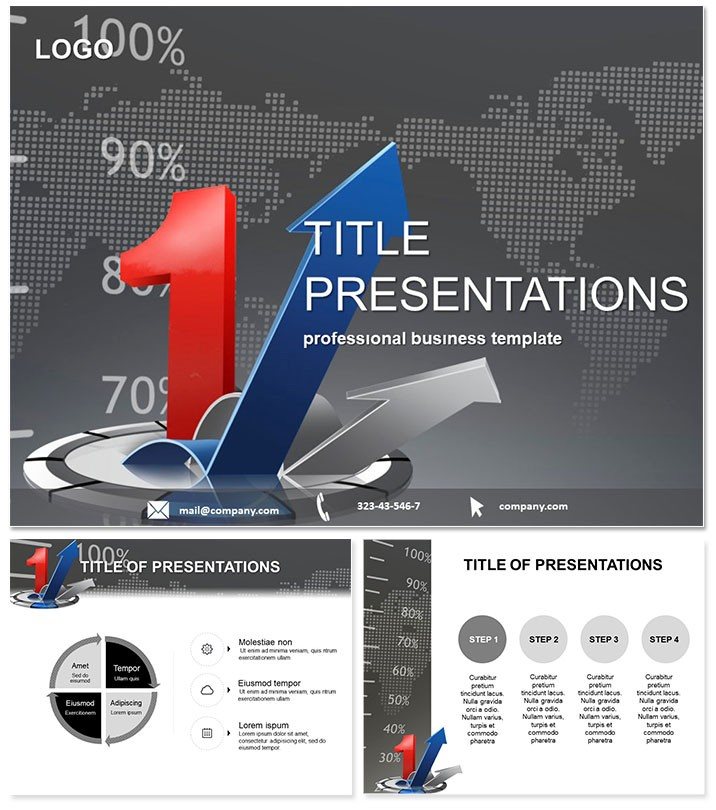
Ultimate Business Plan PowerPoint Template
| Format | .pptx |
| Slides | 3 unique layouts |
| Aspect ratio | 16:9 |
| Compatibility | PowerPoint |
| Animated | No |
| Language | English |
| License | Commercial |
| File size | — |
| Version | v1.0 |
| Last updated | July 2023 |
What's inside
Securing investor buy-in starts with a pitch that captivates from slide one, blending sharp insights with flawless visuals. Enter the Best Business Plan PowerPoint Template, your shortcut to professional decks that convert ideas into funding. Tailored for entrepreneurs and corporate strategists, it streamlines the chaos of plan creation into a cohesive story of opportunity, risks, and triumphs. No more staring at blank canvases - this template equips you with pre-built structures to showcase market gaps, financial forecasts, and growth trajectories that demand attention.
Developed by seasoned presentation designers, every element prioritizes clarity and persuasion. Compatible with PowerPoint 2016 and beyond, it`s a straightforward $22 one-time buy with lifetime usage rights, freeing you from design drudgery to focus on scaling your venture. Whether launching a startup or pitching internal expansions, this tool elevates your narrative, making complex data accessible and your vision irresistible.
Essential Features to Supercharge Your Plans
What sets this template apart is its thoughtful assembly of tools that align directly with business planning needs. Three master slides provide foundational layouts for headers, footers, and content blocks, while three backgrounds offer thematic variety - from minimalist white for clean pitches to subtle gradients for dynamic energy.
- 28 Targeted Diagrams: Ranging from SWOT matrices to revenue projection timelines, all fully editable for your specific metrics.
- 7 Color Schemes: Curated for brand alignment, with options for high-impact contrasts that guide the eye to key figures.
- Intuitive Customization: SmartArt-enhanced shapes and theme-coordinated fonts ensure quick tweaks without compatibility issues.
- Versatile Formats: Delivered in .potx, .pot, and .jpg for immediate import and preview.
These assets not only save time but also infuse your plans with a level of polish that signals expertise to discerning audiences.
Navigating the Slides: From Concept to Close
The 28 slides form a logical progression, mirroring a standard business plan`s flow. Kick off with Page 1`s cover slide, featuring a bold tagline placeholder and company logo space, setting an ambitious tone. By Page 4, dive into the executive summary with a multi-column layout that balances text and icons for quick scans.
Midway, Pages 8-14 tackle market analysis through pie charts and competitor maps - think Page 11`s bubble diagram plotting market share versus growth potential, ideal for highlighting your unique edge. Financial sections on Pages 18-23 employ waterfall charts and balance sheet visuals, like Page 20`s break-even analysis graph, which auto-calculates with linked Excel data.
Conclude on Page 28 with an appendix slide for supporting docs, using accordion-style expandable sections for depth without clutter. Animations are preset for smooth reveals, keeping viewers engaged throughout.
Practical Applications: Turning Plans into Profits
For a tech startup founder eyeing venture capital, this template clarifies product-market fit via user journey maps on early slides, making abstract tech accessible to non-experts. SMB owners scaling operations use it for lender meetings, with cash flow projections that build credibility and unlock loans.
In corporate settings, project managers pitch expansions using risk assessment matrices, reducing approval times by visualizing mitigation strategies. A real estate developer recently credited this template for landing a $2M partnership, as its financial visuals turned skeptics into supporters.
Adapt it for educational purposes too, like MBA case studies, where students replicate pro-level plans to hone strategic thinking.
Superior to Standard PowerPoint Builds
Default PowerPoint templates often lack the specificity for business plans, resulting in mismatched visuals and extra formatting hours. This one integrates advanced charting tools natively, supports real-time collaboration via OneDrive, and includes accessibility tags for broader reach - features that default setups require manual addition.
Its one-time cost versus ongoing design software subscriptions makes it a smart, scalable choice for evolving businesses.
Don`t let a weak plan sink your dreams - download this PowerPoint template today and start building investor confidence.
Frequently Asked Questions
Does it support Excel data import?
Yes, diagrams link seamlessly to Excel for dynamic updates in real-time.
Is it suitable for Mac users?
Absolutely, fully compatible with PowerPoint on macOS 2016+.
How editable are the diagrams?
100% - change data, colors, and layouts with simple clicks.
What`s included in the download?
All 28 slides, masters, and sources in multiple formats.
Can I resell customized versions?
No, but unlimited personal and business use is permitted.
Are there preset themes?
Yes, 7 schemes ready for instant brand matching.
Good for
- Project roadmaps and sprint plans
- Product launch timelines
- Quarterly or annual review decks
- Company history and milestone summaries
Licence
reviews
The inventory slides were great for a warehouse manager.
Used the stock level gauges and reorder point indicators.
The design is very practical.
The ABC analysis chart is useful.
Good for an inventory report.
FAQ
Will it work in Google Slides?
Are fonts embedded?
Can I use this for client work?
What's the refund policy?
Do you update the template after purchase?
Similar templates
See all PowerPoint Templates →



All 1 slides