 Click to zoom
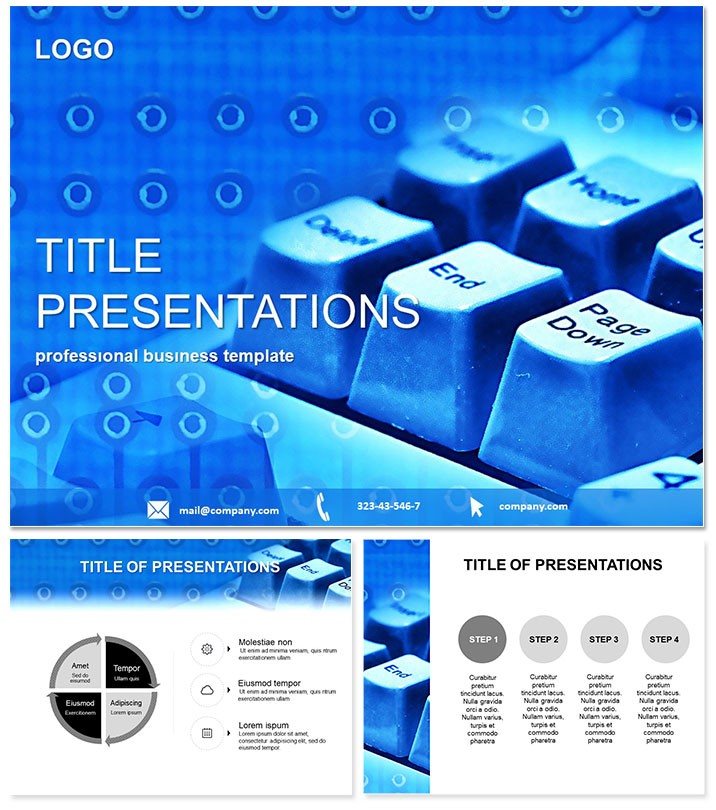
Typing PowerPoint Template
| Format | .pptx |
| Slides | 3 unique layouts |
| Aspect ratio | 16:9 |
| Compatibility | PowerPoint |
| Animated | No |
| Language | English |
| License | Commercial |
| File size | — |
| Version | v1.0 |
| Last updated | April 2015 |
What's inside
Step up your tech talks with slides that code as cleanly as your algorithms. The Typing PowerPoint Template transforms mundane hardware demos into riveting narratives, whether you`re decoding keyboard mechanics or charting internet protocols. For IT consultants and software devs, this is the toolkit that turns code into conversation starters.
Crafted for the digital age, it blends precision with panache, compatible across PowerPoint 2016+. At just $22 one-time, unlock lifetime edits that keep pace with your evolving projects - from startup pitches to corporate training sessions.
Standout Features for Tech-Savvy Presenters
Boasting 28 ready-to-deploy diagrams, three master layouts, and three background styles, this template is a powerhouse. Seven color schemes let you toggle from sleek grays for corporate vibes to electric blues for innovative reveals, all while keeping your brand intact.
- Intuitive Customization: Swap icons for circuit boards or code snippets with zero hassle.
- Scalable Vectors: Diagrams that stay sharp from laptop screens to massive conference displays.
- Multi-Format Delivery: .potx for modern edits, .pot for legacy, and .jpg for instant previews.
It`s not about flashy effects; it`s about efficiency - features that let you focus on delivering value, not debugging designs.
Exploring the 28 Diagram Pages
Dive into Diagram Page 1: a flowchart for typing workflows, mapping keystrokes to outputs like a digital symphony. Pages 2-5 tackle hardware hierarchies - org charts for component integrations, where CPUs link to peripherals via intuitive lines.
Shift to Pages 6-10 for data dives: line graphs tracking latency in programming environments, donut charts for market share in typing tech, and heat maps for user interface hotspots. These slides make abstract metrics tangible, ideal for stakeholder buy-in.
Pages 11-15 bring balance with comparison tools: side-by-side tables for software vs. hardware trade-offs, radial diagrams for protocol compatibilities, and timelines for tech evolution from typewriters to touchscreens.
Midway, Pages 16-20 offer creative canvases - mind maps for internet ecosystem overviews, pyramid structures for training modules, and bubble charts for emerging trends in e-commerce.
Conclude with Pages 21-28: executive summaries in elegant bullets, SWOT grids for project risks, and interactive Q&A frames that invite dialogue on cybersecurity nuances. Each page prioritizes clarity, with fonts optimized for quick scans.
Practical Applications in the Tech World
Envision a software engineer using Pages 7-8 to illustrate API integrations during a client demo - the graphs not only show efficiency gains but spark questions that close deals. Or a university lecturer employing the flowcharts for a programming 101 class, where students grasp recursion through visual loops.
In business settings, an IT manager might harness the comparison slides for vendor evaluations, presenting cost-benefit analyses that sway boardroom decisions. At tech expos, like CES, these visuals could highlight typing innovations, drawing crowds with their polished flow.
A freelance consultant once noted how the template halved their slide-building time for webinars, allowing deeper dives into topics like remote work tools. It`s proof that great design amplifies expertise.
Superior to Stock PowerPoint Tools
Default charts in PowerPoint often demand manual overhauls, leading to inconsistent aesthetics. This template counters with pre-vetted elements that snap into place, saving hours and ensuring cohesion.
Unlike free downloads riddled with watermarks, ours delivers clean, proprietary assets tailored for tech themes - think embedded binary patterns that nod to coding culture. The color versatility alone outpaces basic palettes, adapting to dark mode or print needs effortlessly.
Empower your narrative with drag-and-drop freedom, turning static slides into storytelling engines.
Code your success story today - grab the Typing PowerPoint Template instantly and debug your presentation woes for good.
Frequently Asked Questions
Does it support animations for code flows?
Yes, built-in transitions enhance diagram reveals, and you can layer in custom ones for step-by-step code executions.
What`s the file compatibility?
Fully supports PowerPoint 2016+ on Windows and Mac, with formats ensuring broad accessibility.
Ideal for non-tech users?
Absolutely - simple edits make it approachable for beginners in IT training or business overviews.
Number of backgrounds?
Three distinct backgrounds, each pairing perfectly with the seven color schemes for varied looks.
Commercial license included?
Lifetime commercial rights come standard, freeing you for client work and publications.
Refund policy?
30-day money-back assurance lets you trial it confidently in your next tech session.
Good for
- Project roadmaps and sprint plans
- Product launch timelines
- Quarterly or annual review decks
- Company history and milestone summaries
Licence
reviews
Used the keyboard and monitor graphics for an IT asset inventory report. The blue and grey scheme is very corporate.
The coding brackets in the background are a nice touch but the template is very basic.
Works for a tech support presentation. The 'typing speed' gauge is a niche but useful chart.
FAQ
Will it work in Google Slides?
Are fonts embedded?
Can I use this for client work?
What's the refund policy?
Do you update the template after purchase?
Similar templates
See all PowerPoint Templates →


All 1 slides