 Click to zoom
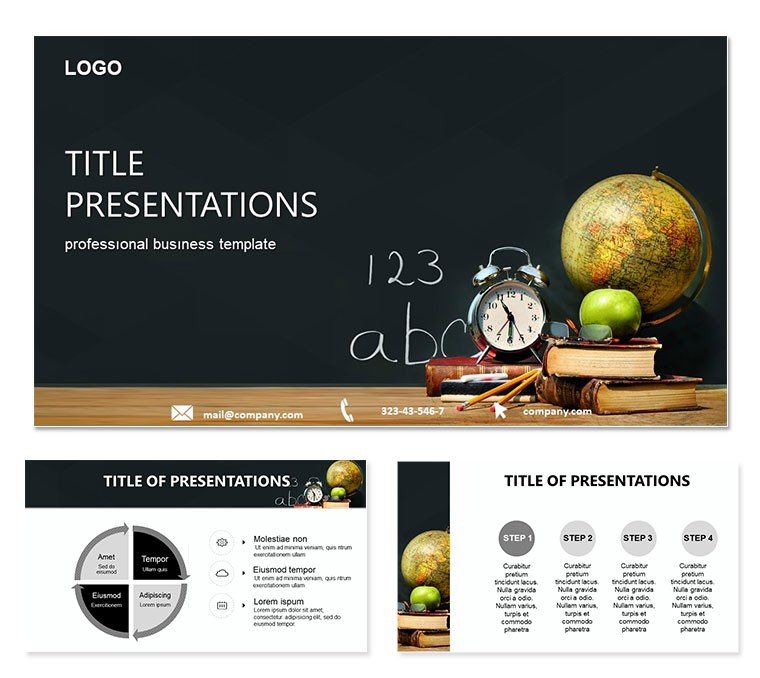
Time Lessons PowerPoint Template: Weaving Chronology into Classroom Magic
| Format | .pptx |
| Slides | 3 unique layouts |
| Aspect ratio | 16:9 |
| Compatibility | PowerPoint |
| Animated | No |
| Language | English |
| License | Commercial |
| File size | — |
| Version | v1.0 |
| Last updated | October 2021 |
What's inside
Time, that elusive thread binding lessons to legacies, demands visuals as structured as a well-planned curriculum. The Time Lessons PowerPoint template captures this with 28 diagrams attuned to educational rhythms, aiding teachers in fostering analytical minds through integrated explorations. Seven temporal color gradients - from dawn oranges to twilight purples - sync with PowerPoint 2016+, crafting slides that pulse with purpose.
Envision a history class: Slide 13`s spiral timeline coils eras, editable coils for inserting pivotal moments like inventions. Or in a science lab debrief, the sequence chain on slide 21 links phenomena, customizable links revealing causal chains. This template stimulates synthesis, helping young learners connect dots across disciplines.
Core Elements for Temporal Teaching
Three masters and backgrounds set the stage, vector diagrams flexing to fit narratives - elongate timelines or cluster comparisons without compromise. Placeholders await your timelines or correlations, snapping to grids for effortless elegance.
- Spiral Timelines: Curving paths for cyclical events, adjustable radii for focus periods.
- Sequence Chains: Linked icons for step-by-step analyses, breaks for interventions.
- Correlation Matrices: Grids mapping object relations, cells fillable for observations.
Versatile in widescreen, .potx invites iteration, .jpg captures instants for journals.
Educational Engagements: Connecting Past to Present
An elementary educator might spin slide 5`s wheel diagram for daily routines, segments rotatable to emphasize transitions. It builds routine awareness gently. For middle school projects, slide 26`s branching tree explores phenomenon ties, limbs prunable for refined hypotheses.
Orchestrate simply: Embed in PowerPoint, select from previews, infuse lesson plans. Animate chains to forge connections sequentially, align with interactive polls, and guide discovery - unleashing inquisitive sparks.
Integrated Uses to Stimulate Young Thinkers
STEM coordinators can chain slide 9`s flow for experiment protocols, arrows directing variable impacts. It clarifies methodologies. In literature circles, the narrative arc on slide 16 bends plots, peaks editable for thematic dives.
- Daily Planners: Clock faces segmenting schedules, hands movable for adjustments.
- Phenomenon Probes: Venns overlapping concepts, unions for synergies.
- Reflection Rounds: Before-after sliders for growth tracking, markers for milestones.
Outshining plain plots, clockwork motifs and arrow flows lend rhythmic relevance.
Polishing for Peak Pedagogy
Match hues to moods - vibrants for energizers; alt tags like "Timeline spiral of historical cycles" ensure equity. These nuances nurture inclusive inquiry.
Embrace the Time Lessons PowerPoint template for $22 and temporalize your teachings. Inspire timeless curiosities.
Frequently Asked Questions
Suitable for which grade levels?
Elementary to high school, for integrated lessons.
Editable elements?
All vectors, with easy placeholder swaps.
File options?
.potx and .jpg for varied needs.
Supports group activities?
Yes, diagrams prompt collaborative mapping.
Animation features?
Sequential presets; customize freely.
Good for
- Project roadmaps and sprint plans
- Product launch timelines
- Quarterly or annual review decks
- Company history and milestone summaries
Licence
reviews
Used the pyramid chart on slide 18 to break down a hierarchy of needs.
The design is very corporate but that's exactly what my boss wanted.
Slid some photos into the placeholder areas and they fit perfectly without resizing.
Nothing fancy here but it saved me an hour of formatting work.
The staggered process flow on slide 7 was perfect for my SOP documentation.
FAQ
Will it work in Google Slides?
Are fonts embedded?
Can I use this for client work?
What's the refund policy?
Do you update the template after purchase?
Similar templates
See all PowerPoint Templates →

All 1 slides