 Click to zoom
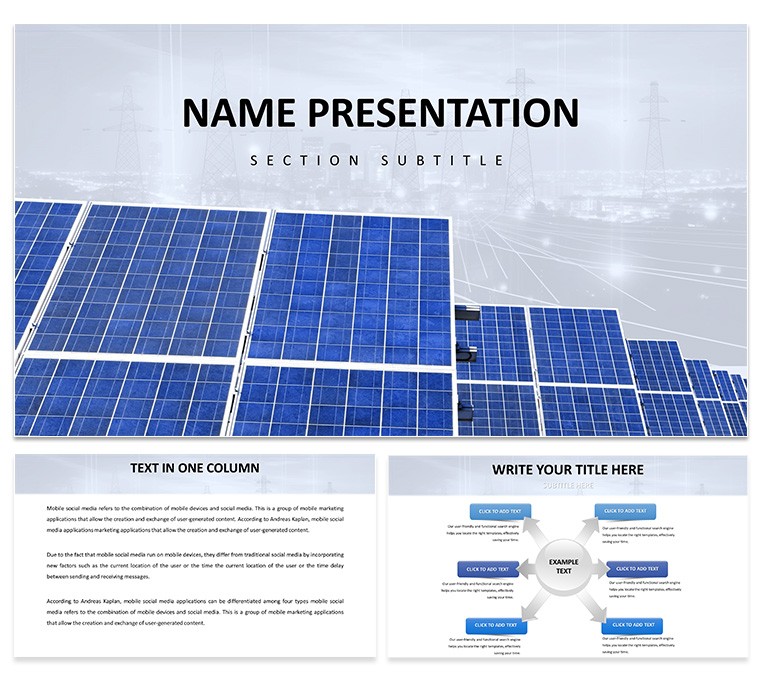
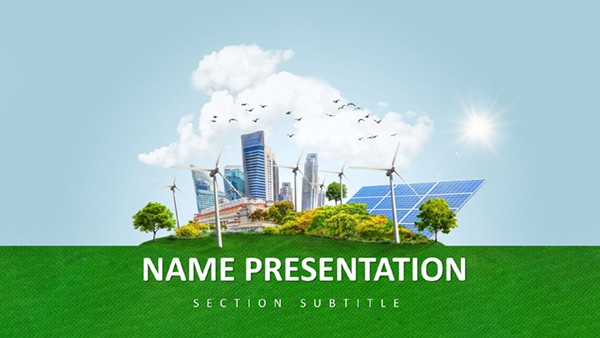
Sustainable Energy PowerPoint Template
| Format | .pptx |
| Slides | 3 unique layouts |
| Aspect ratio | 16:9 |
| Compatibility | PowerPoint |
| Animated | No |
| Language | English |
| License | Commercial |
| File size | — |
| Version | v1.0 |
| Last updated | January 2025 |
What's inside
Imagine standing before a room full of investors, your slides not just informing but inspiring action toward a greener future. That's the power of the Sustainable Energy PowerPoint Template, crafted specifically for visionaries in the renewable energy sector. Whether you're an environmental consultant outlining solar farm proposals or an educator breaking down wind turbine efficiencies, this template turns complex data into compelling stories. With 28 meticulously designed diagrams, it's your shortcut to presentations that resonate, blending sharp visuals with seamless customization to fit your brand's eco-conscious vibe.
At its core, this template addresses the unique challenges of communicating sustainability - where numbers must evoke urgency and hope. Picture timelines that trace the evolution of clean energy adoption or process flows mapping out carbon reduction pathways. Each element is built to scale with your narrative, ensuring your audience grasps the big picture without getting lost in jargon. And because time is as precious as our resources, ready-to-use layouts mean you spend less tweaking and more strategizing impact.
Unlocking the Core Features
Dive deeper, and you'll find a toolkit that's as versatile as it is robust. The 28 diagrams cover everything from circular economy cycles to energy grid interconnections, each one vector-based for crisp scalability on any screen. Switch between seven color schemes - think earthy greens fading into solar yellows - to match your company's palette or the season's conference theme. Fully editable in PowerPoint 2016 and later versions, you can swap icons for custom graphics or adjust data points in seconds, keeping your content fresh across updates.
- Master Slides for Consistency: Three master layouts ensure fonts, colors, and alignments stay uniform, so your focus remains on the message, not the mechanics.
- Background Variety: Three distinct backgrounds, from subtle gradient skies to textured earth tones, set the stage without overwhelming your charts.
- Infographic Power: From pyramid structures for hierarchy of energy sources to radial maps for global impact distribution, these aren't generic shapes - they're tailored for sustainability storytelling.
Compatibility extends beyond PowerPoint; export to PDF or integrate with Google Slides for collaborative teams. This isn't just a file - it's a foundation for presentations that drive decisions, like those used by firms pitching offshore wind projects to skeptical stakeholders.
Real-World Applications in Green Innovation
Consider a scenario where you're leading a workshop on bioenergy solutions. Start with an overview slide using the template's funnel diagram to illustrate feedstock conversion rates, then transition to a bar chart comparing biofuel yields against traditional fuels. The audience leans in as your visuals clarify the ROI, turning abstract concepts into tangible wins. Or, for corporate reports, layer in SWOT analyses with eco-themed icons - strengths highlighted in vibrant leaves, threats shaded in stormy grays - to make boardroom discussions more dynamic.
In educational settings, teachers leverage these slides to engage students on climate action. A step-by-step process chart walks through hydroelectric dam construction, with editable text boxes for adding local case studies, fostering discussions that stick. Professionals in policy advocacy find the geographic scatter plots invaluable for mapping renewable adoption across regions, complete with legend keys that adapt to your data sets. Each application underscores the template's strength: bridging technical depth with visual appeal to foster understanding and urgency.
Streamlining Your Workflow
Getting started is straightforward. Open the .pptx file, select a diagram from the thumbnail gallery, and drag your data into the placeholders. For a quick refresh, apply a new color scheme via the design tab - watch as your entire deck harmonizes. Pro tip: Pair these with high-res photos of wind farms or solar panels, sourced from your library, to amplify authenticity. This workflow saves hours, letting you iterate on content rather than design from scratch.
Compared to building from blank slides, this template accelerates your process while elevating polish. Basic PowerPoint shapes often look flat; here, layered gradients and shadows add dimension, mimicking the contours of a mountain ridge or ocean wave - subtle nods to nature's own designs.
Tailored Tips for Maximum Impact
To truly harness this template, align your diagrams with your story's arc. For investor decks, lead with a hero slide: a full-bleed energy flow chart that pulses with potential. Follow with drill-downs, using the template's timeline for phased rollouts, ensuring each milestone feels achievable. In team meetings, opt for the mind-map layout to brainstorm hydrogen fuel innovations, with branches extending like root systems for collaborative input.
One environmental strategist shared how swapping default icons for custom wind turbine silhouettes transformed a routine compliance report into a forward-thinking manifesto, sparking internal buy-in for greener initiatives. Such tweaks highlight the template's flexibility - it's not rigid; it's responsive to your vision.
Ready to illuminate your next presentation? Secure this Sustainable Energy PowerPoint Template for $22 and start crafting slides that not only inform but ignite change.
Frequently Asked Questions
What formats are included with the template?
The download provides .pptx for PowerPoint editing, .potx for templates, and .jpg previews for quick reference.
Can I use this on Google Slides?
Yes, import the .pptx file into Google Slides; most elements remain fully editable, though some advanced animations may need adjustment.
How many color options are available?
Seven schemes, ranging from cool blues for water energy to warm oranges for solar themes, all easily switchable.
Is it suitable for Mac users?
Absolutely, compatible with PowerPoint for Mac 2016 and newer versions.
Are the diagrams resizable without quality loss?
Yes, all vector-based elements scale perfectly for any projection size.
Good for
- Project roadmaps and sprint plans
- Product launch timelines
- Quarterly or annual review decks
- Company history and milestone summaries
Licence
reviews
The funnel diagrams helped me visualize sales data for an investor update and turned a routine report into something that actually looked persuasive.
Used the equity distribution pie charts for a startup funding pitch and the valuations models demystified numbers for non-expert investors.
Good for finance professionals but the $22 price tag is reasonable compared to building everything from scratch.
The vector-based diagrams scaled without quality loss when I projected them on a large screen and the animations worked smoothly.
Decent for strategy sessions but some of the 28 diagrams felt redundant and I ended up only using about half of them.
FAQ
Will it work in Google Slides?
Are fonts embedded?
Can I use this for client work?
What's the refund policy?
Do you update the template after purchase?
Similar templates
See all PowerPoint Templates →
All 1 slides