 Click to zoom
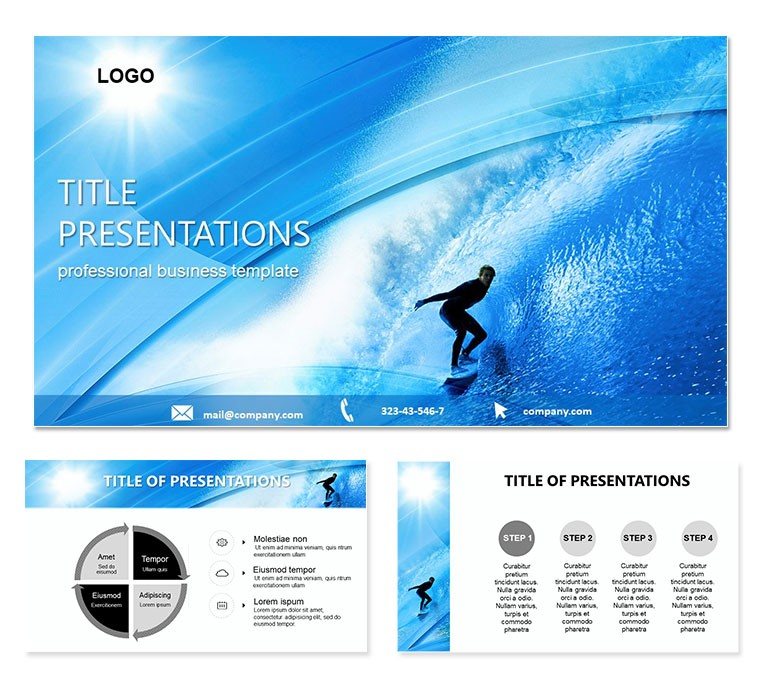
Surfing PowerPoint Presentation Template: Ride the Visual Swell
| Format | .pptx |
| Slides | 3 unique layouts |
| Aspect ratio | 16:9 |
| Compatibility | PowerPoint |
| Animated | No |
| Language | English |
| License | Commercial |
| File size | — |
| Version | v1.0 |
| Last updated | December 2023 |
What's inside
Surfing embodies freedom and flow, and this Surfing PowerPoint template channels that rush into your decks for trainers, event hosts, and lifestyle brands. With 28 diagrams cresting technique breakdowns to tidal stats, three masters, and wave-inspired backgrounds, it surfs beyond static slides into dynamic storytelling. Seven schemes splash from aqua blues to fiery sunsets, syncing with boardroom or beachside vibes.
Pulling from surf culture`s visual poetry, it maps wipeouts to wipeouts with editable ease in PowerPoint 2016+ or Google Slides. Hang ten for $22 and let your content carve unforgettable lines.
Cresting Features for Wave Makers
Diagrams deliver the barrel: curl paths on slide 4 trace maneuvers, animations foaming breaks. Heat maps on slide 21 chart swell patterns, interactive for spot forecasts.
- Master Layout Currents: Three for intros, skills, and swells, with fin motifs framing titles.
- Background Breakers: Foam gradients or horizon lines that roll without rocking readability.
- Wave Icons: 50+ for boards to barrels, stacked for progression visuals.
Wave science: slide 26`s vortex spins ocean forces, tweakable vectors for custom conditions - tidal inspiration at your fingertips.
Swells of Application in Surf Scenes
A coach breaking down cutbacks might foam slide 11`s arcs with slow-mo overlays, turning theory into tangible turns.
Step-by-Step: Shaping a Surf Camp Outline
- Swell Starter: Harness the presentation master, cresting your camp theme with a barrel opener.
- Skill Surge: Diagrams 1-13 with move metrics - shape the radial on slide 7 for balance basics.
- Session Swells: Animate slide 19`s sequence for lineup etiquette, unveiling tips wave by wave.
- Horizon Harmony: Slide 28`s mosaic recaps growth, with board placeholders for progress pics.
- Post-Surf Sync: Embed GoPro links, timing for tidal tale-telling.
This flow glides like a longboard - smooth, building to epic rides.
Carving for Brand Pitches
Marketers ride revenue visuals (slides 16-18), funneling audience journeys from shore to shorebreak buys, with branded hues for splashy sells.
Festival planners map lineups via timelines, the template`s energy pumping crowds with projected vibes that echo the lineup`s hype.
Outpacing Flatwater Templates
Stock slides sink in shallows; this barrels through with physics-tuned curls and swell simulators. Tide in from apps for forecasts, or crop for posters from high-res exports.
The oceanic theme immerses, like wax on a deck. Presenters catch more engagement, channeling the sport`s stoke into structured surf.
Launch your next wave of wow - download the Surfing PowerPoint template for $22 and hang ten in presentations.
Frequently Asked Questions
Customizable for board types?
Yes, icons and paths adapt from longboards to fish for any style.
Supported platforms?
PowerPoint 2016+, Google Slides for shared sessions.
Scheme variety for conditions?
Seven, from dawn patrols to golden hours.
Video placeholder ready?
Spot on, for clip integrations like barrel cams.
Animation for maneuvers?
Fluid builds, ramp up for full carve effects.
Inclusions in download?
.potx core, .jpg extras, ready to rip.
Good for
- Project roadmaps and sprint plans
- Product launch timelines
- Quarterly or annual review decks
- Company history and milestone summaries
Licence
reviews
The animations for the maneuvers were a bit choppy but the content was solid.
The curl paths and heat maps for swell patterns were awesome for my surf forecasting talk.
Used the vortex diagram on slide 26 to explain ocean forces to a brand client.
The wave icons and foam gradients gave my surf camp outline the right vibe.
Honestly I just needed something to present tide data
this was way overkill but fun.
FAQ
Will it work in Google Slides?
Are fonts embedded?
Can I use this for client work?
What's the refund policy?
Do you update the template after purchase?
Similar templates
See all PowerPoint Templates →
All 1 slides