 Click to zoom
Surfing Big Waves Keynote Template: Ride the Tide of Impactful Presentations
| Format | .pptx |
| Slides | 3 unique layouts |
| Aspect ratio | 16:9 |
| Compatibility | PowerPoint |
| Animated | No |
| Language | English |
| License | Commercial |
| File size | — |
| Version | v1.0 |
| Last updated | September 2022 |
What's inside
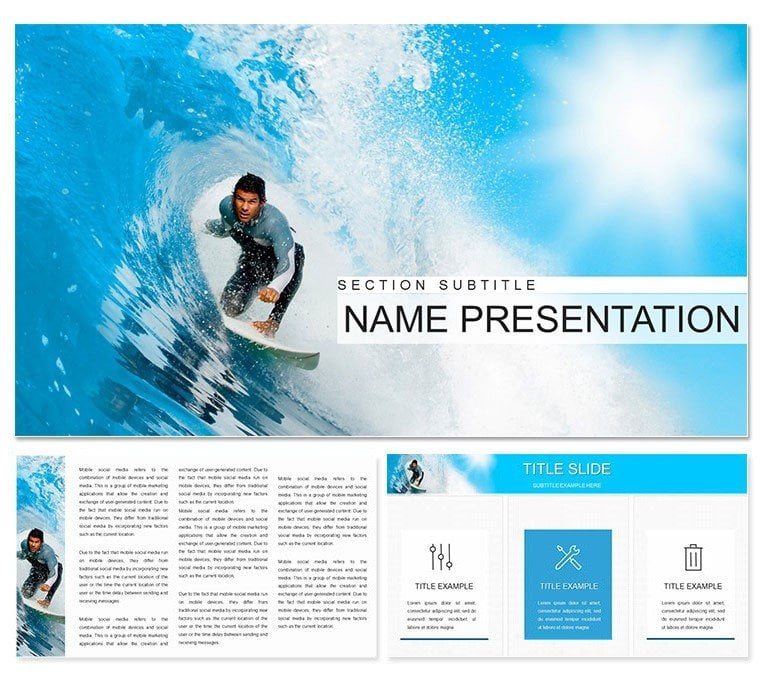
Imagine standing before a room full of adventure seekers, your slides crashing like ocean waves with vibrant energy that pulls everyone in. That's the power of the Surfing Big Waves Keynote template - a modern design crafted to spotlight your ideas on topics like fauna explorations, thrilling travel itineraries, surfing escapades, entertainment lineups, or active recreation plans. Tailored for Keynote users who want to blend creativity with clarity, this template turns ordinary pitches into unforgettable journeys. With 28 meticulously designed diagrams, three versatile masters, and three dynamic backgrounds, you'll have everything needed to customize swiftly and focus on what matters: connecting with your audience.
Whether you're a travel agency outlining exotic getaways or a recreation coordinator mapping out summer camps, this template addresses the common frustration of bland visuals that fail to evoke excitement. Its bright, unusual aesthetic ensures your content stands out, making complex ideas - like wildlife migration patterns or event schedules - flow effortlessly. Compatible with iWork Keynote, it supports seamless edits across devices, letting you tweak colors, text, and photos without a hitch. Picture swapping in your own surfboard shots or adjusting hues to match a sunset theme; it's all intuitive, saving you hours of design drudgery so you can refine your narrative instead.
Unlock the Core Features That Make Waves
At the heart of this template lies a suite of tools designed for high-impact delivery. Start with the seven color schemes, each optimized for diagrams to evoke the thrill of the sea - think deep blues for depth, sunny yellows for energy. These aren't just palettes; they're pathways to matching your brand's vibe, whether it's a laid-back surf shop or a high-energy adventure firm.
- 28 Editable Diagrams: From timeline waves charting trip progressions to circular infographics mimicking ocean currents, each slide is built for flexibility. Layer in data on participant numbers for a group hike or highlight key fauna species with pinpoint accuracy.
- Three Masters and Backgrounds: These provide a consistent foundation, ensuring your deck feels cohesive from title slide to finale. The wave-patterned backgrounds add subtle motion without overwhelming text.
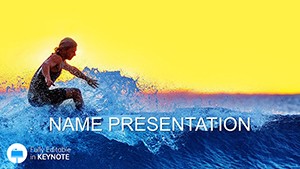
- High-Quality Visuals: Integrated images of crashing waves and beach scenes serve as placeholders, ready for your custom uploads. Typography is clean and bold, drawing eyes to headlines like "Conquer the Next Big Wave."
One standout is the process flow diagram on slide 12, which visualizes multi-step adventures - like from booking to boarding - using curved arrows that mimic surf paths. It's ideal for breaking down logistics in a way that feels natural, not forced.
Tailored Use Cases: Where This Template Shines
For travel professionals, envision using the radial chart on slide 8 to map out destination hotspots, plotting visitor stats around a central globe icon. A recreation event planner might leverage the pyramid structure in slide 20 to stack priorities, from safety protocols at the base to highlight reels at the peak, making risk assessments engaging rather than rote.
In entertainment pitches, the template's energy transforms script breakdowns. Take slide 15's comparison layout: side-by-side panels for "Before the Wave" versus "After the Ride," perfect for showing audience transformation in a festival proposal. And for fauna-focused talks, like those echoing David Attenborough's style, the organic shapes in slide 25 let you illustrate ecosystems with interconnected nodes, fostering a sense of interconnected wonder.
Step-by-Step: Crafting Your Surf-Inspired Deck
- Select Your Scheme: Open in Keynote and choose a color set that aligns with your theme - vibrant for daytime adventures, cooler tones for evening events.
- Populate Diagrams: Drag your data into placeholders; watch as animations sync to reveal points progressively, building suspense like a wave cresting.
- Infuse Personal Touches: Replace stock images with your photos - perhaps a team surf session - and adjust fonts for a handwritten surf vibe if it fits.
- Preview and Polish: Test on different screens; the responsive design ensures clarity from laptop to projector.
This workflow integrates smoothly with your planning tools, like exporting timelines from Google Sheets directly into slides for real-time updates during client calls.
Why It Outshines Basic Keynote Builds
Compared to starting from scratch in Keynote, this template skips the guesswork. No more wrestling with alignment tools for wobbly waves - instead, pre-built elements snap into place. It's like having a design-savvy co-pilot, especially for those juggling multiple projects. A marketing lead at a coastal resort once adapted slide 18's bar graph to track seasonal bookings, turning dry numbers into a story of rising tides that sealed a partnership deal.
Beyond aesthetics, the focus on content hierarchy means your key messages - say, sustainable surfing practices - pop without clutter. And with full editability, including video embeds for wave-riding clips, it adapts to hybrid events where virtual audiences need that extra pull.
Ready to Catch the Perfect Wave?
Transform your next presentation from flat calm to exhilarating surf with the Surfing Big Waves Keynote template. Download it now for just $22 and start building decks that resonate long after the applause fades.
Frequently Asked Questions
What software is required to use this template?
iWork Keynote is fully compatible, ensuring smooth performance on Mac devices.
Can I customize the colors beyond the seven schemes?
Yes, every element is editable, allowing you to fine-tune hues to match your exact vision.
Are animations included in the diagrams?
Built-in animations enhance transitions, but you can adjust or remove them as needed.
Does it support adding my own images?
Absolutely - placeholders make swapping in personal photos straightforward.
How many slides come with the template?
It includes 28 diagrams, plus masters and backgrounds for expansion.
Good for
- Project roadmaps and sprint plans
- Product launch timelines
- Quarterly or annual review decks
- Company history and milestone summaries
Licence
reviews
Fashion week template pops with runway silhouettes and color palette charts. Great for my design portfolio.
Trend timeline diagrams in chic black and pink. Loved the fabric texture backgrounds.
As a fashion student, it captured the vibe perfectly. Easy customization.
Style moodboard slides impressive. Critical of repetitive catwalk poses.
Enthusiastic about garment icons. Met show prep deadline.
Elegant minimalist fashion layouts. High quality visuals.
FAQ
Will it work in Google Slides?
Are fonts embedded?
Can I use this for client work?
What's the refund policy?
Do you update the template after purchase?
Similar templates
See all Keynote templates →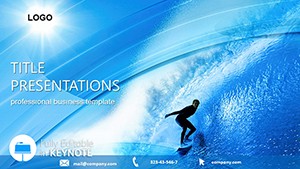
All 1 slides