 Click to zoom
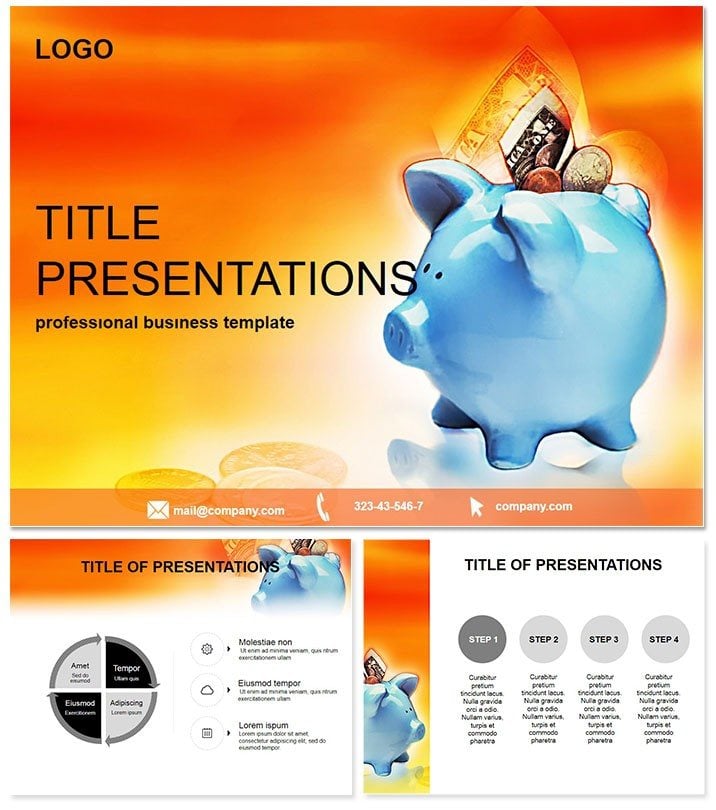
Streamline Your Financial Insights with the Ultimate Planning Template
| Format | .pptx |
| Slides | 3 unique layouts |
| Aspect ratio | 16:9 |
| Compatibility | PowerPoint |
| Animated | No |
| Language | English |
| License | Commercial |
| File size | — |
| Version | v1.0 |
| Last updated | February 2024 |
What's inside
Imagine turning dense spreadsheets and projections into a compelling story that captivates your audience - whether it`s a boardroom full of executives or a team of advisors hungry for actionable strategies. That`s the power of our Financial Planning PowerPoint Template, crafted specifically for professionals who need to communicate budgets, forecasts, and growth plans with precision and polish. In just minutes, you can customize these slides to fit your narrative, saving hours of manual design work while ensuring every chart tells a persuasive tale.
This template isn`t just a set of slides; it`s a strategic ally for financial leaders. With its intuitive structure, you`ll highlight key metrics like ROI, cash flow trends, and scenario analyses without overwhelming viewers. Compatible with PowerPoint 2016 and later versions, it offers lifetime access through a one-time purchase, making it a smart investment for ongoing use in reports, pitches, and training sessions.
Key Features That Drive Results
At the heart of this template are 28 meticulously designed diagram pages, each optimized for financial storytelling. From pie charts breaking down expense allocations to line graphs tracking revenue trajectories, every element is vector-based for seamless resizing and editing. Choose from seven vibrant color schemes to match your brand - think crisp blues for trust or bold greens for growth.
- Comprehensive Diagram Library: Includes bar graphs for comparative analysis, waterfall charts for profit breakdowns, and Sankey diagrams for resource flows, all pre-formatted for instant data import.
- Three Master Slides: Effortlessly apply consistent layouts across your deck, with placeholders for logos, dates, and slide numbers.
- Three Background Options: Subtle gradients or clean whites to keep the focus on your data, ensuring readability on any screen size.
- Fully Editable Elements: Swap colors, fonts, and icons without losing alignment - ideal for aligning with corporate guidelines.
These features go beyond aesthetics; they`re built to enhance comprehension. Studies show that visual aids like these can boost audience retention by up to 65%, turning passive listeners into engaged decision-makers.
Real-World Applications for Financial Pros
Picture a CFO preparing for an investor meeting: Using this template, they layer in quarterly forecasts with animated transitions that reveal insights progressively, building suspense and clarity. Or consider a financial advisor crafting a retirement plan - the template`s timeline slides make long-term projections feel approachable, helping clients visualize their financial future.
In academic settings, professors use it to illustrate economic models, while startups leverage it for pitch decks that secure funding by showcasing scalable business models. One user, a mid-sized firm`s analyst, shared how swapping default PowerPoint charts for these custom ones cut presentation prep time by 40% and landed a major client deal.
Why Choose This Over Default PowerPoint Tools?
Standard PowerPoint shapes and charts often feel clunky and uninspired, requiring endless tweaks to look professional. This template eliminates that hassle with ready-to-use, high-fidelity visuals that integrate seamlessly with Excel data imports. No more pixelated graphs or mismatched fonts - everything aligns perfectly from the start. Plus, its focus on financial-specific layouts means you`re not adapting generic tools; you`re using ones tailored for balance sheets and P&L statements.
Customize instantly and see the difference: Your presentations will exude expertise, fostering trust and driving conversions whether you`re closing sales or aligning teams.
Unlock Professional Edge Today
Ready to elevate your financial communications? Download the Financial Planning PowerPoint Template now and transform how you present data that matters.
Frequently Asked Questions
Is this template compatible with older PowerPoint versions?
Yes, it works seamlessly with PowerPoint 2016 and newer, including Microsoft 365, ensuring broad accessibility for teams.
How many slides are included exactly?
The package features 28 diagram pages, plus three masters and three backgrounds, giving you a robust starting point for any financial deck.
Can I use this for commercial purposes?
Absolutely - your one-time purchase grants lifetime commercial rights, perfect for client reports or internal strategies.
Does it support animations?
Built-in subtle animations enhance flow without distraction, and you can add more via PowerPoint`s tools effortlessly.
What file formats are provided?
Download in .potx for editable templates, .pot for masters, and .jpg for previews, covering all your needs.
Is customization beginner-friendly?
Definitely - drag-and-drop elements and smart guides make it accessible, even if you`re new to advanced design.
Good for
- Project roadmaps and sprint plans
- Product launch timelines
- Quarterly or annual review decks
- Company history and milestone summaries
Licence
reviews
Used the bar chart and calculator graphics for a budget review. The blue and white scheme is very standard corporate.
The coin stack animations are smooth but the template is very text heavy. Lots of financial jargon placeholders.
Works for a CFO update. The 'revenue forecast' line chart is very clean.
FAQ
Will it work in Google Slides?
Are fonts embedded?
Can I use this for client work?
What's the refund policy?
Do you update the template after purchase?
Similar templates
See all PowerPoint Templates →



All 1 slides