 Click to zoom
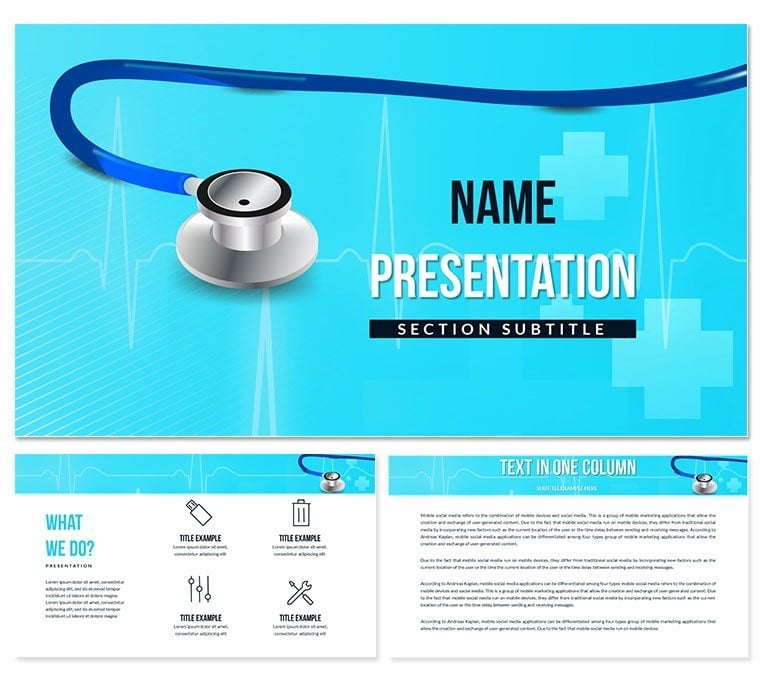
Stethoscope Medical Diagrams - Fully Editable | ImagineLayout
| Format | .pptx |
| Slides | 3 unique layouts |
| Aspect ratio | 16:9 |
| Compatibility | PowerPoint |
| Animated | No |
| Language | English |
| License | Commercial |
| File size | — |
| Version | v1.0 |
| Last updated | April 2026 |
What's inside
What's Inside the Download
28 diagrams arrive with 7 color schemes ready for medical presentation use.
Stethoscope tubing elements serve as both connectors and visual guides across the layouts.
What is a PowerPoint diagram template? A PowerPoint diagram template is a pre-designed set of editable shapes, flowcharts and layouts that allow users to quickly visualize data and processes in business presentations.
Compared to generic health icons this collection emphasizes stethoscope tubing as functional flow lines that guide eye movement between clinical data points.
- Tubing lines double as connectors
- Data zones maintain visual weight
- Color schemes switch globally
Editing Capabilities at a Glance
FeatureDetailsEditable shapesdiagram segments resize and recolor independentlyText placeholderslabels update without unlocking grouped elementsColor theme adjustmentscompatible with PowerPoint slide master paletteDiagram connectorsarrows and lines adjustable in direction and weightIcon layersicons replaceable without affecting layoutAnimation supportlines and zones accept entrance effectsTeam Scenarios in Action
The project lead asked for a maturity model slide by end of day.
The analyst had never built one yet opened the stethoscope template and completed the task in 35 minutes.
An HR specialist at a medical device firm reused the same file across 11 training sessions over 8 months by swapping labels and colors.
Download and start editing immediately
How to Make It Yours in Under 20 Minutes
Editing difficulty: Moderate.
What if I only need to change one diagram not all 28? Click directly on that slide edit the shape fill color through Format → Shape Style.
The master slide change is for global updates individual overrides work independently.
What if my brand color is not in the 7 presets? Select any shape open Format → Shape Style and enter the exact hex value.
The Cost of Not Using a Template
Creating stethoscope medical diagrams manually takes 2 hours per slide and demands precise line alignment skills.
Common mistakes include tubing lines that fail to guide eye flow between data points.
The stethoscope tubing lines serve dual purpose as connectors and visual dividers guiding eye flow between medical data points while evoking clinical tools.
Healthcare professionals frequently combine this with medicine treatment collections or heart health options and stethoscope variants.
Download and start editing immediately
Which PowerPoint versions support this template?PowerPoint 2016, 2019, 365 and Mac versions open the files without issues. The POTX master slide loads correctly in all listed editions. Older versions may lose some connector formatting so update if possible. Test the file immediately after download to confirm full compatibility.
How do I change the color scheme?Open the slide master via View → Slide Master. Select the color palette at the top and choose one of the 7 built-in schemes. All diagrams update automatically across the 28 layouts. Individual overrides remain possible on any slide without breaking the master. Save the file once changes are complete.
What is the license for client work?The paid license permits use in paid client work and internal company presentations. Redistribution or resale of the original files is not allowed. Multiple team members can access the same purchased file under one license. Contact support for enterprise licensing questions.
What are the differences between free and paid versions?The page does not specify a free tier. The paid version supplies the complete editable files with all diagrams and 7 color schemes. Free preview images appear on the product page only. Full editing access requires the paid download.
What is the refund policy?Refunds are available within 14 days if the file does not open in your PowerPoint version or if the diagrams fail to load as described. Contact support with the order number and a short description of the issue. Approved refunds process within 3 business days. The policy protects buyers while preventing repeated downloads.
How do I insert custom images into placeholders?Select any placeholder shape right-click and choose Format Shape → Fill → Picture or texture fill. The image scales to fit the stethoscope or data zone automatically. This works on every diagram without breaking tubing connectors.
Does this template work for training sessions?Yes the stethoscope layouts support medical training sessions and clinical consultations. Tubing lines guide attention exactly where needed. Animation support lets trainers reveal steps sequentially. Export to PDF works for LMS upload.
Good for
- Project roadmaps and sprint plans
- Product launch timelines
- Quarterly or annual review decks
- Company history and milestone summaries
Licence
reviews
The donut charts for market share are visually appealing.
Some of the slide masters have extra elements I had to delete.
For a finance class the balance sheet layout was surprisingly useful.
It's a solid time saver if you know what you're doing.
The gradient fills look a little old-school but not a dealbreaker.
FAQ
Will it work in Google Slides?
Are fonts embedded?
Can I use this for client work?
What's the refund policy?
Do you update the template after purchase?
Similar templates
See all PowerPoint Templates →


All 1 slides