 Click to zoom
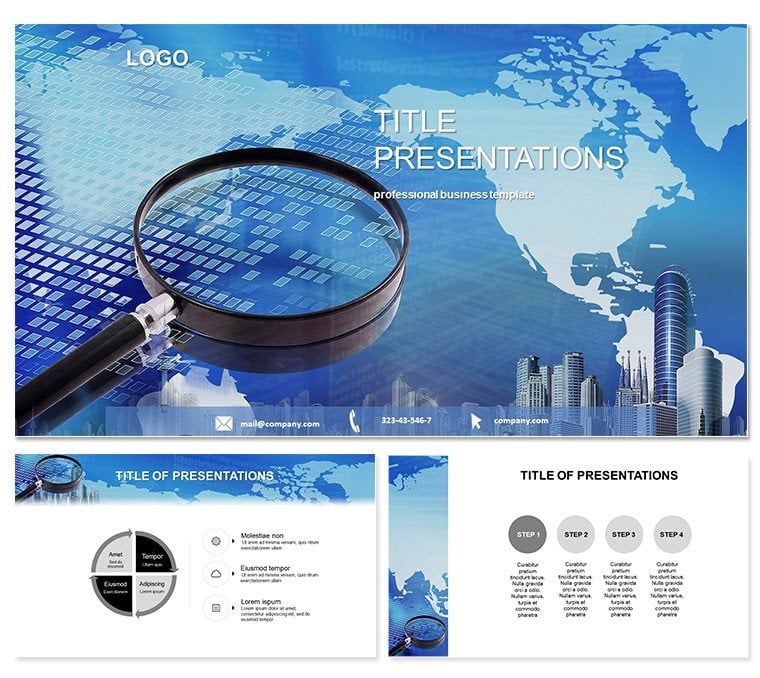
Start Searching PowerPoint Template
| Format | .pptx |
| Slides | 3 unique layouts |
| Aspect ratio | 16:9 |
| Compatibility | PowerPoint |
| Animated | No |
| Language | English |
| License | Commercial |
| File size | — |
| Version | v1.0 |
| Last updated | October 2022 |
What's inside
Embark on a journey of discovery where every query sparks innovation, powered by the Start Searching PowerPoint Template. This versatile asset is crafted for business leaders and researchers who need to illuminate search strategies, reference frameworks, and program overviews in presentations that resonate. With 28 intuitive diagrams, it simplifies the art of information retrieval, turning routine reports into riveting explorations. Designed for PowerPoint 2016+, the $22 one-time purchase unlocks lifetime utility, ensuring your content remains fresh and adaptable.
Rooted in the universal "search" iconography - magnifying glasses over global maps and streamlined query bars - the template offers three masters for consistent branding and three backgrounds evoking digital exploration horizons. The 28 slides span from basic keyword trees to advanced Boolean logic webs, with seven color schemes blending exploratory yellows and focused grays for thematic depth.
Core Features Driving Discovery
Elevate your workflow with features that outpace standard tools: vector diagrams scale flawlessly, while smart connectors auto-adjust for data shifts. Embed search APIs for live demos or hyperlink to external references effortlessly. Standout aspects:
- Query Visualization Suite: Trees and matrices for branching searches and result clustering.
- Adaptive Palettes: Seven schemes for light/dark modes and brand sync.
- Multi-Format Delivery: .potx for edits, .pot for imports, .jpg for exports.
Default PowerPoint`s scatter plots pale against these targeted layouts, slashing design time and boosting narrative flow.
Use Cases That Fuel Insights
In a corporate strategy session, visualize market research pipelines with funnel diagrams, guiding teams from initial queries to actionable intel. Researchers at conferences deploy radial maps to trace citation networks, fostering collaborations amid applause.
For training modules, illustrate database queries as step-by-step paths, empowering novices in data science. Global firms use it for compliance audits, mapping regulatory searches to mitigate risks proactively. Such applications affirm its value in amplifying discovery across sectors.
Outshining Basic Presentation Software
Where vanilla slides falter in thematic relevance, this template excels with search-centric icons, enhancing professionalism and engagement. Lifetime access means evolving with your needs - customize instantly for tomorrow`s breakthroughs.
Frequently Asked Questions
What types of search processes does this template cover?
From basic keyword hunts to advanced program simulations, with diagrams for every stage.
Is it editable across devices?
Yes, optimized for desktop PowerPoint 2016+ and compatible with cloud versions.
How do the color schemes enhance usability?
They provide contrast for readability and flexibility for audience preferences.
Can it handle large datasets?
Absolutely - link to external sources for scalable, dynamic content.
What`s the benefit of the lifetime license?
Unlimited revisions and updates without extra fees, ideal for ongoing projects.
Good for
- Project roadmaps and sprint plans
- Product launch timelines
- Quarterly or annual review decks
- Company history and milestone summaries
Licence
reviews
Pulled this for a quarterly review, the timeline layouts were exactly what I needed.
Honestly, the fonts felt a little dated to me but the overall structure is solid.
A coworker asked where I got these pie chart graphics, so that's a win.
My only complaint is that some of the slides are over-designed for a simple status update.
Downloaded it, swapped in my data, and presented it within an hour. Works for me.
FAQ
Will it work in Google Slides?
Are fonts embedded?
Can I use this for client work?
What's the refund policy?
Do you update the template after purchase?
Similar templates
See all PowerPoint Templates →



All 1 slides