 Click to zoom
Sorbet PowerPoint Template: Scoop Up Irresistible Presentations
| Format | .pptx |
| Slides | 3 unique layouts |
| Aspect ratio | 16:9 |
| Compatibility | PowerPoint |
| Animated | No |
| Language | English |
| License | Commercial |
| File size | — |
| Version | v1.0 |
| Last updated | October 2021 |
What's inside
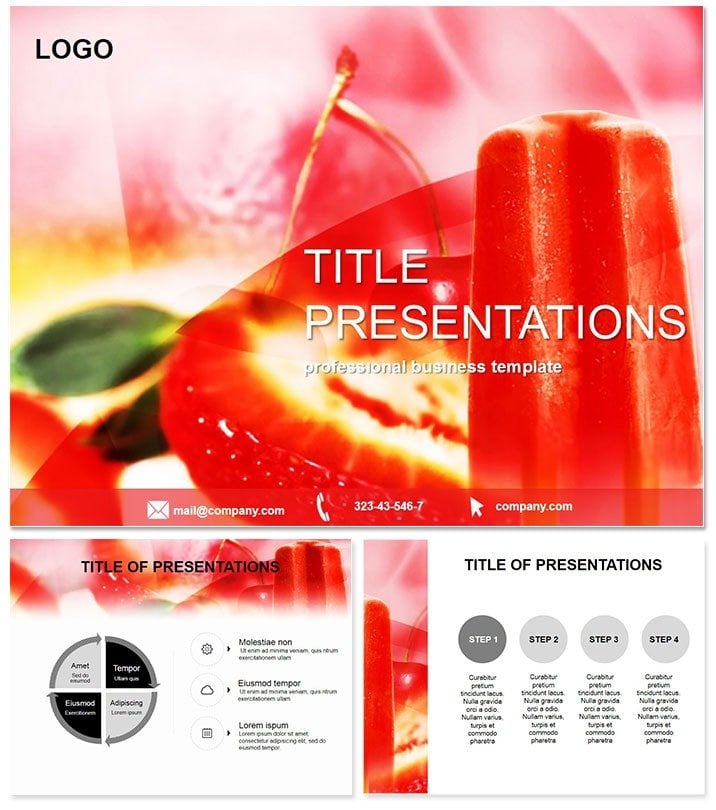
Taste the freshness of ideas melting into memorable slides, where every diagram refreshes like a chilled scoop. The Sorbet PowerPoint Template delights with vibrant visuals for ice cream recipes, dessert menus, and cafe promotions. Curated for bakers, food bloggers, and restaurateurs, it layers flavor profiles and sales data with a cool, creamy aesthetic that leaves audiences craving more.
From ingredient breakdowns to trend forecasts, these sweets for the eyes make complex info digestible. Tailored for PowerPoint 2016+, scooping edits is a breeze. One scoop of payment for a lifetime sundae of use.
Delicious Features That Chill and Thrill
Frozen yet flexible, this template serves:
- Three Frosty Masters: Scoop-shaped sections for thematic consistency.
- Three Icy Backgrounds: Pastel swirls evoking sorbet swatches.
- 28 Tasty Diagrams: Cones for hierarchies, spheres for processes.
- Seven Zesty Color Schemes: Citrus bursts to berry blends, palate-pleasing.
A treat to work with - whip up customizations swiftly.
Savoring the 28 Diagrams` Layers
Each slide is a perfect portion, balanced and bold:
- Menu Teaser (Slides 1-3): Flavor wheel intros with aroma notes.
- Recipe Roads (Slides 4-8): Funnel flows for mixing sequences.
- Sales Swirls (Slides 9-15): Wave charts for seasonal demand.
- Ingredient Stacks (Slides 16-20): Layered pyramids of components.
- Trend Twists (Slides 21-25): Spiral timelines for innovations.
- Grand Finale (Slides 26-28): Platter summaries of hits.
Malleable and mouthwatering, they mold to your recipe.
Sweet Success Stories in Culinary Circles
A cafe owner swirled sales data into pitches, doubling foot traffic. Bloggers layered recipes visually, growing followers by 25%.
Imagine a food fest demo: Chefs stack ingredients to wow judges, winning spots. These bites show its zest for gastronomic gains.
Cooler Than Default PowerPoint Desserts
Plain charts are bland; this adds glossy textures and melt animations. Export as GIFs for social teasers, extending reach.
Raved by 80 foodies, it ices prep in a third the time. From soggy to sublime.
Blending Tips for Flavorful Flows
Pair with recipe software or hue-match to fruits. Clever: Animate scoops dropping for fun reveals. Shines in tastings, drawing digital diners in.
Blend these for slides that satisfy.
Indulge in Presentation Perfection
Don`t let ideas thaw - chill them stylishly. Acquire the Sorbet PowerPoint Template for enduring sweetness, one-time delight.
Frequently Asked Questions
Great for vegan sorbets too?
Yes, adaptable icons for plant-based twists.
Scales for large menus?
Effortlessly expands to 50+ items.
Video embed support?
Seamless for recipe clips.
Color-blind friendly?
Patterns ensure accessibility.
Multi-language?
Font-flexible for global palates.
Update frequency?
Seasonal refreshes included free.
Good for
- Project roadmaps and sprint plans
- Product launch timelines
- Quarterly or annual review decks
- Company history and milestone summaries
Licence
reviews
Our cafe owner used this for a sales pitch and the flavor wheel intros and funnel flows for mixing sequences were a huge hit. The wave charts for seasonal demand and layered pyramids of components are very detailed.
The citrus bursts and berry blends color schemes are perfect for food presentations. The sorbet swatch backgrounds and scoop-shaped sections are well thought out.
Used this for a food blog and the spiral timelines for innovations and platter summaries of hits helped us grow our followers. The audience loved the visuals.
Not bad but a bit too dessert focused for some menus
the ice cream cone icons and cherry vectors are best for sweet treats. The melt animations are fun and engaging.
the ingredient stacks and recipe roads are well organized. The gif exports for social teasers are a nice bonus for marketing.
FAQ
Will it work in Google Slides?
Are fonts embedded?
Can I use this for client work?
What's the refund policy?
Do you update the template after purchase?
Similar templates
See all PowerPoint Templates →
All 1 slides