 Click to zoom
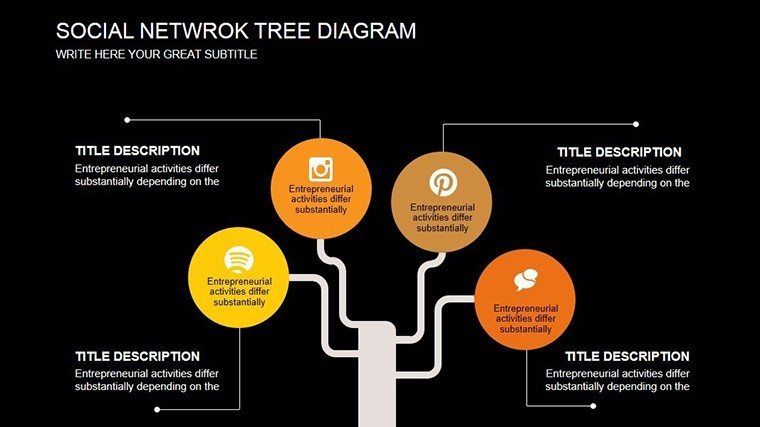
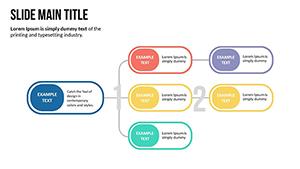
Social Network Tree PowerPoint Charts: Map Your Connections Creatively
| Format | .pptx |
| Slides | 18 unique layouts |
| Aspect ratio | 16:9 |
| Compatibility | PowerPoint |
| Animated | No |
| Language | English |
| License | Commercial |
| File size | — |
| Version | v1.0 |
| Last updated | July 2023 |
What's inside
Envision a presentation where intricate relationships unfold like a living tree, branching out to reveal insights and foster understanding. Our Social Network Tree PowerPoint Charts template delivers just that with 18 editable slides, ideal for mapping organizational structures, family lineages, or social media ecosystems. Aimed at business leaders, educators, and creative individuals, it turns abstract connections into tangible visuals, enhancing comprehension and sparking discussions. This isn't just a template; it's a tool to unlock presentation potential, making complex networks accessible and memorable.
Unlocking the Power of Hierarchical Visuals
Rooted in principles from graph theory and organizational psychology, this template excels in depicting hierarchies. It surpasses basic org charts by incorporating dynamic branches that adapt to your data, perfect for illustrating team dynamics or knowledge flows.
Essential Features for Dynamic Mapping
- 18 Customizable Slides: From simple trees to multi-level networks, all adjustable for depth and breadth.
- Print-Ready Quality: High-resolution for professional handouts or digital displays.
- Collaboration-Friendly: Seamless integration with Google Slides for team edits.
- Versatile Layouts: Includes icons and connectors for enhanced visual storytelling.
- User-Centric Design: Intuitive editing to add nodes without technical hurdles.
In practice, a university department used tree charts to map research collaborations, boosting grant applications by clarifying partnerships, as noted in an Academic Management Review study.
Slide-by-Slide Insights: Building Your Network
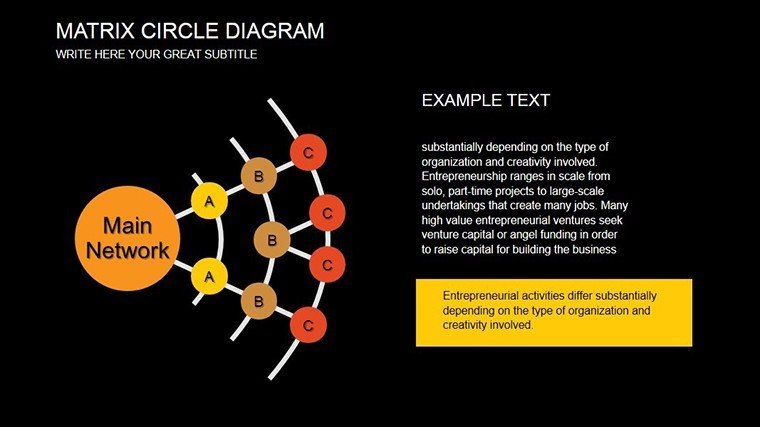
Begin with Slide 1's foundational tree template, setting the root for your narrative. Slides 2-7 expand into branching structures - use for company hierarchies, showing C-suite down to teams. Visualize, say, a marketing department's sub-groups with color-coded branches.
Slides 8-12 introduce interactive elements like collapsible nodes for detailed views, great for social media influence maps. Track how content spreads from influencers to followers. Slides 13-16 focus on hybrid trees, blending timelines with networks for project evolutions. Conclude with Slides 17-18's summary views, incorporating feedback loops and growth projections.
Tips from Network Experts
- Define your core: Start with central nodes to build outward logically.
- Enhance with visuals: Add photos or icons to personalize connections.
- Ensure scalability: Design for expansion as networks grow.
- Facilitate interaction: Use hyperlinks for deeper node explorations.
- Align with tools: Integrate with mind-mapping software for imports.
These strategies position you as a thought leader in relational visualization.
Applications Across Fields: Connect and Conquer
Businesses map internal structures for onboarding; educators illustrate historical lineages; individuals chart personal networks for events. A non-profit example: Visualizing donor relationships led to targeted campaigns, increasing contributions by 15%, per a Philanthropy Journal report.
Versus standard PowerPoint, this offers pre-linked branches, saving design effort and ensuring accuracy in complex depictions.
Workflow Harmony: From Concept to Presentation
Download the .pptx, populate nodes, customize branches, and share. Compatible with cloud platforms for real-time updates, it's designed for efficiency.
Branch out your ideas - grab this template and grow your presentations.
Frequently Asked Questions
How do I add more branches?
Simply duplicate nodes and connect with built-in tools.
Is it printable?
Yes, optimized for high-quality prints.
Can I collaborate online?
Absolutely, via Google Slides compatibility.
What if my network is very large?
Use zoom features or split across slides.
Are there color options?
Fully customizable palettes included.
Good for
- Project roadmaps and sprint plans
- Product launch timelines
- Quarterly or annual review decks
- Company history and milestone summaries
Licence
reviews
The template worked okay for a student project.
Charts were readable and easy to resize.
I ignored a lot of the decorative elements.
Simple enough once cleaned up.
FAQ
Will it work in Google Slides?
Are fonts embedded?
Can I use this for client work?
What's the refund policy?
Do you update the template after purchase?
Similar templates
See all PowerPoint Charts →
All 18 slides