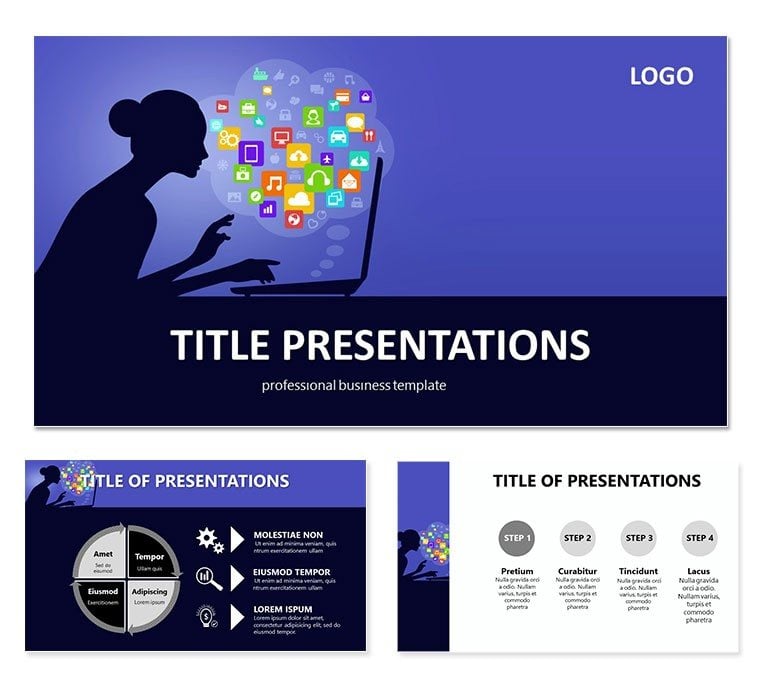
 Click to zoom
Social Media Marketing PowerPoint Template: Presentation
| Format | .pptx |
| Slides | 3 unique layouts |
| Aspect ratio | 16:9 |
| Compatibility | PowerPoint |
| Animated | No |
| Language | English |
| License | Commercial |
| File size | — |
| Version | v1.0 |
| Last updated | February 2024 |
What's inside
This Social Media Marketing PowerPoint Template is a professional and visually appealing template that can be used to create presentations on social media marketing strategies. The template includes a variety of slides that can be used to cover different aspects of social media marketing, such as:
- Setting social media goals
- Creating social media content
- Managing social media accounts
- Tracking social media results
The Social Media Marketing PowerPoint template is also easy to customize, so you can add your own branding and information. With this template, you can create a professional and informative presentation that will help you achieve your social media marketing goals.
Features:
- 16:9 aspect ratio
- Fully customizable
- Easy to use
- Free fonts
- Images included
Benefits:
- Save time and effort
- Create professional presentations
- Improve your social media marketing results
- Stand out from the competition
How to use:
- Download the template
- Open it in PowerPoint
- Add your own content
- Customize the design
- Present your presentation
Who can use this template:
- Social media marketers
- Business owners
- Marketing professionals
- Students
- Educators
We are confident that you will be satisfied with this template. Order your copy today and start creating amazing social media marketing presentations!
Good for
- Project roadmaps and sprint plans
- Product launch timelines
- Quarterly or annual review decks
- Company history and milestone summaries
Licence
reviews
the strategy slides and KPI dashboards helped structure the long-term goals.
The 'social media marketing' template has specific slides for 'goal setting' which was helpful for the workshop.
I liked the 7 color schemes, I used the 'neutral' one to keep the focus on the data, not the design.
28 diagrams is a lot but the 'competitor analysis' matrix was exactly what I needed.
Its a good business template, the icons are relevant and the slide masters are easy to use.
FAQ
Will it work in Google Slides?
Are fonts embedded?
Can I use this for client work?
What's the refund policy?
Do you update the template after purchase?
Similar templates
See all PowerPoint Templates →


All 1 slides