 Click to zoom
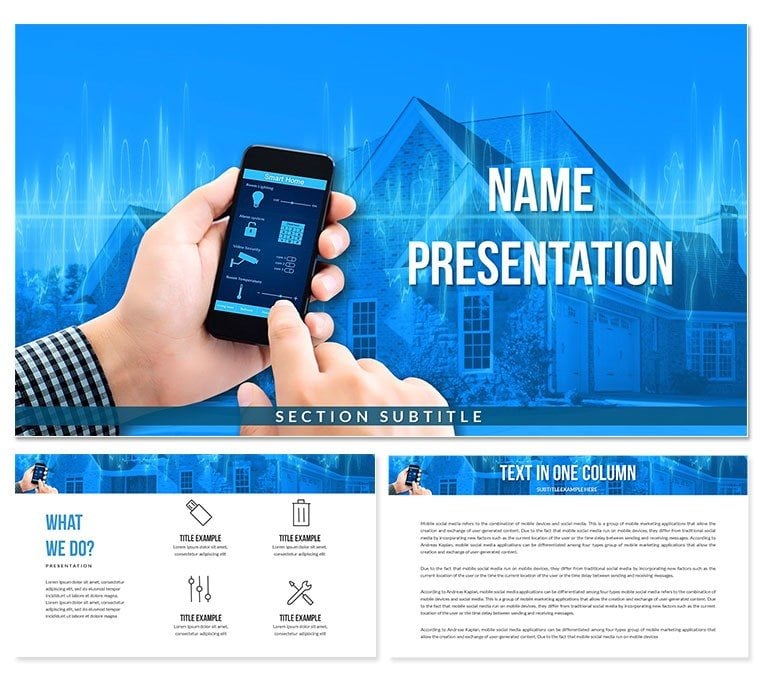
Smart House System PowerPoint Template for Presentation
| Format | .pptx |
| Slides | 3 unique layouts |
| Aspect ratio | 16:9 |
| Compatibility | PowerPoint |
| Animated | No |
| Language | English |
| License | Commercial |
| File size | — |
| Version | v1.0 |
| Last updated | November 2024 |
What's inside
Enhance your presentations with our Smart House System PowerPoint Template, which is meant to engage audiences while demonstrating the newest in home automation and technology. This professional template has elegant graphics, current layouts, and adjustable slides to help you successfully talk about smart home solutions.
This template, with its easy-to-use interface and eye-catching visuals, is ideal for presentations on smart home technologies, IoT devices, energy saving, and home security systems. Each presentation is designed to help your ideas stand out, with possibilities for data charts, photos, and infographics.
Why Choose This Template?
- Professional Design: A professional appearance that makes your presentation seem fresh and appealing.
- Customizable Slides: Change the layout, colors, and fonts to match your branding or theme.
- Technology-Focused Graphics: Unique iconography and images that showcase smart home principles.
- Time-saving: Pre-designed templates allow you to produce presentations quickly without sacrificing quality.
This template is ideal for business executives, educators, and technology enthusiasts, providing the tools you need to make effective presentations.
Good for
- Project roadmaps and sprint plans
- Product launch timelines
- Quarterly or annual review decks
- Company history and milestone summaries
Licence
reviews
The flowcharts on this one are pretty comprehensive for an engineering report.
It's okay, the template had like four different versions of the same process map which was confusing.
Good for a quick client update where you need to show a lot of steps clearly.
The dark background slides are nice, but printing them was a toner killer.
Really liked the variety of arrow styles, made the decision tree look professional.
FAQ
Will it work in Google Slides?
Are fonts embedded?
Can I use this for client work?
What's the refund policy?
Do you update the template after purchase?
Similar templates
See all PowerPoint Templates →


All 1 slides