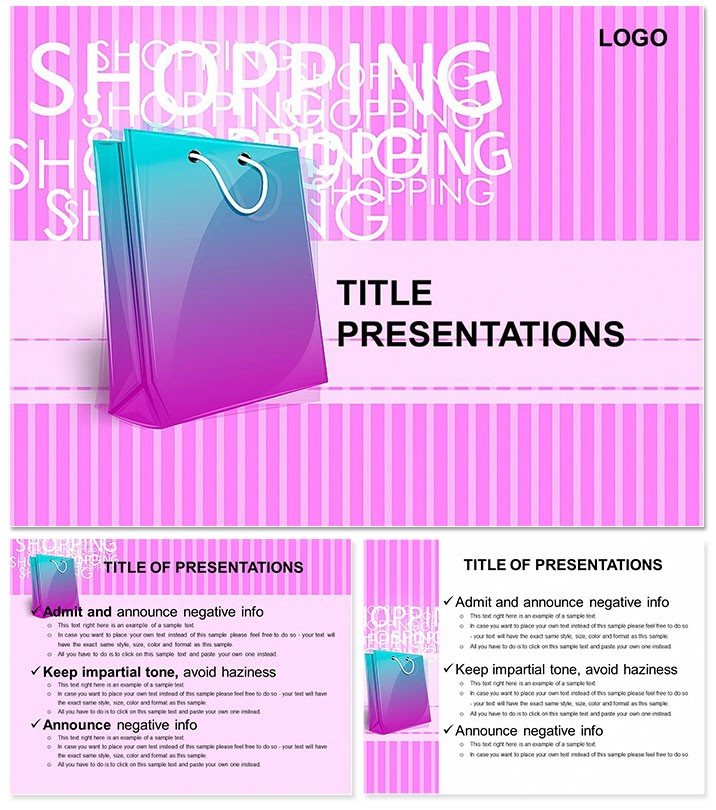
 Click to zoom
Shopping PowerPoint Template: Turn Data into Compelling Retail Stories
| Format | .pptx |
| Slides | 3 unique layouts |
| Aspect ratio | 16:9 |
| Compatibility | PowerPoint |
| Animated | No |
| Language | English |
| License | Commercial |
| File size | — |
| Version | v1.0 |
| Last updated | June 2023 |
What's inside
In the fast-paced world of retail and e-commerce, where every slide counts toward closing a deal or launching a campaign, the Shopping PowerPoint Template emerges as your secret weapon. Tailored for marketers, sales teams, and business analysts who juggle inventory visuals, consumer behavior charts, and promotional timelines, this deck transforms raw numbers into narratives that drive action. With 28 professionally crafted diagrams, you can illustrate everything from seasonal sales spikes to customer journey maps, all while keeping your audience hooked on the big picture.
What sets this apart is its focus on shopper psychology - slides that don`t just show bar graphs but evoke the thrill of discovery, like a virtual storefront unfolding before eyes. Compatible across PowerPoint versions from 2016 onward and even Google Slides, it offers three master layouts and backgrounds to anchor your brand`s voice. Seven color schemes, ranging from vibrant reds for urgency to cool neutrals for strategy sessions, ensure your presentation adapts to boardrooms or webinars alike. Say goodbye to bland spreadsheets; hello to visuals that mirror the energy of a bustling mall.
Core Features for Retail-Ready Presentations
At the heart of this template lie features built for the retail grind. Each diagram is vector-sharp, scalable without losing quality, and packed with editable elements like pie charts for market share or flow diagrams for supply chains. Animate a funnel slide to reveal drop-off points in the shopping cart process, or layer icons representing payment gateways on a process map. The .potx format includes source files for seamless tweaks, while JPG previews let you storyboard your deck offline.
- 28 Dynamic Diagrams: Covering timelines, comparisons, and hierarchies tailored to shopping scenarios, from product catalogs to ROI breakdowns.
- Seven Thematic Color Schemes: Mix and match for holiday promotions or corporate reports, with high-contrast options for projections.
- Three Masters and Backgrounds: Pre-configured for consistency, with subtle patterns that nod to retail aesthetics without distracting.
- Cross-Platform Edits: Fine-tune fonts, swap datasets, or embed hyperlinks to live shopping analytics tools.
These aren`t generic placeholders; they`re retail-informed designs that anticipate your needs, like radial charts for omnichannel strategies.
Real-World Applications: From Pitch to Performance Review
Envision a sales VP prepping for Q4 forecasts: Pull up the trend line diagram to plot Black Friday projections against last year, annotating peaks with promo impacts. Or a marketing consultant advising a boutique chain - use the mind map slide to branch out customer personas, linking behaviors to targeted ads. In educational settings, professors teaching consumer behavior can dissect case studies with interactive pyramids showing purchase decision layers.
One consultant shared how this template streamlined a client`s e-commerce overhaul presentation, using sequence diagrams to map checkout optimizations that led to a smoother user experience. For internal teams, it`s gold for inventory audits: Stack bar charts to compare stock levels across stores, highlighting overstock risks visually. Even freelancers pitching to startups can customize the portfolio slide to showcase past shopping app redesigns.
Getting Started: A Quick Customization Roadmap
- Unpack the Kit: Extract .potx and JPGs; open in PowerPoint to browse the 28-slide gallery.
- Choose Your Palette: Align colors with your brand - test on sample audiences for emotional resonance.
- Populate Data: Input metrics via Excel links or manual entry; resize icons to fit narratives.
- Enhance Engagement: Add subtle transitions, like fading in cart icons, to mimic shopping flow.
- Finalize and Distribute: Export to PDF for stakeholders or PPTX for collaborative edits.
This workflow cuts prep time, letting you iterate based on feedback loops common in retail planning.
Pro Tips to Amplify Your Shopping Narratives
Layer in storytelling: Start with a hook slide showing a customer`s "aha" moment, then drill into data. For global teams, ensure icons are culturally neutral. Vs. basic PowerPoint, this template`s pre-built retail motifs - like basket symbols - add instant relevance, sparing you clipart hunts. Keep slides under 30 seconds each to maintain pace, and always end with a call-to-action visual, like a checkout button graphic.
It`s about more than metrics; it`s crafting experiences that inspire buys and build loyalty. Download the Shopping PowerPoint Template for $22 today and watch your presentations convert like never before.
Frequently Asked Questions
How flexible are the diagrams for e-commerce specifics?
Fully vector-based, so you can reshape flows for apps or sites, adding nodes for features like wishlists.
Does it support real-time data integration?
Yes, link charts to external sources like Google Sheets for live updates during virtual pitches.
What`s best for mobile viewing?
Widescreen format optimizes for tablets; use high-contrast schemes to avoid glare.
Can I mix elements across slides?
Absolutely - the masters allow drag-and-drop for hybrid layouts, like combining timelines with icons.
Compatibility with older PowerPoint?
Core features work back to 2010, but animations shine in 2016+.
Any retail-specific icons included?
Yes, over 50 vectors for carts, tags, and trends to embed effortlessly.
Good for
- Project roadmaps and sprint plans
- Product launch timelines
- Quarterly or annual review decks
- Company history and milestone summaries
Licence
reviews
The line chart with multiple series and markers.
I wish there were more slide layouts included.
Had to present a trend analysis and the line graph worked.
Good for a quick presentation where design isn't key.
The placeholder text is everywhere but expected.
FAQ
Will it work in Google Slides?
Are fonts embedded?
Can I use this for client work?
What's the refund policy?
Do you update the template after purchase?
Similar templates
See all PowerPoint Templates →



All 1 slides