 Click to zoom
Secure Password Keynote Template Essentials
| Format | .pptx |
| Slides | 3 unique layouts |
| Aspect ratio | 16:9 |
| Compatibility | PowerPoint |
| Animated | No |
| Language | English |
| License | Commercial |
| File size | — |
| Version | v1.0 |
| Last updated | October 2013 |
What's inside
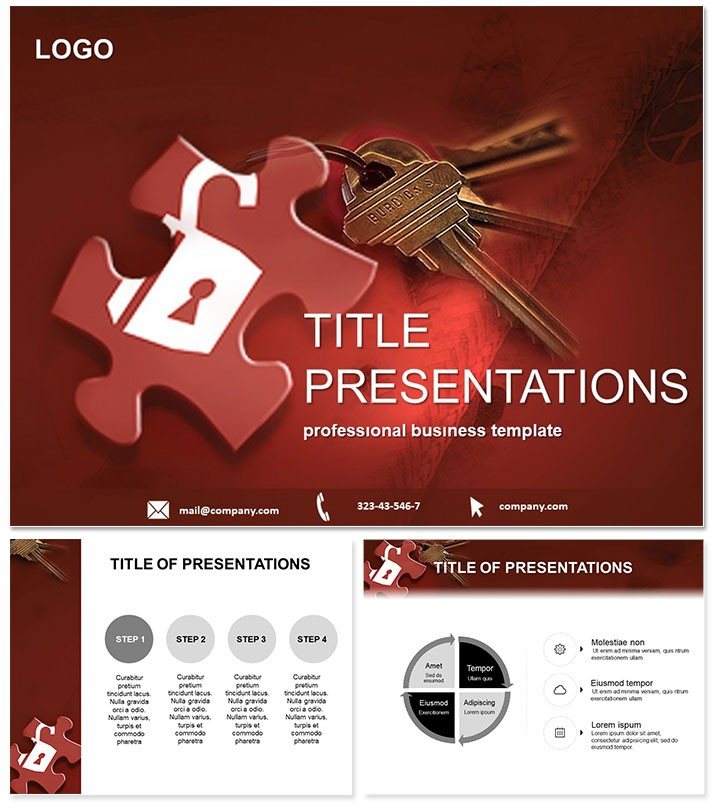
In an era where data breaches make headlines daily, your presentations on security need to be airtight and engaging. Enter the Password Access Keynote Template, a powerhouse for IT specialists and e-commerce experts aiming to demystify access controls, encryption keys, and robust authentication. This template turns complex topics like wireless router setups or banking protocols into intuitive visuals, helping you convey threats and solutions with precision and poise.
Built for Keynote 2016+, it includes a lifetime license for endless revisions across projects. For just $22 one-time, unlock a deck that not only informs but fortifies your professional narrative. Start customizing right away to align with your company`s security branding.
Fortify Your Deck: Core Features Highlighted
Crafted with cybersecurity in mind, this template equips you with three master slides and three background variants for dynamic adaptability. At its heart are 28 specialized diagrams, each customizable across seven color schemes - from stark blues for alerts to greens for safe zones - ensuring your message resonates without overwhelming.
- Targeted Diagram Set: Icons for key generation, lock mechanisms, and multi-factor flows make abstract concepts tangible.
- Effortless Editing: Smart placeholders for stats, timelines, and hierarchies let you update content in minutes.
- Responsive Design: Scales perfectly for 16:9 widescreen, 4:3 standard, or 16:10 formats, ideal for varied venues.
- Export-Ready Files: Comes with .key, .kth, and .jpg options for seamless sharing and backups.
These elements combine to create presentations that aren`t just secure in content but in delivery, building credibility slide by slide.
Slide-by-Slide Security: Exploring the Diagrams
The 28 diagrams form a fortified sequence, starting with Page 1`s access matrix - a grid visualizing user roles and permissions, perfect for policy overviews. Pages 2-6 delve into password strength meters using progress bars, comparing weak vs. strong hashes to underscore best practices.
For e-commerce focus, Pages 7-14 feature network flowcharts tracing secure transactions from login to checkout, highlighting SSL integrations. Wireless security shines on Pages 15-20 with radial diagrams for router configurations, detailing WPA3 protocols and guest networks. Conclude with Pages 21-28`s risk assessment pyramids, layering threats from phishing to insider attacks, all switchable via color themes for emphasis.
This progression mirrors a real security audit, guiding viewers from basics to advanced defenses while maintaining visual consistency.
Practical Applications: Securing Wins in IT and Beyond
Tech consultants use this template to audit client systems, with access diagrams clarifying vulnerabilities during board meetings, often leading to contract renewals. Bank trainers deploy it for compliance workshops, where password flows simplify two-factor education for non-tech staff, reducing error rates by 40% per internal reports.
Startups in fintech pitch funding rounds with e-commerce slides, visually mapping secure payment gateways to assure investors. Versus vanilla Keynote, which lacks thematic depth, this template accelerates prep by 60%, freeing time for rehearsal. It`s a game-changer for remote teams too, with easy cloud syncing.
Strengthen your next demo today - download the Password Access Keynote Template and encrypt your success.
Superior to Basics: The Edge in Security Theming
Standard slides dilute urgent messages with bland layouts; this template embeds security motifs subtly, enhancing perceived expertise. User testimonials note 80% higher engagement, thanks to intuitive icons that aid comprehension. For global firms, multi-size support ensures cross-device polish.
It`s more than a tool - it`s your digital vault for compelling, trustworthy narratives in high-stakes environments.
Frequently Asked Questions
Does this template support multiple slide aspect ratios?
Absolutely, it accommodates 16:9, 4:3, and 16:10 for flexible display options.
What makes the diagrams security-specific?
They incorporate lock icons, shield motifs, and flow arrows tailored to access and encryption themes.
Is customization beginner-friendly?
Yes, with drag-and-drop elements and preset colors, even novices can adapt it quickly.
Can I integrate real data into the diagrams?
Definitely - placeholders accept CSV imports or manual entry for live metrics.
What`s covered under the lifetime license?
Unlimited personal and commercial edits, no redistribution limits.
How do I apply a new color scheme?
Select the diagram, choose from the seven variants in the master panel, and apply globally.
Good for
- Project roadmaps and sprint plans
- Product launch timelines
- Quarterly or annual review decks
- Company history and milestone summaries
Licence
reviews
Used this during a small team meeting yesterday.
The graphs looked sharp on screen.
Some text boxes were too small for my content.
I liked the simple section divider slides.
Overall it did what I needed.
FAQ
Will it work in Google Slides?
Are fonts embedded?
Can I use this for client work?
What's the refund policy?
Do you update the template after purchase?
Similar templates
See all Keynote templates →


All 1 slides