 Click to zoom
Revolutionize Your Tech Talks with the WiFi Computer Technology PowerPoint Template
| Format | .pptx |
| Slides | 3 unique layouts |
| Aspect ratio | 16:9 |
| Compatibility | PowerPoint |
| Animated | No |
| Language | English |
| License | Commercial |
| File size | — |
| Version | v1.0 |
| Last updated | January 2023 |
What's inside
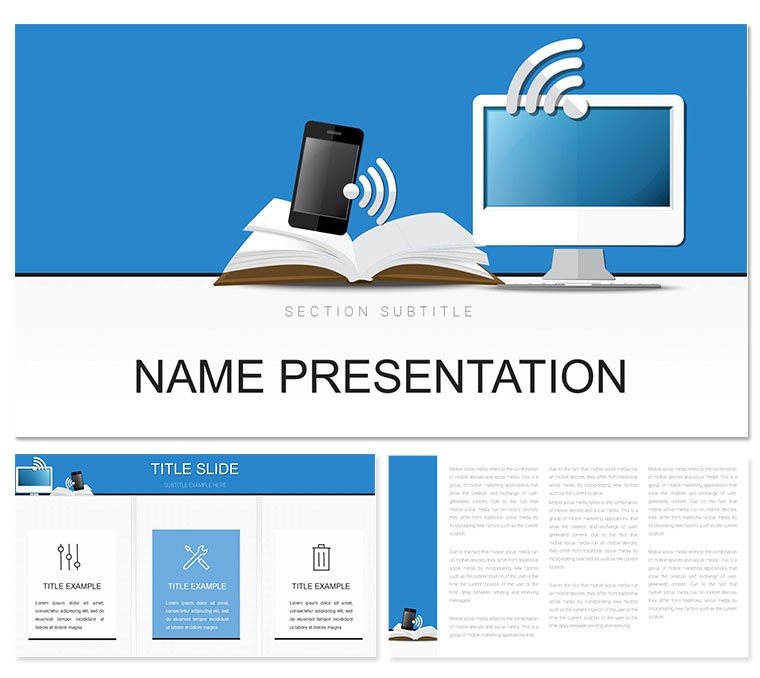
In the fast-paced world of IT and networking, your presentations need to connect as seamlessly as the systems you manage. Enter the WiFi Computer Technology PowerPoint template - a powerhouse for IT specialists, network engineers, and tech educators aiming to demystify complex infrastructures. Boasting 28 precision-engineered diagrams, three flexible masters, and seven vibrant color schemes, it turns technical jargon into accessible visuals that resonate.
From illustrating WiFi signal propagation to mapping internet backbone architectures, this template is your ally in high-stakes demos, training sessions, or vendor pitches. It draws on principles of clear communication, akin to how Cisco's training modules layer concepts for retention, ensuring your audience grasps bandwidth allocations or cybersecurity protocols without glazing over. Built for PowerPoint 2016 and beyond, it slots right into your toolkit, freeing you to innovate rather than iterate on designs.
Aimed at pros in computer IT, internet services, and search engine ops, it's ideal for everything from infrastructure upgrades to digital transformation roadmaps. The sleek, circuit-inspired aesthetic - with node-based layouts and subtle tech motifs - keeps slides dynamic yet professional. Eager to wire up your next talk for maximum impact? Explore how this template powers your narrative.
Essential Features for Seamless Tech Storytelling
This template's backbone is its thoughtful features, starting with three masters tailored to tech contexts: one for schematic overviews, another for data flows, and a third for comparative analyses. Paired with three backgrounds - from stark tech grays to energizing blues - these let you set the tone for server room briefings or cloud migration overviews.
The 28 diagrams are the real connectors: envision a network topology map on slide 7, where hubs and routers link via editable paths, complete with signal strength indicators. Or a layered OSI model stack on slide 15, with drag-and-drop protocols that stack intuitively. Animations trigger layer-by-layer reveals, simulating data packets traversing the stack - perfect for live walkthroughs.
- Seven Color Schemes: Options like metallic silvers for hardware focus or greens for eco-friendly networking, all theme-switchable.
- Tech Icon Set: 50+ scalable icons - routers, firewalls, WiFi waves - for instant visual punch.
- Responsive Grids: Auto-adjusting tables for IP address logs or bandwidth charts, maintaining alignment on any screen.
Editing is plug-and-play: paste in Visio exports or tweak vectors directly, with no pixelation risks.
Practical Use Cases: Bridging Tech Concepts to Action
Picture a network admin deploying this for a WiFi rollout presentation. Slide 3's radial diagram radiates coverage zones from access points, with customizable radii based on your floor plans - highlighting dead spots before they disrupt. Progress to slide 20's flowchart for troubleshooting sequences, branching from symptom diagnosis to resolution, empowering your team to self-serve fixes.
In search engine marketing contexts, adapt the template for ad tech stacks: the cascade diagram on slide 11 funnels traffic from impressions to conversions, embedding metrics for bid adjustments. An IT consultant might use this to pitch internet optimizations, layering cost-benefit analyses in a balanced scale graphic.
- Gather Assets: Compile diagrams from tools like Lucidchart for easy overlay.
- Build Structure: Assemble via masters, inserting diagrams with snap-to-grid precision.
- Infuse Data: Link to live sources for real-time updates on connection stats.
- Rehearse Delivery: Use notes pane for script cues tied to animation triggers.
Versus basic slides, it elevates with pre-vetted layouts that prevent common pitfalls like overcrowded nodes.
Pro Tips for Customizing Your Network Narratives
Tailor by audience: for execs, spotlight ROI-focused slides like the pie chart on slide 25 for bandwidth utilization, slicing by department. Embed your firm's helix logo in the footer, and harmonize colors with hex codes from your style guide.
For hands-on workshops, the interactive Gantt on slide 8 timelines deployment phases - add hyperlinks to config files for drill-downs. Multilingual support shines for global rollouts, rendering Unicode symbols for international standards flawlessly.
Enhance engagement with phased fades on connection diagrams, revealing pathways as you narrate packet routes - transforming static info into a journey.
Elevating Tech Presentations Beyond the Ordinary
What sets this template apart is its fusion of form and function: diagrams like the mesh network web for IoT ecosystems or the spectrum analyzer bar for frequency bands, all rooted in real IT practices. It integrates with add-ins like Think-Cell for advanced charting, keeping your internet topology decks evergreen.
Whether demoing computer upgrades or search infrastructure, it fosters understanding that sparks innovation - backed by layouts refined through tech conference feedback.
Connect your ideas effortlessly: snag this template for $22 and broadcast brilliance in every slide.
Frequently Asked Questions
Can I import external diagrams into this WiFi template?
Yes, copy-paste from tools like Visio or draw.io, and the layouts auto-align for consistency.
What PowerPoint versions does it support?
Fully compatible with 2016 and later, including Microsoft 365 features.
Are the icons customizable?
Absolutely, recolor and resize the vector icons to fit your tech branding.
Is it suitable for non-IT presentations?
Yes, the diagrams adapt to general tech or marketing overviews with ease.
How do I change backgrounds?
Access via slide master; three options ready for instant swaps.
Does it include animation presets?
Yes, subtle builds for diagrams to enhance flow without overwhelming.
Good for
- Project roadmaps and sprint plans
- Product launch timelines
- Quarterly or annual review decks
- Company history and milestone summaries
Licence
reviews
Those R&D charts are great for innovation reports.
The patent filing timeline is helpful.
Used the R&D spend vs revenue graph for a board meeting.
Nice, the technology roadmap is well laid out.
The idea funnel diagram was the best part.
FAQ
Will it work in Google Slides?
Are fonts embedded?
Can I use this for client work?
What's the refund policy?
Do you update the template after purchase?
Similar templates
See all PowerPoint Templates →



All 1 slides