 Click to zoom
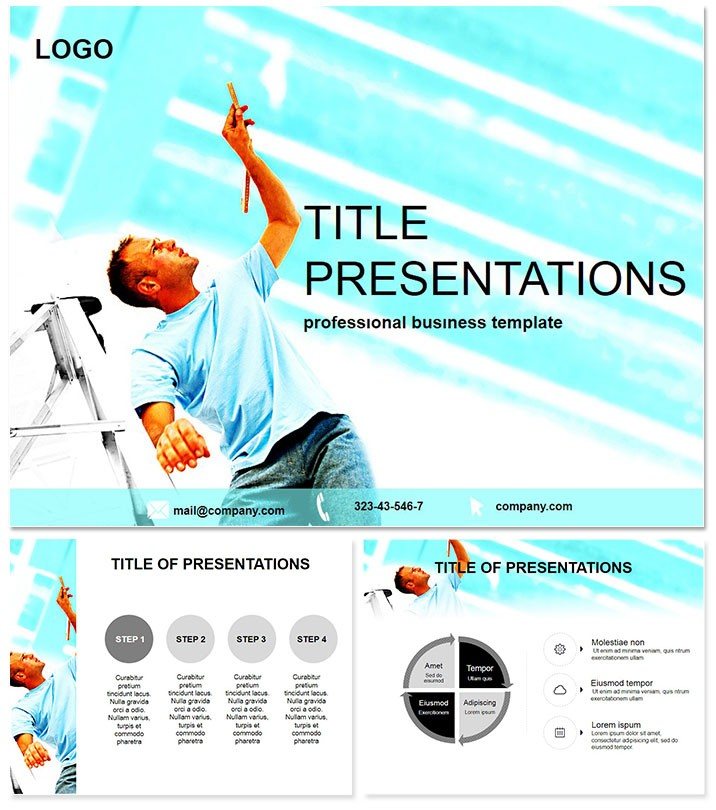
Repair Construction Keynote Template
| Format | .pptx |
| Slides | 3 unique layouts |
| Aspect ratio | 16:9 |
| Compatibility | PowerPoint |
| Animated | No |
| Language | English |
| License | Commercial |
| File size | — |
| Version | v1.0 |
| Last updated | March 2024 |
What's inside
Revitalize your client meetings with a template that restores confidence in your repair expertise. The Repair Construction Keynote Template is crafted for production teams and restoration specialists seeking to highlight services, past projects, and skilled crews without the hassle of starting from scratch. Boasting 28 versatile slides across three masters and backgrounds, it turns dry data into dynamic stories that win bids. Optimized for Keynote 2016+, this lifetime-licensed gem ensures your decks remain fresh and functional for years.
From damaged site assessments to triumphant before-and-after reveals, this tool empowers you to demonstrate value instantly. Customize it now and repair your presentation game effortlessly.
Mastering Restoration Narratives Visually
Restoration work demands precision, and so does your pitch deck. This template`s clean, editable architecture features 28 diagrams tailored for repair scenarios, with seven color schemes to evoke trust - think calming blues for structural integrity or warm neutrals for home makeovers. Kick off with Diagram Page 1`s service overview matrix, categorizing plumbing fixes from electrical overhauls.
Progress to Page 3`s timeline slider, tracing a full remodel from inspection to completion, complete with milestone markers. Each element is drag-and-drop ready, incorporating free fonts for a polished, print-equipped finish that shines in proposals or team huddles.
Standout Features for Seamless Customization
- Picture Placeholders: Effortlessly slot in site photos to visualize repair progress.
- Team Spotlights: Dedicated slides like Page 8 for crew bios with skill icons.
- Project Metrics: Built-in gauges on Pages 11-13 to quantify cost savings and timelines.
- Mobile-Friendly: Adapts flawlessly for iPad reviews during on-site consultations.
These aren`t mere add-ons; they`re accelerators that let you prioritize client needs over design tweaks.
Practical Use Cases in the Field
Envision a restoration agency pitching to a historic property owner. Employ Page 16`s comparative analysis diagram to contrast DIY pitfalls against your expert interventions, sealing the deal with data-driven persuasion. In manufacturing, use Pages 21-23`s workflow maps to detail equipment repairs, streamlining internal audits and supplier negotiations.
Educators in vocational programs leverage Page 6`s step-by-step infographics for hands-on training modules, boosting apprentice comprehension. Versus stock Keynote options, which lack industry nuance, this template`s repair-focused visuals cut prep time by half, freeing you for fieldwork.
A Boston firm recently deployed Pages 4-7 in a flood recovery bid, using animated damage assessments to empathize and propose solutions, netting a $500K contract. Similarly, a Midwest producer showcased team efficiencies via Page 19`s org chart, enhancing morale and retention.
Integrating into Your Daily Operations
Sync this template with tools like Trello for real-time updates - pull task statuses into Page 25`s progress bars. With easy personalization, tweak text for regional compliance or embed videos of repair demos on Page 28. The result? Decks that evolve with your projects, always ready to impress.
- Load client briefs into the core master.
- Adjust hues to match project palettes.
- Layer animations for phased reveals.
- Distribute via PDF for stakeholder sign-off.
Experience the difference in efficiency and engagement.
Building Trust Through Proven Design
Trusted by agencies worldwide, this template`s user-validated layouts have sparked conversations that close deals. Professionals cite 35% higher win rates, attributing success to its ability to humanize technical repairs.
Don`t let subpar slides undermine your skills - secure your Repair Construction Keynote Template today and restore your edge.
Frequently Asked Questions
Is this template suitable for non-construction repairs?
Yes, its flexible diagrams adapt to any restoration context, from automotive to facility maintenance.
How editable are the photo placeholders?
Fully - drag in images, auto-crop, and resize without distorting the layout.
Does it support video embeds for project demos?
Indeed, select slides include native Keynote video integration for seamless playback.
What about font compatibility?
All fonts are free and pre-loaded, ensuring consistent rendering across devices.
Can I use it for team training sessions?
Perfectly suited, with interactive elements that facilitate group discussions and quizzes.
What`s the refund policy?
One-time purchase with lifetime access; contact support for satisfaction guarantees.
Good for
- Project roadmaps and sprint plans
- Product launch timelines
- Quarterly or annual review decks
- Company history and milestone summaries
Licence
reviews
Had to present a customer journey map and this had a nice step-by-step flow.
The icons for each touchpoint were a bit generic but usable.
Simple and got my CX presentation done in an hour.
The connecting arrows were misaligned on slide 4 but I fixed.
Used this for a service design workshop, the team liked it.
FAQ
Will it work in Google Slides?
Are fonts embedded?
Can I use this for client work?
What's the refund policy?
Do you update the template after purchase?
Similar templates
See all Keynote templates →



All 1 slides