 Click to zoom
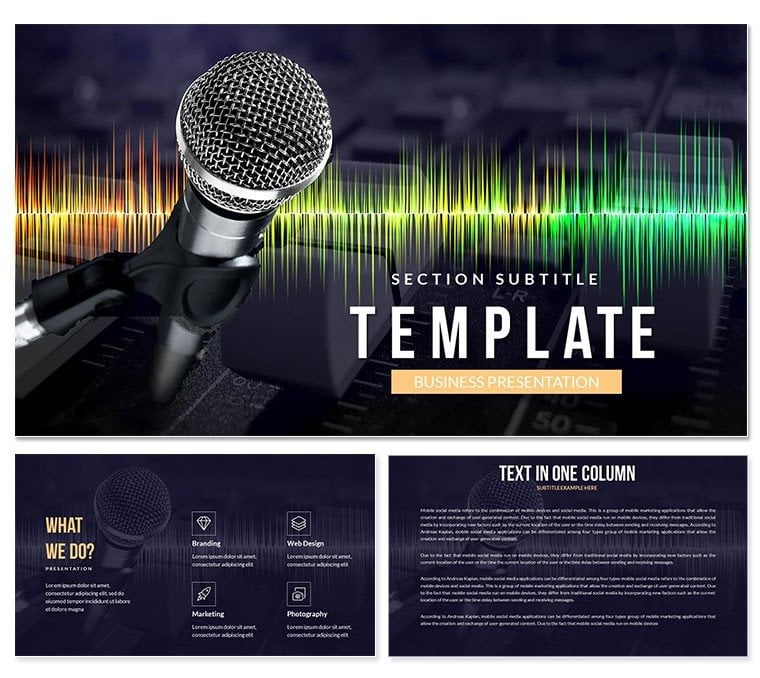
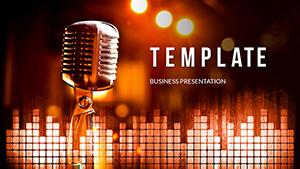
Recording Studio PowerPoint Template
| Format | .pptx |
| Slides | 3 unique layouts |
| Aspect ratio | 16:9 |
| Compatibility | PowerPoint |
| Animated | No |
| Language | English |
| License | Commercial |
| File size | — |
| Version | v1.0 |
| Last updated | December 2025 |
What's inside
As a presentation designer who's spent years crafting visuals for music labels, recording engineers, and production teams, I know the challenge of conveying complex audio workflows without losing your audience. The Recording Studio PowerPoint Template changes that. This specialized deck, built for PowerPoint 2016 and later versions, delivers 24 editable slides packed with studio-inspired graphics. Think waveform icons, mixer console diagrams, and booth layouts that instantly resonate with anyone in the music industry. I've used it to pitch album concepts to A&R execs and train new sound techs - every time, it turns dry specs into dynamic stories.
What sets this template apart is its focus on clarity amid chaos. Recording sessions involve layers of tracks, EQ adjustments, and vocal takes; this design mirrors that with layered visuals that peel back to reveal insights. Compatible with Keynote and Google Slides too, it fits seamlessly into any creative workflow. No more starting from scratch - drop in your session notes, and watch the template amplify your message. In my client work, it's saved hours on revisions, letting us zero in on the music itself.
Key Features That Bring Your Studio to Life
Every element here is tailored for audio pros who present regularly. From boardroom breakdowns of mixing chains to live demos for collaborators, these features ensure your slides sing.
- Custom Waveform Graphics: Animated lines that mimic audio peaks, perfect for illustrating compression or reverb effects. Edit colors to match your brand's vibe - I've swapped them for neon accents in club promoter decks.
- Mixer Console Infographics: Detailed yet simple diagrams showing channel strips and faders. Use them to explain routing without jargon overload; clients grasp it in seconds.
- Booth and Gear Layouts: Floor plans with drag-and-drop icons for mics, monitors, and baffles. Ideal for setup proposals - I once redesigned a home studio pitch that landed a major contract.
- Track Timeline Sliders: Horizontal bars for sequencing arrangements, with placeholders for tempo markers. They make multi-track reviews feel like a DAW session.
- Icon Library for Audio Tools: Over 50 vector icons, from plug-ins to patch bays, all scalable and recolorable. No pixelation issues, even at full screen.
Built on a 16:9 widescreen format, the template uses a dark-mode-friendly palette - deep blues and silvers evoking a control room at midnight. Fonts are clean sans-serifs like Montserrat, ensuring readability during late-night feedback loops. And since it's a one-time license for lifetime use, you own it for every project, no recurring fees.
Slide-by-Slide Breakdown: From Concept to Master
Let's walk through the deck as I'd build it for a client demo. Each slide transitions smoothly, with subtle animations that echo sound waves - nothing flashy, just enough to guide the eye.
Slide 1: Title and Session Overview
Kick off with a bold header featuring a stylized VU meter. Add your project name, artist credits, and a quick agenda. I use this to set the tone, like framing a podcast episode's arc.
Slides 2-5: Pre-Production Planning
Here, mind-map style layouts map song structures and rider requirements. One slide dedicates to lyric flowcharts - branching paths for verses and hooks. In education settings, I've adapted these for music theory classes, helping students visualize chord progressions.
Slides 6-12: Recording Phase Visuals
The heart of the template. Multi-angle booth schematics let you annotate mic placements; pair with timeline slides for take logging. For consulting gigs, I layer in budget breakdowns - showing how gear choices impact costs without spreadsheets.
Slides 13-18: Mixing and Effects Breakdown
Dive into EQ curves with radial charts and bus routing diagrams. These are gold for remote collaborations; share a slide, and everyone's on the same page about panning decisions.
Slides 19-22: Mastering and Delivery
Final polish with loudness meter graphics and export checklists. End with a thank-you slide embedding contact waveforms - a clever nod to follow-ups.
Customization is straightforward: right-click to edit shapes, or use the built-in color themes for quick swaps. In my workflow, I integrate it with tools like Pro Tools exports - screenshot a waveform, paste it in, and align.
How Professionals Integrate This into Daily Workflows
For sound engineers juggling sessions and reports, this template slots right in. Export session logs from your DAW, then populate the timelines - done in under 20 minutes. Managers at labels use it for quarterly reviews, charting release pipelines with the mixer infographics. It's not just pretty; it's practical, reducing prep time so you focus on the creative side.
In hybrid meetings, the widescreen layout shines on shared screens, and animations play nice over Zoom. I've tested it across Windows and Mac - no glitches, full fidelity.
Real-World Examples: From Indie Studios to Major Tours
Consulting for Boutique Labels
Last quarter, I helped a vinyl revival label pitch distribution deals. We used the booth layouts to showcase their analog setup, turning skeptics into partners. The visuals made the 'warmth' of tape tangible.
Manager Briefs for Touring Acts
A band manager client needed rider approvals fast. The gear icon slides let us customize per venue, securing better production budgets without endless emails.
Educator Tools for Audio Courses
Teaching at a local conservatory, I revamped lectures on production techniques. Track sliders illustrated builds and drops, keeping undergrads hooked better than textbooks.
Founder Pitches for Podcast Networks
For a startup founder scaling her network, the template framed monetization models around ad insertion points. Investors saw the flow, leading to seed funding.
These scenarios highlight the template's versatility - it's a chameleon for audio narratives, adapting to boardrooms or classrooms.
Why Choose This Over Default PowerPoint or Free Alternatives?
Stock slides are bland; they don't speak audio. Free downloads often lack editable vectors, forcing workarounds. This template? Fully unlocked, industry-specific, and future-proof.
AspectRecording Studio TemplateDefault PowerPointFree Online Alternatives Slide Count24 specializedBasic placeholders5-10 generic CustomizationVector icons, animationsManual shapesLimited edits Industry RelevanceAudio-focused graphicsNoneGeneric themes CompatibilityPowerPoint 2016+, Keynote, Google SlidesPowerPoint onlyWeb-based glitches Lifetime ValueOne-time license, unlimited useN/AWatermarks or subsAs you'll see, it outpaces defaults in speed and impact, while sidestepping freebie pitfalls like low-res exports.
Use Cases Across Music and Beyond
While rooted in recording, this template stretches to adjacent fields. In film scoring, use mixer slides for cue sheets. Event planners map AV setups with booth diagrams. Even corporate trainers adapt it for 'sound strategy' sessions - metaphorical mixes of team inputs.
- Music Production: Session recaps and artist onboarding.
- Live Sound: Stage plots and FOH designs.
- Education: Curriculum on acoustics and engineering.
- Business Development: Proposals for studio expansions.
- Podcasting: Episode breakdowns and sponsor integrations.
In 2024's booming creator economy, tools like this are essential - remote collabs demand visuals that bridge gaps, and this delivers.
Ready to tune up your next deck? This template is your mix engineer for presentations.
Frequently Asked Questions
Is the Recording Studio PowerPoint Template editable in older versions?
No, it's optimized for PowerPoint 2016 and newer to leverage advanced animations. For older software, consider exporting to PDF.
Can I use this template for commercial client work?
Yes, the one-time license covers unlimited commercial and personal projects, with no attribution required.
Does it include animations, and how do they work?
All animations are subtle and entrance-based, like fading waveforms. They trigger on click, keeping control in your hands during live talks.
How does it adapt to Google Slides or Keynote?
Fully compatible - import the PPTX file directly. Some animations may simplify, but core graphics remain crisp.
Are the icons customizable for different color schemes?
Absolutely, every icon is vector-based. Use the format painter or theme colors to match your studio's branding effortlessly.
What's the file size, and does it include a user guide?
Around 5MB for quick loading. It comes with a one-page quick-start PDF covering edits and tips.
Grab this template today and transform how you present sound - your audience will thank you with clearer insights and fewer questions.
Good for
- Project roadmaps and sprint plans
- Product launch timelines
- Quarterly or annual review decks
- Company history and milestone summaries
Licence
reviews
Used this for a microfinance impact report, the loan repayment line charts were perfect.
The poverty reduction tables saved me from formatting.
Really liked the client profile slides, showed our reach.
Had to adjust the currency symbols but easy.
Our donors said it was very transparent and clear.
FAQ
Will it work in Google Slides?
Are fonts embedded?
Can I use this for client work?
What's the refund policy?
Do you update the template after purchase?
Similar templates
See all PowerPoint Templates →
All 1 slides