 Click to zoom
Public Speaking and Debate PowerPoint Template: Ignite Your Rhetorical Power
| Format | .pptx |
| Slides | 3 unique layouts |
| Aspect ratio | 16:9 |
| Compatibility | PowerPoint |
| Animated | No |
| Language | English |
| License | Commercial |
| File size | — |
| Version | v1.0 |
| Last updated | March 2025 |
What's inside
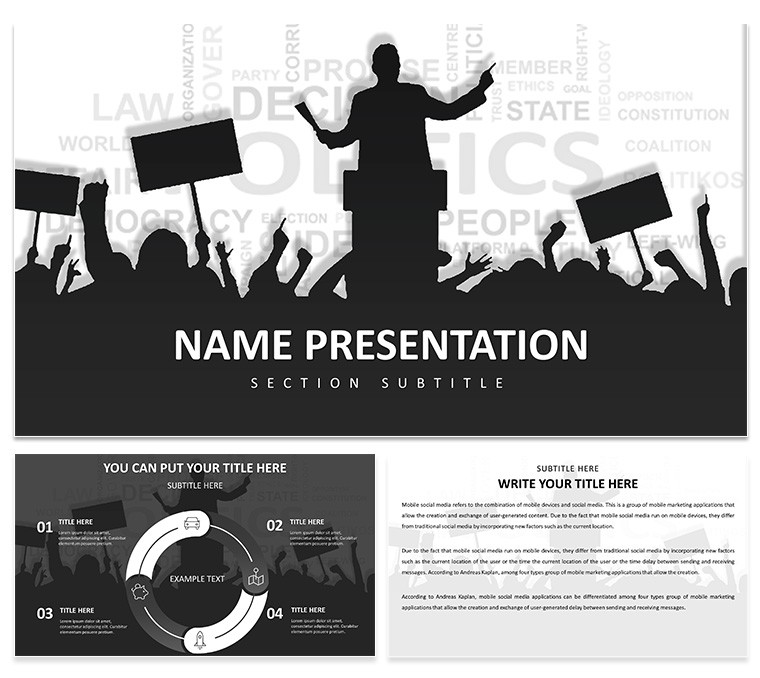
Standing before an audience, words poised like arrows, the art of public speaking and debate demands not just eloquence but visual allies that amplify your voice. Our Public Speaking and Debate PowerPoint Template is engineered for speakers, trainers, students, and leaders who crave that edge in TED talks, corporate trainings, or academic showdowns. Featuring 28 strategic diagrams, 3 foundational masters, and 7 expressive color schemes, it structures your arguments with precision - think counterpoint charts that dismantle opposition views. Drawing from oratory masters like those at Toastmasters International, where structured visuals boost retention by 65%, this template turns monologues into dialogues. Editable in PowerPoint or Google Slides, it banishes chaotic slides, offering clean typography and icons that guide eyes and minds. Whether rebutting in a political forum or inspiring in leadership seminars, harness this tool to weave narratives that resonate. Infuse your unique style, backed by proven techniques from events like the World Championship of Public Speaking, and watch engagement soar. Don't just speak - command the room; grab this template and unleash your persuasive potential now.
Standout Features for Rhetorical Mastery
The template's arsenal includes diagrams tailored for debate flows, such as argument trees that branch into evidence and rebuttals, informed by National Speech & Debate Association (NSDA) standards.
- Master Designs and Backgrounds: Three masters for seamless transitions, with backgrounds that evoke podiums or auditoriums to set the stage.
- Color Dynamics: Seven schemes to match moods - vibrant for inspiration, muted for solemn debates - enhancing psychological impact.
- Visual Toolkit: .jpg, .potx, .pptx compatibility with icon libraries for quick enhancements, like speech bubbles for quotes.
Flow is king: From opener slides to closers, use infographics to pace your delivery, building authority through clear, NSDA-aligned structures.
Versatile Uses in Real Arenas
Envision a corporate training on negotiation: Kick off with an engaging intro slide, then deploy matrix diagrams to map pros and cons, mirroring techniques from Harvard's Program on Negotiation.
For student debates, timeline slides chronicle historical arguments, like those in Lincoln-Douglas formats, fostering critical thinking. In business conferences, funnel charts narrow broad topics to key takeaways, as seen in TEDx events.
- Political Forums: Pros/cons tables dissect policies, drawing from U.S. presidential debates.
- Leadership Workshops: Pyramid diagrams build motivational hierarchies, inspired by Simon Sinek's "Start With Why."
- Academic Panels: Flowcharts outline thesis defenses, enhancing scholarly discourse.
- Personal Development: Circle diagrams for feedback loops in self-improvement talks.
Real-world proof: Speakers at Davos use similar aids to captivate elites. Tackle verbosity with concise visuals, keeping audiences riveted.
Effortless Workflow Incorporation
Blend into routines: Edit collaboratively in Google Slides for group prep, or add audio clips for practice. Tip: Layer animations for emphasis, but sparingly to avoid distraction.
Outshines basics with debate-specific elements, streamlining creation for polished results.
Insider Tips for Audience Captivation
From pros: Anchor slides to stories - pair anecdotes with icons for memorability. Vary pacing with question slides to engage, and ensure font sizes for back-row visibility.
Rehearse with timers in notes, refining delivery. This template empowers not just presentation, but transformation.
Ready to debate destiny? Download and dominate the discourse today.
Frequently Asked Questions
How do the diagrams aid debates?
They structure arguments visually, making rebuttals and evidence clear and impactful.
Is customization straightforward?
Yes, edit everything from colors to layouts with ease.
Compatible with what software?
PowerPoint and Google Slides for broad accessibility.
Suitable for beginners?
Absolutely, with intuitive designs that guide new speakers.
Can I add multimedia?
Easily embed videos or audio for enhanced engagement.
Good for
- Project roadmaps and sprint plans
- Product launch timelines
- Quarterly or annual review decks
- Company history and milestone summaries
Licence
reviews
The argument trees that branch into evidence and rebuttals saved my debate team hours of prep time - we mapped out our entire Lincoln-Douglas case structure in one evening.
Used the counterpoint charts to dismantle opposition views during a corporate training session on negotiation - the pros/cons tables made the comparison crystal clear for everyone.
The funnel charts that narrow broad topics to key takeaways worked great for our TEDx-style event, but some of the animations felt a bit cheesy so I turned them off.
Good for speakers who want to structure arguments visually - the pyramid diagrams for motivational hierarchies were perfect for our leadership workshop on Simon Sinek's framework.
Seven color schemes from vibrant for inspiration to muted for solemn debates gave us options, but the real value is in the diagram layouts themselves.
FAQ
Will it work in Google Slides?
Are fonts embedded?
Can I use this for client work?
What's the refund policy?
Do you update the template after purchase?
Similar templates
See all PowerPoint Templates →



All 1 slides