 Click to zoom
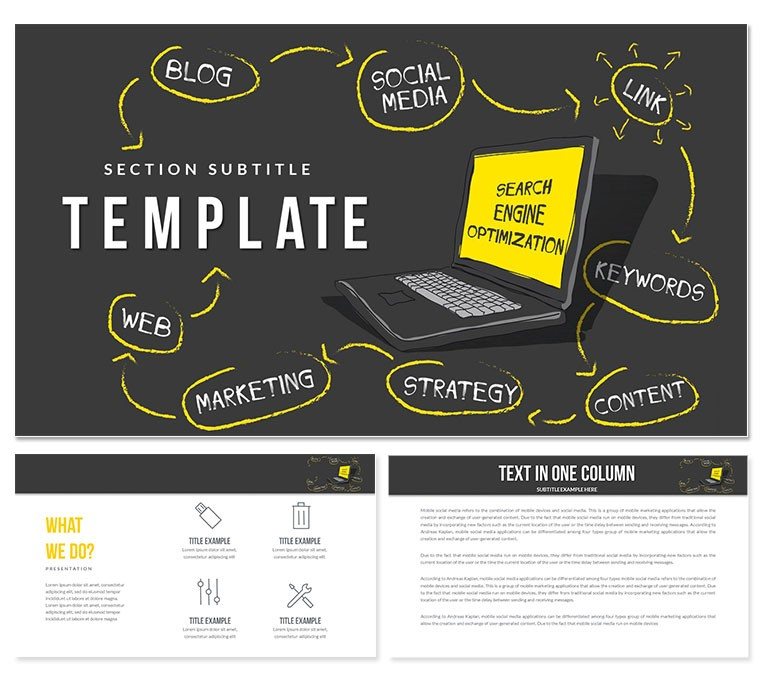
Promote Your Website with our SEO PowerPoint Template: Presentation
| Format | .pptx |
| Slides | 3 unique layouts |
| Aspect ratio | 16:9 |
| Compatibility | PowerPoint |
| Animated | No |
| Language | English |
| License | Commercial |
| File size | — |
| Version | v1.0 |
| Last updated | February 2024 |
What's inside
Our SEO PowerPoint Template is the perfect tool to help you promote your website and improve your search engine ranking. With this template, you can easily create a professional and informative presentation that will help you explain your SEO strategy to your clients or team.
Features:
- 100% editable and customizable
- 20+ unique slides
- Easy-to-use drag-and-drop interface
- Wide variety of charts and graphs
- Free fonts and icons
- Compatible with PowerPoint and Google Slides
Benefits:
- Save time and effort
- Create professional-looking presentations
- Improve your SEO strategy
- Increase website traffic
- Boost brand awareness
Get started today and see the results for yourself!
How to use this template:
- Start by adding your logo and branding to the template.
- Then, customize the slides to fit your specific needs.
- Use the charts and graphs to illustrate your data and findings.
- Finally, add your text and commentary to complete the presentation.
Tips for creating a great SEO presentation:
- Keep your audience in mind. What do they need to know?
- Use clear and concise language.
- Avoid jargon and technical terms.
- Use visuals to support your points.
- Practice your presentation before you deliver it.
With our SEO PowerPoint Template, you can easily create a presentation that will help you improve your website's ranking and boost your brand awareness. Get started today and see the results for yourself!
Good for
- Project roadmaps and sprint plans
- Product launch timelines
- Quarterly or annual review decks
- Company history and milestone summaries
Licence
reviews
Had a report due for my stats class, the scatter plot template was a lifesaver.
The layout feels a bit cramped on some slides but I spaced things out.
Simple and clean, didn't have to fight with the placeholders.
Used the gauge charts to show performance metrics, looked professional enough.
I'd say it's okay, nothing fancy but gets the job done for office presentations.
FAQ
Will it work in Google Slides?
Are fonts embedded?
Can I use this for client work?
What's the refund policy?
Do you update the template after purchase?
Similar templates
See all PowerPoint Templates →



All 1 slides