 Click to zoom
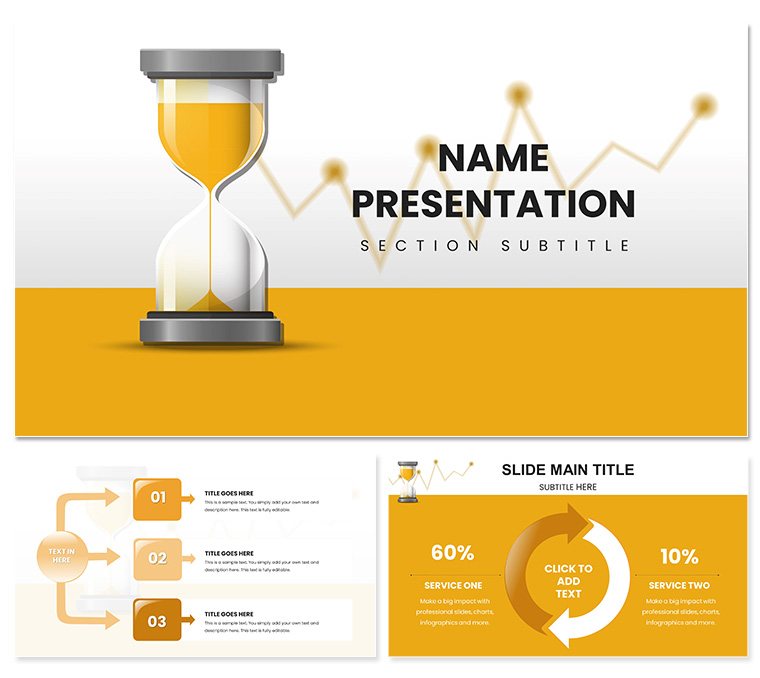
Project Timeline Management Keynote Template
| Format | .pptx |
| Slides | 3 unique layouts |
| Aspect ratio | 16:9 |
| Compatibility | PowerPoint |
| Animated | No |
| Language | English |
| License | Commercial |
| File size | — |
| Version | v1.0 |
| Last updated | November 2024 |
What's inside
Picture this: your team's eyes light up as you unveil a crystal-clear roadmap that not only maps out milestones but anticipates hurdles, turning potential chaos into coordinated triumph. The Project Timeline Management Keynote Template makes that vision reality for project managers, team leads, and strategists navigating everything from software rollouts to event coordination. With 28 precision-crafted diagrams, three adaptable master slides, and three background styles - ranging from minimalist grids to dynamic flow visuals - this Keynote-exclusive design distills complex timelines into engaging, actionable narratives. Tailored for Apple Keynote's fluid editing environment, it supports seamless collaboration across Mac, iPad, and iPhone, ensuring your plans stay agile. Whether you're briefing stakeholders on deliverables or rallying your crew for the next sprint, this template empowers you to communicate progress with confidence, fostering alignment and momentum from day one.
Essential Tools for Timeline Mastery
Diving into the nuts and bolts, this template equips you with foundational elements that streamline your workflow. The three master slides serve as your command center: one for overview dashboards with embedded Gantt-style bars, another for milestone markers with progress indicators, and a third for risk assessment matrices that integrate directly into your timeline. Complementing these are three backgrounds - a crisp white canvas for data-heavy reviews, a subtle gradient for creative brainstorming sessions, and a textured blueprint evoking architectural precision for construction projects.
The 28 diagrams form the template's powerhouse, covering linear timelines for sequential tasks, radial clocks for deadline clusters, and interconnected nodes for dependency mapping. Each is built with Keynote's native shapes, allowing effortless resizing, recoloring, and linking to supporting data slides. Seven color schemes add strategic depth: cool neutrals for corporate overviews, bold primaries for agile teams, or earthy tones for environmental initiatives. It's like having a Swiss Army knife for visuals - versatile, reliable, and always at hand.
Pro Tips for Seamless Editing
- Dependency Linking: Connect diagram elements with Keynote's connector lines, then animate paths to reveal task flows during presentations, clarifying interrelations at a glance.
- Data Syncing: Embed live charts from Numbers spreadsheets, updating timelines automatically as project stats evolve.
- Mobile Optimization: Test on iPad by adjusting font scales; the responsive design ensures legibility even on smaller screens during on-site check-ins.
These tweaks, drawn from project pros' playbooks, help you avoid common pitfalls like overcrowded slides, keeping your message sharp and your audience focused.
Practical Scenarios Where Timelines Triumph
Envision deploying this template in a marketing campaign rollout: use the radial diagram to cluster content creation phases around launch week, visually tying creative briefs to social media blasts. For software development teams, the Gantt-inspired layouts map sprints with buffer zones for QA, making sprint retrospectives more insightful and less accusatory.
In academic or nonprofit contexts, like grant proposal defenses, the matrix backgrounds highlight resource allocation against timelines, demonstrating fiscal responsibility to funders. A event planner might adapt the linear flows for vendor coordination, sequencing AV setups with catering arrivals to preempt delays. Each application underscores the template's flexibility, transforming static plans into dynamic discussions that drive decisions.
Guided Walkthrough: Building a Sprint Timeline
1. Initiate the Base: Import into Keynote and select the dashboard master; populate the overview with key dates pulled from your project charter.
2. Map the Milestones: Drag in a horizontal timeline diagram, segmenting bars for design, dev, and testing - add icons like gears for phases.
3. Incorporate Dependencies: Layer node connections to show how UI tweaks impact backend integrations, using color codes for risk levels.
4. Polish for Delivery: Apply a professional scheme, rehearse transitions in presenter mode, and export notes for team handoffs.
This method, honed in fast-paced environments, ensures your timeline not only informs but inspires action.
Standing Out from Basic Builds
Unlike default Keynote timelines that feel rigid and uninspired, this template's pre-built modularity lets you prototype faster, iterating on feedback without rebuilding from zero. It's optimized for real-world flux - adjust a slipped deadline, and the whole chain updates intuitively. Consultants in change management, for example, value how it bridges high-level strategies with granular tasks, much like frameworks from established methodologies but visually tailored.
Collaboration shines through iCloud sharing, with version history preserving iterations. Pair it with Keynote's outline view for quick reordering, and you've got a toolkit that scales from solo gigs to enterprise overhauls.
Chart Your Path to Success Now
Don't let disjointed docs derail your momentum - secure the Project Timeline Management Keynote Template for $22 and orchestrate projects with unmatched clarity.
Frequently Asked Questions
Does this work with older Keynote versions?Yes, compatible from Keynote 2016 up, with full support for animations and shapes.
How editable are the timeline diagrams?Completely - adjust lengths, add labels, and link elements via Keynote's drag-and-drop tools.
Can I use it for non-project content?Definitely; the structures suit roadmaps, histories, or any sequential storytelling.
What file formats are included?Native .key and .kth files, plus JPG previews for quick references.
Are there mobile-friendly features?Built-in responsiveness ensures smooth viewing and editing on iOS devices.
How many color options exist?Seven schemes, each with harmonious palettes for varied project vibes.
Good for
- Project roadmaps and sprint plans
- Product launch timelines
- Quarterly or annual review decks
- Company history and milestone summaries
Licence
reviews
Used for a local lore and legend telling event. The storytelling slides preserved oral traditions.
Mythic community design with imaginative visual elements.
Solid selection although some character introduction templates needed creativity.
Kept local folklore alive for new generations.
FAQ
Will it work in Google Slides?
Are fonts embedded?
Can I use this for client work?
What's the refund policy?
Do you update the template after purchase?
Similar templates
See all Keynote templates →


All 1 slides