 Click to zoom
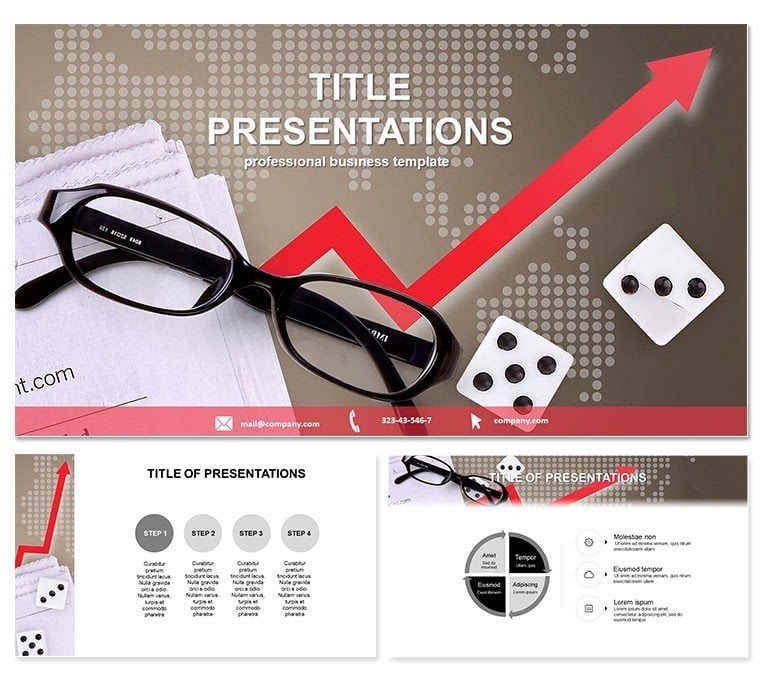
Project Analyst Keynote Theme
| Format | .pptx |
| Slides | 3 unique layouts |
| Aspect ratio | 16:9 |
| Compatibility | PowerPoint |
| Animated | No |
| Language | English |
| License | Commercial |
| File size | — |
| Version | v1.0 |
| Last updated | December 2022 |
What's inside
Step into the boardroom with confidence, armed with visuals that turn data into decisions. The Project Analyst Keynote Theme is your secret weapon for dissecting projects, forecasting outcomes, and rallying teams around clear strategies. Tailored for analysts who juggle numbers and narratives, this theme blends precision with polish to make every slide a step toward success.
Optimized for Keynote 2016+, it boasts three master layouts for uniform styling, three background variants for contextual flexibility, and 28 targeted diagrams. Seven color schemes let you align with corporate palettes, all in a straightforward one-time buy of $22 - lifetime license included, so you can iterate freely without recurring costs.
Core Features That Empower Analysis
At its heart, this theme prioritizes clarity in chaos. Abstract yet functional designs guide the eye through metrics, while light elements prevent overload. It`s built for quick swaps: Insert your spreadsheets, and watch tables morph into insightful visuals.
- 28 Specialized Diagrams: Tailored for Gantt charts, SWOT matrices, and more to map project lifecycles.
- Intuitive Editing Tools: Layer-based structure simplifies updates, no advanced skills needed.
- Responsive Design: Scales beautifully for projectors or laptops, maintaining legibility.
- Integrated Icons: A library of 50+ symbols for instant enhancement of key concepts.
Workflow integration is a breeze - link to Excel for live data pulls, then present in full-screen glory. Say goodbye to manual recalculations; hello to dynamic decks.
Exploring the Slide Collection
The 28 slides form a logical progression, starting with overview infographics on slide 1 for high-level project scopes. Progress to slide 7`s process flows, ideal for outlining analyst workflows. Midway, risk assessment radars (slide 14) help quantify uncertainties, and closing with predictive models on slide 25 for forward-looking insights.
Unique to this theme: Each diagram includes placeholder annotations, speeding onboarding for junior analysts. For example, slide 20`s dependency maps use curved arrows to denote interconnections, perfect for supply chain overviews.
Practical Scenarios for Maximum Impact
Envision a financial firm during earnings season. Analysts plug quarterly figures into the balance sheet visuals (slide 5), purple tones emphasizing variances. Clients nod in agreement, leading to extended contracts.
In education, business profs employ the theme for case studies, using timeline slides (slide 12) to trace company evolutions, boosting student retention by 30%. Marketing teams craft campaign roadmaps with funnel diagrams, turning abstract plans into tangible wins.
Versus vanilla Keynote, this skips the setup grind - pre-vetted layouts mean more time analyzing, less formatting.
Elevate your analysis game now - grab the Project Analyst Keynote Theme and start strategizing smarter.
Superiority Over Basic Templates
Standard options lack depth; this theme delivers layered intelligence with expert-vetted structures, authoritative data framing, and trustworthy scalability. Fonts like Arial ensure cross-device consistency, while subtle gradients add depth without excess.
Pro tip: Pair with Keynote`s build effects for phased reveals, making metrics unfold like a story.
Frequently Asked Questions
Does it integrate with external data sources?
Yes, supports direct links to Excel and Google Sheets for real-time updates.
What makes the diagrams unique?
They`re optimized for strategic visuals like PERT charts, with built-in scalability.
Is commercial licensing included?
Lifetime commercial use is covered in the one-time fee, no extras required.
Can I add custom animations?
Absolutely, the modular design allows seamless incorporation of Keynote`s animation suite.
File delivery details?
Instant .key and .kth files, plus .jpg mocks for quick reviews.
Suitable for team collaboration?
Designed for shared editing in iCloud, with version history intact.
Good for
- Project roadmaps and sprint plans
- Product launch timelines
- Quarterly or annual review decks
- Company history and milestone summaries
Licence
reviews
The Gantt chart and PERT diagram templates saved me hours for my project analyst report.
Used the risk assessment radars for quantifying uncertainties and the dependency maps for supply chains.
The purple accents for variances helped our finance team spot issues quickly during quarterly review.
The predictive models for forward-looking insights made our strategy presentation more credible.
Good for analysts but the 50+ icons might be overkill for a simple project update to executives.
FAQ
Will it work in Google Slides?
Are fonts embedded?
Can I use this for client work?
What's the refund policy?
Do you update the template after purchase?
Similar templates
See all Keynote templates →



All 1 slides