 Click to zoom
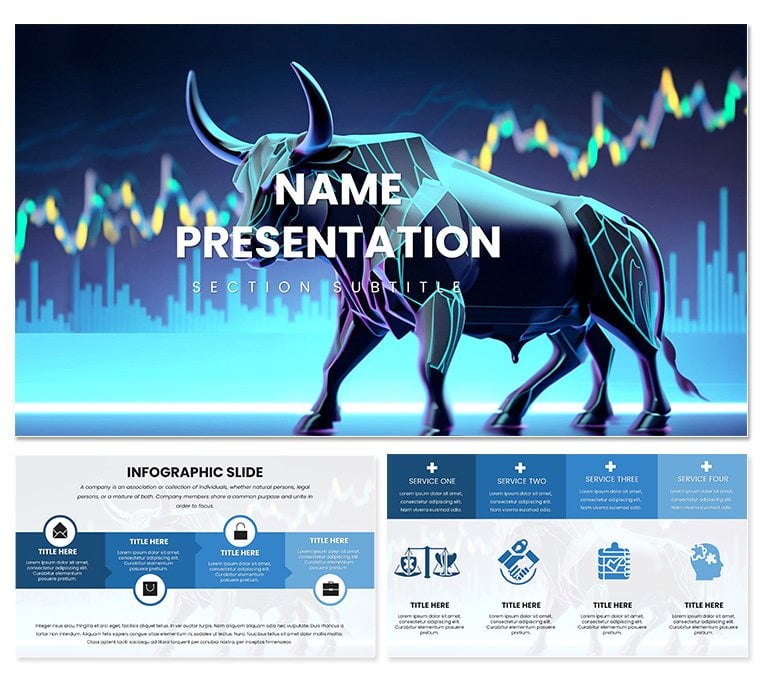
Pro Bulls Trend Keynote Template
| Format | .pptx |
| Slides | 3 unique layouts |
| Aspect ratio | 16:9 |
| Compatibility | PowerPoint |
| Animated | No |
| Language | English |
| License | Commercial |
| File size | — |
| Version | v1.0 |
| Last updated | June 2023 |
What's inside
When markets roar, your presentations should match that intensity with poise and precision. The Professional Bulls Trend Keynote Template delivers exactly that: a sophisticated arsenal of over 30 slides engineered for finance pros who demand more from their visuals. With 3 masters, 3 backgrounds, 28 diagrams, and 7 color schemes, it captures upward trajectories in a way that feels both commanding and clean. Think of it as your deck's secret momentum booster, turning dense data into digestible drives toward success.
Suited for business executives mapping growth paths, marketing teams forecasting campaign lifts, or educators illustrating economic booms, this template thrives in environments where clarity wins deals. Built for Keynote 2016+, it loads via .key or .kth, with every element primed for your tweaks. Visualize a cascading waterfall chart pouring bullish projections, icons of charging forms underscoring resilience. It's reminiscent of how Fortune 500 reports use streamlined graphs to signal confidence, but now tailored for your immediate needs.
The professional edge comes from refined details: backgrounds with subtle upward gradients evoke ascent, while title layouts frame your agenda like a summit view. Dive into content with agenda timelines that build sequentially, or metrics dashboards aggregating KPIs in grid perfection. Animations are understated - progressive reveals on bars mimic steady climbs, aligning with deliberate delivery.
Pro-Level Features for Trendsetters
This template's diagrams are the MVPs: 28 in total, from stepped processes charting phased expansions to bubble maps plotting opportunity clusters. Vectors ensure scalability, and smart placeholders auto-adjust for varying datasets. Customization? Effortless - global theme swaps via the inspector, preserving harmony across masters.
- Diagram Depth: Specialized for trends, like arrow flows for sequential gains or layered cakes for tiered achievements.
- Background Polish: Crisp, industry-agnostic options that layer without clashing, from matte neutrals to veiled metallics.
- Color Command: Seven schemes prioritize professionalism, with WCAG-compliant contrasts for all viewing scenarios.
Execs love the time it saves - import tables, format once, and replicate. A project manager once used the momentum wheel to spin resource allocations, gaining buy-in faster than ever.
Assembling Your Bullish Blueprint
Fire up Keynote, navigate to the template's groups for quick edits. Duplicate a trend slide: slot in line data, watch it curve upward automatically. Theme it - select all, pick a scheme like steel grays for gravitas. Layer transitions: dissolves for smooth shifts between bullish phases. Presenter notes? Jot "Emphasize pivot here" for cues.
- Map your message: Align diagrams to story beats, from baseline to breakthrough.
- Integrate media: Embed charts or clips, masking to fit bull silhouettes.
- Proof projections: Simulate on external displays, adjusting scales for impact.
- Distribute dynamically: Link to cloud shares or animated GIF exports for teasers.
Such steps transform outlines into launches. In sales training, facilitators have layered role-play outcomes on progression slides, boosting retention through visual reinforcement.
Strategic Scenarios Where Bulls Charge
Its applications span sectors with bullish bent. For finance execs, deploy in budget briefings - horizon lines forecast revenues, builds unveiling variances. Marketers harness for ROI recaps, pyramid stacks segmenting channel wins.
Teachers in business courses animate economic models, with bull icons punctuating recoveries. Students pitching startups? Use venture funnels to channel investor interest. One exec noted how swapping to these slides made quarterly reviews feel like victory laps, not audits.
Outshining vanilla themes, the motifs add motivational muscle - arrows not just pointing, but propelling. Pro tip: Sync with Apple Pencil on iPad for on-the-fly annotations during mocks.
Customizing for Sector Surge
Tweak for context: Amp warms for creative agencies' pitch bulls; cool it for legal overviews. Ensure alts like "Upward trend graph showing 20% growth" for screen readers. These nuances make it indispensable.
Lead the Charge with Pro Trends
With the Professional Bulls Trend Keynote Template, your decks don't just inform - they inspire action. Claim it for $22 now and watch your presentations surge ahead.
Frequently Asked Questions
Are the diagrams resizable without quality loss?
Yes, all are vector-based for infinite scaling in Keynote.
Does it work on iPad Keynote?
Fully supported, with touch-friendly edits for mobile pros.
Can backgrounds be removed?
Easily - select and delete, or swap with solids for minimalism.
How many masters are there?
Three, for header, footer, and full-bleed variations.
Is it optimized for large audiences?
Yes, high-contrast elements ensure visibility from afar.
Good for
- Project roadmaps and sprint plans
- Product launch timelines
- Quarterly or annual review decks
- Company history and milestone summaries
Licence
reviews
Used this for a product demo to potential partners. The flow from problem to solution slides worked effectively.
Typography choices support readability and the layouts guide the eye naturally.
Good structure overall although the case study slide formats were a bit rigid for my content.
The template helped me deliver a more polished presentation than usual.
FAQ
Will it work in Google Slides?
Are fonts embedded?
Can I use this for client work?
What's the refund policy?
Do you update the template after purchase?
Similar templates
See all Keynote templates →



All 1 slides