 Click to zoom
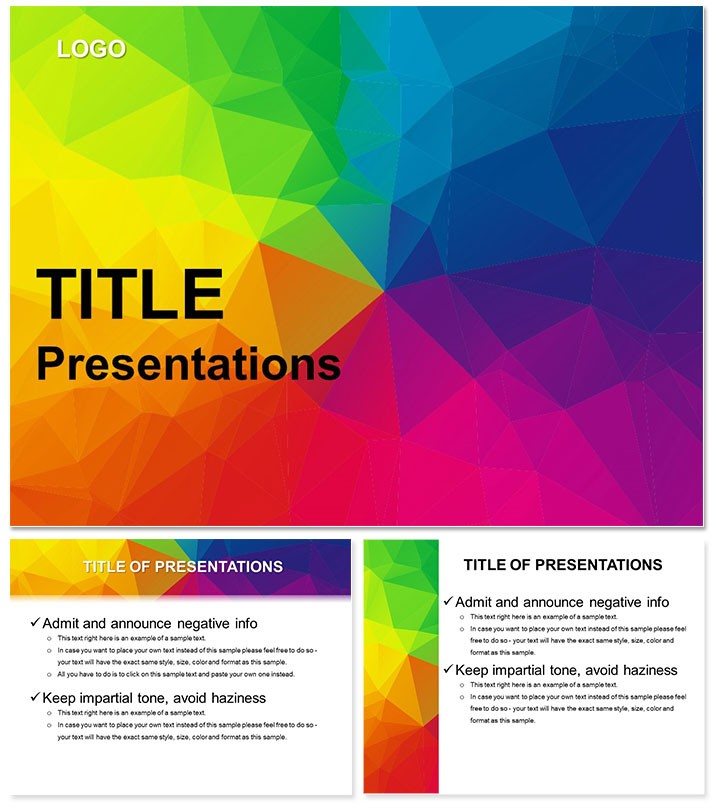
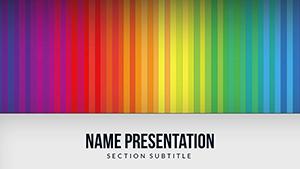
Presentation with Color Effect PowerPoint Template
| Format | .pptx |
| Slides | 3 unique layouts |
| Aspect ratio | 16:9 |
| Compatibility | PowerPoint |
| Animated | No |
| Language | English |
| License | Commercial |
| File size | — |
| Version | v1.0 |
| Last updated | September 2023 |
What's inside
Color isn`t just pigment - it`s persuasion, and this PowerPoint template wields it like a maestro. Designed for marketers launching campaigns or teachers animating lessons, the Presentation with Color Effect template infuses 28 diagrams with gradients and glows that draw eyes and hold minds. Envision pitching a product rollout where each slide bursts with tailored hues, turning abstract strategies into vivid voyages that resonate long after the applause fades.
Three masters anchor the vibrancy, paired with three backgrounds that range from subtle washes to bold overlays, ensuring your palette plays to the room`s mood. Seven color schemes span the spectrum - electrifying greens for growth narratives or regal purples for luxury brands - all tweakable in PowerPoint 2016+. The result? Decks that don`t just present; they perform, with editable layers letting you infuse personal flair without starting from scratch.
Vibrant Features Fueling Dynamic Decks
Under the hood, dynamic charts pulse with potential: from swirling vortexes for trend spirals to mosaic tiles for segmented audiences, these 28 elements make data dance. Infographics layer complexity with color-coded legends, simplifying sales funnels or historical arcs at a glance.
- Eye-Catching Charts: Animated-ready bars that fill with market shares, captivating without chaos.
- Theme Versatility: Swap schemes to match seasonal promotions or academic calendars.
- Intuitive Edits: Color picker tools harmonize additions, maintaining thematic unity.
A seminar leader swapped drab timelines for these color-waved paths, tracing project milestones; participants raved about the `journey feel` that made dry dates memorable.
Colorful Customization in Action
Boot up, choose a scheme, and layer: flood a pie with competitor shades, then gradient edges for depth. For updates, link to dynamic sources - watch hues shift as figures fluctuate. Conclude with a global replace for fonts, locking in your voice.
- Calibrate contrasts for accessibility, ensuring vibrancy aids all viewers.
- Group elements for drag-and-drop reuse across sections.
- Render test prints to verify color fidelity on paper.
Such steps infuse efficiency, coloring your prep with purpose.
Applications That Bring Ideas to Life
In business pitches, the template`s flair spotlights ROI roadmaps - color gradients climb with projected gains, painting success in strokes. Educators use bubble clusters for ecosystem models, where sizes denote impact and shades signal interactions, fostering deeper discussions.
Creative agencies thrive on it for mood boards: collage slides blend hues to evoke brand emotions, from serene teals to energetic reds. Non-corporate users, like event planners, map agendas with flowing arrows, each segment tinted to theme - wedding timelines in pastels, corporate retreats in metallics.
Contextual Color Strategies
For remote pitches, the bold effects cut through video lag, with high-contrast options for low-light calls. A brand strategist customized vortexes for consumer journeys, swirling feedback loops in user-preferred tones - clients saw their story, not just stats. Tailor by desaturating for formal tones or amplifying for youth markets.
Seamless integration: Embed via SharePoint for collab, with version history tracking hue evolutions. Complement with audio cues synced to color reveals for hybrid impact.
Outshining the Ordinary Palette
Step beyond basic rainbows - this template`s effects layer luminosity, eclipsing stock options with sophisticated saturations. The three backgrounds provide canvas control, from veiled veils to punchy patterns, while vector cores guarantee glitch-free zooms.
Amplify engagement: Embed polls in color-coded slides, tallying responses live. For posterity, export frames as assets, recycling vibrancy in reports or social teasers.
Delivery Tips with a Splash
Rhythm the reveal: Fade colors in waves to mirror narrative builds. Voice the vivid: `This crimson peak marks our boldest move.` Beta with peers, refining shades for universal appeal.
Scoop up the Presentation with Color Effect PowerPoint Template and paint your presentations unforgettable.
Frequently Asked Questions
Are effects compatible with animations?
Yes, gradients enhance fades and wipes for smoother transitions.
Can I tone down colors for conservative audiences?
Certainly - desaturate schemes while keeping core vibrancy.
What infographic styles are featured?
28 including funnels, matrices, and spirals for varied storytelling.
Does it support Google Slides?
Fully convertible, preserving most color effects.
How to match brand colors exactly?
Use eyedropper on masters for precise hex imports.
Good for
- Project roadmaps and sprint plans
- Product launch timelines
- Quarterly or annual review decks
- Company history and milestone summaries
Licence
reviews
The donut chart with center text for a single KPI.
I think the color scheme is safe but boring.
Had to show completion percentage and this worked.
It's a decent template for internal decks.
The slide backgrounds are white which is fine.
FAQ
Will it work in Google Slides?
Are fonts embedded?
Can I use this for client work?
What's the refund policy?
Do you update the template after purchase?
Similar templates
See all PowerPoint Templates →
All 1 slides