 Click to zoom
Power Generation Diagrams - Editable PPTX | ImagineLayout
| Format | .pptx |
| Slides | 3 unique layouts |
| Aspect ratio | 16:9 |
| Compatibility | PowerPoint |
| Animated | No |
| Language | English |
| License | Commercial |
| File size | — |
| Version | v1.0 |
| Last updated | April 2026 |
What's inside
Power Generation Diagrams - Editable PPTX
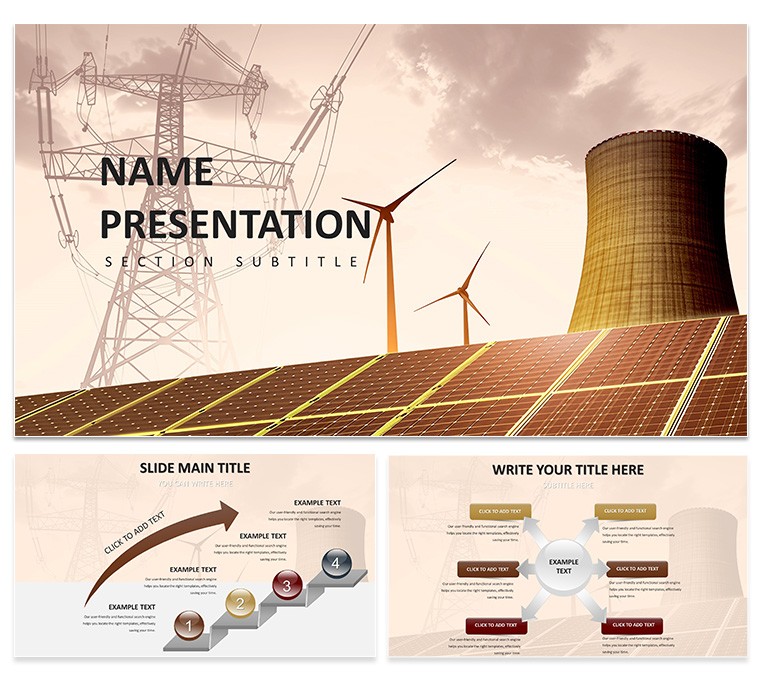
Open the PPTX file once and 28 diagrams appear ready for use.
Paid version costs exactly $10.00 and delivers the complete editable set while the page lists no free version.
Power engineers who build investor update decks rely on this PowerPoint diagram template because it turns complex generation data into instantly understandable charts.
Color changes via slide master take under two minutes.
Open View choose Slide Master click the Colors dropdown pick any of the seven schemes and the entire deck updates in one click.
The design follows a clean vertical layout with stacked data bars and icons that keep consistent spacing even when you scale the whole slide.
Thin 1.5 pt stroke weight on every connector and icon stays crisp at 16:9 scale or when exported to PDF.
This PowerPoint diagram template turns raw power data into presentation-ready slides in minutes.
File opens directly in PowerPoint 2016+ with 28 fully editable diagrams that cover turbines output flows and efficiency metrics.
Switching the seven color schemes updates all shapes icons and text at once through the single master slide while individual elements remain completely independent.
See also Energy - Power templates or the related Renewable Energy Diagrams - Editable PPTX.
PPTX format works across recent versions.
Aspect ratio stays locked at 16:9.
FeatureDetailsSlides / diagrams28 diagrams of power generation flows and chartsFile formatPPTXSoftware versionPowerPoint 2016+Color schemes7 schemes switch via slide masterEditable elementsShapes icons text lines and arrows resize and recolor independentlyAspect ratio16:9Free vs Paid$10 paid includes full 28 diagrams free not specifiedMasters / Backgrounds1 master for global color updatesHow do I change colors via slide master?Open the file in PowerPoint go to View and select Slide Master. Click the top master slide then Colors and choose any of the seven built-in schemes. Every one of the 28 diagrams updates instantly across the whole deck.
Can I use this for client work?Yes the license allows client work right after purchase. You can modify the diagrams for any paid presentation. Just do not resell or share the original template files themselves.
What is the free vs paid difference?The paid version at $10.00 contains the complete 28 diagrams and all 7 color schemes in full editable PPTX format. No free version is listed on the page. You receive instant full access without watermarks or missing elements.
What are the refund conditions?Refunds are not available once the digital file has been downloaded because access is immediate. Always review the preview images on the page first to confirm compatibility. All sales are final per the standard digital policy.
How do I apply the template to an existing presentation?Copy any of the 28 diagram layouts from this file into your current deck. Then import the color scheme through the slide master. The diagrams merge cleanly without losing quality or alignment.
Download and start editing immediately
Good for
- Project roadmaps and sprint plans
- Product launch timelines
- Quarterly or annual review decks
- Company history and milestone summaries
Licence
reviews
Used the vertical layout with stacked data bars for a turbine efficiency report and the consistent spacing held up even after I resized the whole slide a few times.
Power engineers will like this - the 28 diagrams cover turbines, output flows, and efficiency metrics with thin 1.5 pt strokes that stay crisp at 16:9 scale.
Changed color schemes through the master slide in maybe two minutes, though I wish there was a quicker way to preview schemes without clicking through each one.
Good for investor update decks where you need to show complex generation data quickly - the vector icons scale nicely without losing quality.
Solid template but nothing revolutionary - gets the job done for power generation presentations without breaking the bank at $10.
FAQ
Will it work in Google Slides?
Are fonts embedded?
Can I use this for client work?
What's the refund policy?
Do you update the template after purchase?
Similar templates
See all PowerPoint Templates →



All 1 slides