 Click to zoom
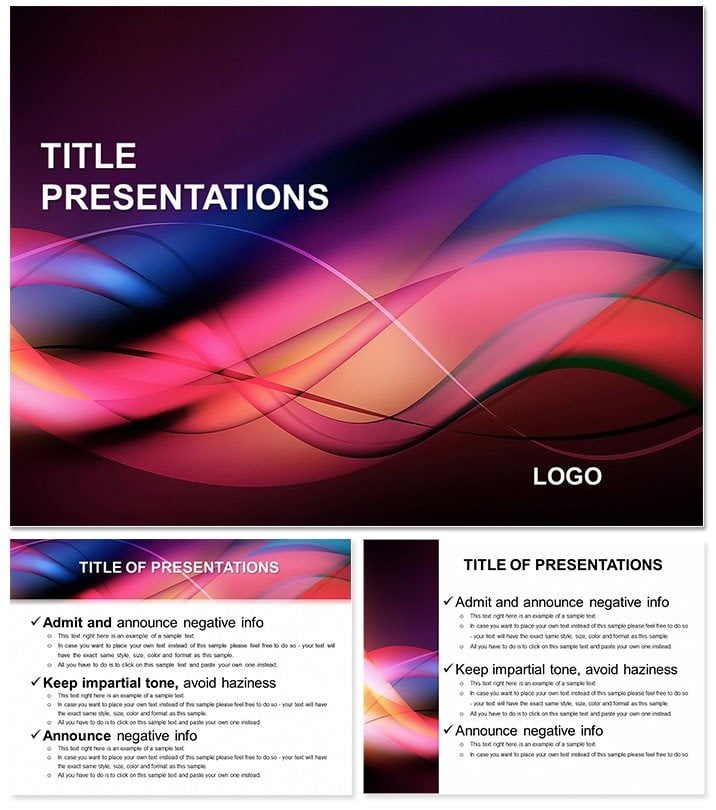
Power Attention PowerPoint Template Presentation
| Format | .pptx |
| Slides | 3 unique layouts |
| Aspect ratio | 16:9 |
| Compatibility | PowerPoint |
| Animated | No |
| Language | English |
| License | Commercial |
| File size | — |
| Version | v1.0 |
| Last updated | November 2024 |
What's inside
Ever watched an audience lean in, hooked from the first slide? That`s the magic of the Power Attention PowerPoint Template Presentation. This vibrant collection of 28 diagrams, spanning seven eye-popping color schemes, is crafted for business leaders, educators, and anyone aiming to pierce through distraction. Simple yet striking designs, paired with robust fonts and vivid imagery, distill complex ideas into sharp, memorable moments - ideal for sales pitches, classroom lectures, or team huddles.
With three masters and backgrounds to anchor your flow, it ensures every transition feels purposeful. Tailored for PowerPoint 2016+, in .potx and .jpg, this $22 powerhouse lets you customize without compromise, turning routine updates into riveting stories. See how it can supercharge your next engagement.
Key Elements That Command the Room
The template`s strength lies in its deliberate simplicity: Bold headlines draw eyes, while uncluttered layouts spotlight your core message. Diagrams include burst icons for key stats, radial menus for options overviews, and layered paths for process journeys - all editable down to the line weight.
- Impactful Visual Hierarchy: Strong fonts guide focus, with ample white space to breathe.
- Scheme Variety: Seven options, from fiery reds for urgency to serene teals for reflection, adapting to your vibe.
- Built-In Energy: Gentle zooms and reveals animate focal points, syncing with your pace.
Visualize a product launch: Slot your features into the spotlight diagram on slide 8, animate rays expanding to unveil benefits, and watch engagement soar. It`s about amplification, not addition.
Streamlined Steps: Designing a Pitch That Pops
- Theme Alignment: Select a master with high-contrast backgrounds to match your energy level.
- Content Mapping: Fill the attention-grab burst on slide 3 with your hook question, resizing for emphasis.
- Visual Tweaks: Swap images in placeholders, ensuring 300dpi for print-ready sharpness.
- Motion Fine-Tune: Set entrance effects to stagger, building suspense across elements.
- Rehearse Delivery: Time slides to your script, noting pauses for absorption.
This sequence, rooted in presentation fundamentals, crafts decks that resonate long after the close.
Targeted Scenarios: Where Attention Wins
For marketers, the funnel diagrams trace lead journeys, coloring stages by conversion rates to spotlight bottlenecks. Teachers can harness timeline bursts for lesson arcs, animating milestones to keep classes riveted. In corporate updates, use the core message radial to center KPIs, branching to supporting facts.
Recall a team strategy session: The path layer slide maps quarterly goals, with color shifts for priorities - much like agile retrospectives in dynamic firms.
Freelancers pitching services find the icon grid perfect for skill showcases, each square a clickable deep-dive.
Insights for Sustained Engagement
Balance visuals with voice: Use slides as cues, not scripts. For larger rooms, amplify fonts to 32pt. Integrate with remote tools by hyperlinking diagrams to appendices, extending interaction.
Choose vivid schemes for daylight venues, ensuring pops against neutral walls.
Beyond Basics: Why This Template Captivates
Standard slides fade into sameness; this one`s bold motifs and font pairings create instant recall. Free templates skimp on schemes; here, seven ensure freshness. Animations go beyond wipes, offering narrative-driven reveals that basic builds can`t replicate.
Its 16:9 frame fits modern setups, with export options for versatile sharing.
Seize the spotlight - download the Power Attention PowerPoint Template for $22 and command every gaze.
Frequently Asked Questions
How customizable are the fonts?
Fully - change typefaces, sizes, and weights to fit your style.
Does it work on older PowerPoint?
Optimized for 2016+, but testable on 2010 with tweaks.
Are images included or placeholders?
Placeholders for your high-res images, plus stock-ready vectors.
Can I remove animations?
Yes, select and delete via the animation pane for static views.
What`s the aspect ratio?
Standard 16:9 for widescreen compatibility.
Good for
- Project roadmaps and sprint plans
- Product launch timelines
- Quarterly or annual review decks
- Company history and milestone summaries
Licence
reviews
The comparison slider with before/after images.
I wish there were more slide variations for data tables.
Had to present a process improvement and the slider was cool.
For a student project it was more than enough.
The placeholder text is annoying but I replaced it.
FAQ
Will it work in Google Slides?
Are fonts embedded?
Can I use this for client work?
What's the refund policy?
Do you update the template after purchase?
Similar templates
See all PowerPoint Templates →
All 1 slides