 Click to zoom
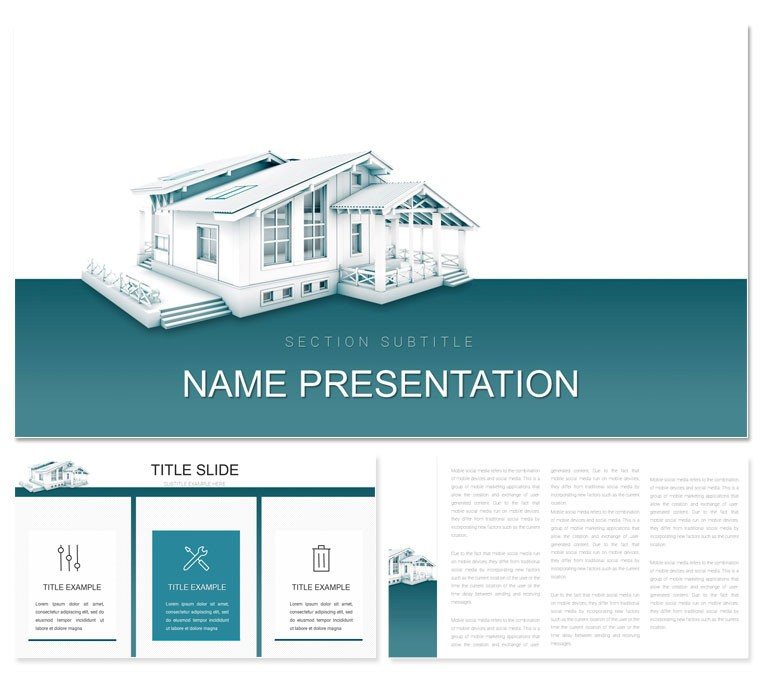
Planning Architecture Keynote Template
| Format | .pptx |
| Slides | 3 unique layouts |
| Aspect ratio | 16:9 |
| Compatibility | PowerPoint |
| Animated | No |
| Language | English |
| License | Commercial |
| File size | — |
| Version | v1.0 |
| Last updated | October 2022 |
What's inside
Step into a realm where sketches evolve into soaring structures, each slide a window into the harmony of form and function. The Planning Architecture Keynote template invites designers, urban planners, and firm principals to weave their visions into compelling narratives that resonate from concept to completion. Boasting 28 versatile slides, it equips you to map out spatial stories with precision, blending aesthetic appeal with analytical depth for audiences that demand both.
This template's ethos is rooted in the iterative dance of design - subtle grid lines and perspective frames that echo drafting tables, all optimized for Keynote's fluid interface from 2016 forward. Import your renders, annotate with vectors, and iterate without bounds, crafting decks that not only showcase but strategize, turning abstract ideas into tangible triumphs.
Foundational Features for Design Mastery
Grounded in three master layouts - one for conceptual overviews, one for phased developments, and one for stakeholder analytics - the template rises with three backgrounds: minimalist whites for pure ideation, textured stones for heritage nods, or dynamic gradients for forward-thinking facades.
- 28 Tailored Diagrams: Flowcharts tracing zoning approvals, bubble maps for site allocations, or layered org charts for team roles in a build.
- Seven Thematic Color Palettes: Neutrals for classical revivals, bold primaries for modernist edges, or muted sages for biophilic integrations, all calibrated for print and pixel.
- Visualization Vault: Editable timelines for permit progress, scatter plots for density studies, and icon libraries of arches, elevations, and scales.
Tweaking is akin to refining a model: Highlight a diagram, infuse your metrics via data links, or clone sections to explore variants. In a sustainability pitch, for example, adapt the process visuals to cycle through energy flows, animating loops that highlight circular efficiencies.
From Draft to Delivery: Targeted Scenarios
Envision unveiling a residential complex to city council: Lead with a panoramic render slide, then unravel site plans via interactive maps. An urban designer at a renowned studio used this to layer demographic data over zoning diagrams, swaying approvals by illuminating community fits.
For internal reviews, the graph suite dissects budget variances, with bars rising like girders to flag overruns. Or in academic lectures, embed case studies - repurposing quote slides for Le Corbusier's tenets, framed against your adaptive reuses.
- Sketched Start: Import into Keynote, choose a master mirroring your scope - conceptual for ideation sessions, analytic for feasibility checks.
- Layer Perspectives: Slot in elevation drawings; Keynote's perspective tools enhance depth without distortion.
- Plot the Path: Feed timelines with dates and dependencies, setting builds to cascade like construction sequences.
- Present the Vision: Rehearse with notes on cultural contexts, exporting to iPad for on-site walkthroughs.
Such workflows streamline ideation, freeing mental space for innovation over iteration. Outpacing vanilla Keynote setups, it infuses sector savvy, making your propositions as structurally sound as the designs they depict.
Designer's Digest: Enhancing Engagement
For hybrid forums, hyperlink diagrams to 360 tours. In heritage projects, select palettes echoing era tones. Crucially, narrate scale - use annotations to humanize stats, showing how a plaza fosters gatherings, bridging blueprint to lived space.
Versatile for landscape overviews or policy briefs; a planner recast the bubbles for green space audits, quantifying benefits visually. It's a scaffold for storytelling, elevating discourse from descriptive to directive.
Architect Your Influence with This Essential Tool
Where vision meets viability, this template stands as your ally, delivering dependable designs that draft destinies. Tailored for the trade, it's your draft for distinction.
Secure the Planning Architecture Keynote template today and sketch paths to acclaim.
Frequently Asked Questions
Are the diagrams scalable for large projects?Yes, vectors ensure crisp resizing without quality loss.
Can I integrate 3D models?Placeholders support embeds, linking seamlessly to tools like SketchUp.
Compatibility details?Works fluidly from Keynote 2016, with export options galore.
Suitable for landscape architecture?Indeed; adapt maps and flows for terrain narratives.
Icon variety?Comprehensive, from classical motifs to modern modules.
Good for
- Project roadmaps and sprint plans
- Product launch timelines
- Quarterly or annual review decks
- Company history and milestone summaries
Licence
reviews
Used for class and didn’t overthink design
Needed quick report slides and this helped
Charts were easy to edit
FAQ
Will it work in Google Slides?
Are fonts embedded?
Can I use this for client work?
What's the refund policy?
Do you update the template after purchase?
Similar templates
See all Keynote templates →


All 1 slides