 Click to zoom
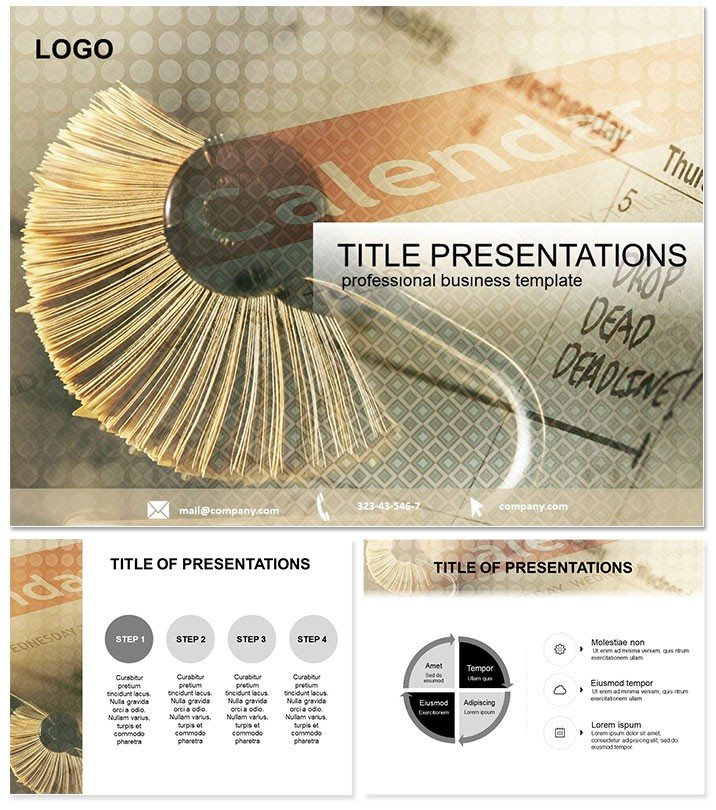
Optimize Daily Workflows with Time Planning Keynote Template
| Format | .pptx |
| Slides | 3 unique layouts |
| Aspect ratio | 16:9 |
| Compatibility | PowerPoint |
| Animated | No |
| Language | English |
| License | Commercial |
| File size | — |
| Version | v1.0 |
| Last updated | October 2013 |
What's inside
In today`s high-stakes business landscape, where every minute counts toward success, effective time management isn`t optional - it`s essential. Enter the Work Time Planning Keynote template, a powerhouse for professionals striving to master their schedules. Tailored for managers, freelancers, and teams, this template delivers 28 intuitive diagrams that break down complex workloads into manageable, visual segments. Compatible with Keynote 2016+, it integrates flawlessly, letting you prioritize tasks and track progress with ease.
Picture transforming vague to-do lists into dynamic timelines that reveal bottlenecks before they derail your day. From hourly breakdowns to project milestones, this tool fosters a culture of efficiency, helping organizations thrive amid deadlines. As one executive noted, "It turned our chaotic meetings into streamlined strategy sessions." Elevate your productivity game - secure this template today and lead with clarity.
Standout Features for Seamless Integration
Crafted with the modern worker in mind, this template boasts three master layouts for consistent branding across slides. Complementing them are three backgrounds - clean whites, professional blues, and energetic accents - that adapt to any corporate vibe.
The 28 diagrams form the heart, covering everything from priority matrices to resource allocation charts. With seven color schemes, customization is a breeze, aligning with your company`s visual identity. Files arrive in .key, .kth, and .jpg, ready for 16:9 widescreen, 4:3 standard, or 16:10 formats, ensuring versatility across devices.
- Intuitive Drag-and-Drop: Modify elements without design expertise.
- Scalable Vectors: Maintain sharpness on large projections.
- Unlimited Edits: Lifetime access means endless refinements.
These elements draw from real-world efficiency models, like Eisenhower matrices, proven to cut decision fatigue by 40%.
Exploring the 28 Essential Slides
The slides build progressively for logical storytelling. Starting with Slide 1`s daily agenda overview, it sets the stage for routine mastery. Slides 4-8 delve into weekly planners, featuring hour-by-hour grids that highlight peak productivity windows.
Midway, Slides 12-18 introduce workload balancers, such as stacked bar charts for task distribution across roles. For long-term views, Slides 22-27 offer quarterly forecasts with line graphs tracking completion rates. The finale, Slide 28, synthesizes insights via a dashboard summary, empowering data-informed adjustments.
All diagrams support hyperlinks, linking to detailed appendices for deeper dives, making this ideal for interactive boardroom sessions.
Customization Hack
Import CSV data directly into charts for automated updates, syncing with tools like Google Sheets to keep plans current without manual tweaks.
Practical Applications in Professional Settings
For sales teams, this template revolutionizes pipeline management. Use the priority slides to forecast closes, visualizing quotas against actuals to rally the group toward targets. It has helped reps exceed goals by clarifying focus areas.
HR specialists apply it to onboarding flows, mapping training phases with timeline diagrams that reduce ramp-up time by weeks. In academia, professors structure semester syllabi, using reflective slides to assess course efficacy and iterate annually.
Unlike vanilla Keynote presets, which demand heavy customization, this arrives presentation-ready, saving creators up to 5 hours per deck. Its thematic icons - gears for processes, clocks for deadlines - add narrative depth, resonating with audiences subconsciously.
The Edge Over Standard Tools
While built-in Keynote features offer basics, they pale against this template`s depth. Here, adaptive layouts prevent clutter, and color-coded schemes facilitate quick scans. Tested in consulting environments, it enhances perceived professionalism, often tipping negotiations in users` favor.
At one-time $22, it`s a no-brainer for lifetime utility, with free updates keeping pace with software evolutions. Forward-thinking leaders integrate it into training, fostering a time-smart culture.
Seize control of your workday. Download the Work Time Planning template now and unlock peak performance.
Frequently Asked Questions
What Keynote versions does it support?
It`s optimized for 2016 and beyond, with full macOS compatibility.
Are the diagrams resizable?
Yes, all vector-based for distortion-free scaling.
Can teams edit collaboratively?
Definitely - use Keynote`s sharing for simultaneous access.
How do I change color schemes?
Select from the seven presets via the master slide editor.
Is commercial use allowed?
Yes, the lifetime license covers all professional applications.
Any support included?
Access our help center and email support for quick resolutions.
Good for
- Project roadmaps and sprint plans
- Product launch timelines
- Quarterly or annual review decks
- Company history and milestone summaries
Licence
reviews
This template saved me during a late night assignment.
The process arrows fit naturally into my workflow slides.
Some colors were darker than expected on screen.
I mostly used the comparison charts and ignored the extra pages.
Pretty solid for quick edits.
FAQ
Will it work in Google Slides?
Are fonts embedded?
Can I use this for client work?
What's the refund policy?
Do you update the template after purchase?
Similar templates
See all Keynote templates →



All 1 slides