 Click to zoom
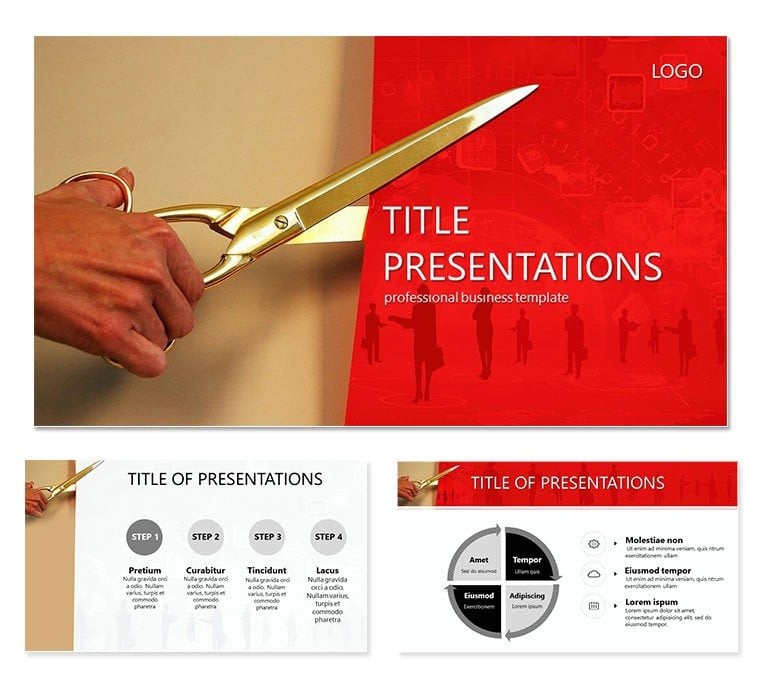
Open Plan Keynote Template
| Format | .pptx |
| Slides | 3 unique layouts |
| Aspect ratio | 16:9 |
| Compatibility | PowerPoint |
| Animated | No |
| Language | English |
| License | Commercial |
| File size | — |
| Version | v1.0 |
| Last updated | July 2023 |
What's inside
Step onto the stage with confidence, your open-plan visuals unfolding like a well-orchestrated strategy session. The Open Plan Keynote Template is your ally in a world where professionals craft at least one presentation weekly, yet 60% grapple with tech hiccups that derail momentum. Tailored for business leaders and consultants, this deck leverages 2025 trends like generative AI adoption (71% of firms) while delivering human-crafted polish that default tools can`t match.
Envision pitching a bold expansion to stakeholders - the template`s clean lines and data bursts make ROI crystal clear, turning skeptics into advocates. With mobile opens hitting 32% of decks, its responsive design ensures your message lands sharply on any screen. Benefits? Slash prep time from days to hours, and watch engagement soar as interactive elements keep viewers 41% longer.
Standout Features for Seamless Presentations
Core to this template: 28 dynamic diagrams, from SWOT matrices to Gantt timelines, each primed for your strategic narratives. They`re not static; built-in scalability lets you zoom into details without losing context, perfect for hybrid meetings.
- 7 Adaptive Color Schemes: Shift from corporate grays for boardrooms to energetic oranges for creative brainstorms, all auto-applied for effortless branding.
- 3 Masters and Backgrounds: Minimalist options with subtle grid motifs evoke open-plan innovation, paired with fonts like San Francisco for modern readability.
- Keynote Optimization: .key and .kth files work flawlessly from 2016 onward, supporting animations that 60% of pros swear by for guiding attention.
- Data Integration: Pull from Google Sheets or Excel effortlessly, with charts that update live - ideal for real-time project updates.
Integrate into your workflow by layering in brand logos on masters, then rehearse with Keynote`s presenter view. In consulting, where data persuasion reigns, this setup turns complex forecasts into digestible stories, 22 times more memorable than facts alone.
Proven Use Cases Across Industries
For a startup founder unveiling growth metrics, the funnel diagrams visualize customer journeys, securing that seed round. Educators in business schools (trending toward AI-integrated curricula in 2024-2025) use timeline slides to dissect case studies, fostering interactive discussions that boost retention.
Sales teams thrive here too - bar graphs highlight quarterly wins, closing deals with visuals that clarify value props. In project management, scatter plots map resource allocation, helping teams navigate 2025`s agile shifts.
- Business Pitches: Persuade investors with KPI-focused layouts, minimizing text to under 25% per slide for laser focus.
- Team Workshops: Facilitate strategy sessions with collaborative diagrams, reducing the 20% distraction factor through engaging flows.
- Keynote Speeches: Deliver TED-style talks with transitions that mimic thought progression, captivating diverse crowds.
Tested in high-pressure environments like Fortune 500 updates, this template ensures your open-plan vision resonates, no matter the venue.
Template vs. Standard Keynote: A Clear Winner
AspectOpen Plan TemplateDefault KeynoteDiagram Depth28 strategy-specific visualsGeneric tools needing build-outScheme Flexibility7 instant color packsPer-slide manual tweaksBackground Versatility3 open-concept themesBasic white or importsPrep EfficiencyStreamlined with AI-ready hooksFrom-scratch laborEngagement ToolsAnimations for 41% longer viewsAdd-ons requiredWhy settle for basics when pros demand more? This elevates your game, especially as 75% reuse decks - build once, refine forever.
Tailoring for Maximum Impact
Customize by embedding hyperlinks in diagrams for deeper dives, or sync with tools like Slack for team feedback. Keep paragraphs punchy: three sentences max, mirroring how top decks hold attention.
Download instantly and customize now - transform your next pitch into a standout performance. Lifetime license means endless iterations for evolving business needs.
Frequently Asked Questions
Is this template mobile-optimized?Yes, designed for 32% mobile opens with scalable elements and large touch targets for iPad use.
What file formats are provided?.key and .kth for full Keynote compatibility from 2016 up.
Can it handle large datasets?Absolutely - diagrams support dynamic linking to external sources for real-time updates.
How does it support hybrid events?Built-in transitions and minimal text ensure clarity on varied screens, combating distractions.
What`s the return policy?One-time license with lifetime access; satisfaction guaranteed for professional use.
Does it include stock icons?Yes, thematic icons for business motifs, editable to fit your brand.
Good for
- Project roadmaps and sprint plans
- Product launch timelines
- Quarterly or annual review decks
- Company history and milestone summaries
Licence
reviews
Honestly I just wanted ready-made diagrams and this had plenty.
The timeline slide worked perfectly for my report.
Some colors looked slightly dull on my monitor.
Still better than building slides manually.
FAQ
Will it work in Google Slides?
Are fonts embedded?
Can I use this for client work?
What's the refund policy?
Do you update the template after purchase?
Similar templates
See all Keynote templates →


All 1 slides