 Click to zoom
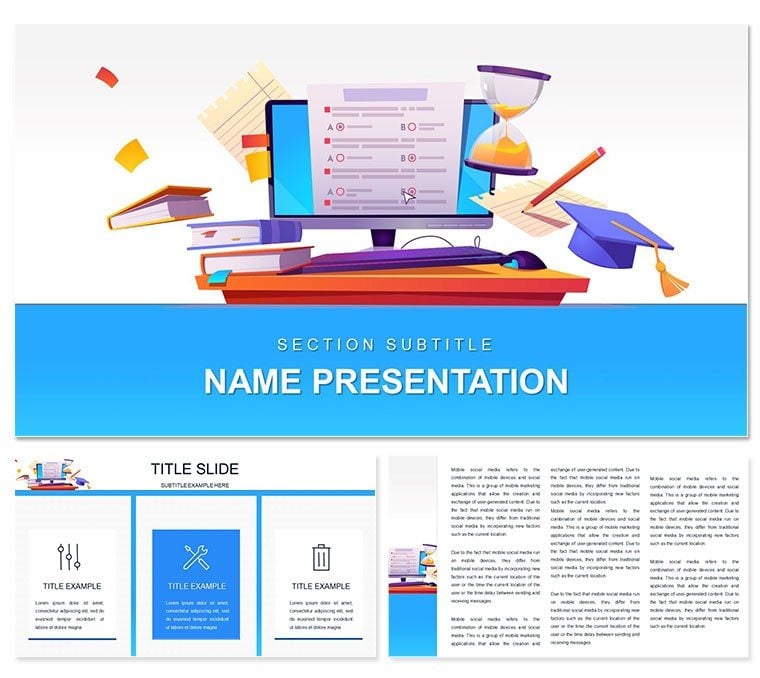
Online Training Program PowerPoint Template: Empower Virtual Learning
| Format | .pptx |
| Slides | 3 unique layouts |
| Aspect ratio | 16:9 |
| Compatibility | PowerPoint |
| Animated | No |
| Language | English |
| License | Commercial |
| File size | — |
| Version | v1.0 |
| Last updated | October 2022 |
What's inside
In an era where screens bridge classrooms worldwide, your training materials need to spark connection, not just convey info. Enter the Online Training Program PowerPoint template, a beacon for educators, HR pros, and corporate trainers crafting digital workshops. Boasting 28 diagrams in seven adaptable color schemes, it equips you with slides that map learning journeys - from module overviews to interactive quizzes - with effortless grace. Built for PowerPoint 2016+, every vector element bends to your will, incorporating feedback loops or progress trackers that mirror real-time engagement.
Envision a corporate onboarding session: slides unfold like a guided tour, pulling learners into scenarios with embedded polls or video testimonials. This template isn't a static set; it's a dynamic scaffold, supporting audio embeds for voiceovers and animations that reveal concepts step-by-step, fostering that 'aha' moment remotely.
Key Features Fueling Effective Training
Rooted in three master slides and backgrounds, the design prioritizes flow, with diagrams that visualize progression, like Gantt charts for course timelines or mind maps for skill interconnections.
- Comprehensive Diagram Set: 28 options, including radial menus for topic branches and bar stacks for competency levels, all high-fidelity for crisp Zoom shares.
- Scheme Variety: Seven palettes, from energizing greens for growth to calming blues for reflection, tweakable in seconds.
- Interactive Potential: Animate paths to simulate decision trees, or hyperlink sections for non-linear navigation in self-paced modules.
- Content Foundations: Pre-set text placeholders guide structure, ensuring agendas and objectives stay front and center.
Such thoughtful integration echoes e-learning frameworks where visual hierarchy drives comprehension, keeping participants hooked.
Tailored Use Cases for Digital Delivery
A software trainer rolling out a new tool might deploy the process diagram to sequence user workflows, layering screenshots for hands-on clarity. In higher ed, a professor could repurpose the pyramid slide for Bloom's taxonomy, stacking levels with examples to scaffold critical thinking.
For team-building webinars, the cycle chart illustrates feedback loops in agile training, inviting annotations during live sessions. These scenarios showcase how the template adapts to diverse formats, from bite-sized micros to full curricula, amplifying impact across platforms.
Streamlined Setup: Crafting Your Session
- Choose Framework: Pick a master aligning with your platform - vibrant for sales training, subdued for compliance.
- Layer Learning Objectives: Input goals into a timeline slide; adjust milestones to reflect session arcs.
- Infuse Interactivity: Embed a quick poll video or audio cue, timing reveals to pace discussions.
- Test and Tweak: Run through hyperlinks, refine colors for accessibility, and simulate delivery.
- Launch with Ease: Share via link or screen, watching engagement metrics rise as visuals guide the flow.
This method turns preparation into a breeze, emphasizing content over cosmetics.
Beyond Basics: Why It Excels in Virtual Spaces
Standard templates often lack the navigation cues vital for online flow; this one embeds them natively, plus multimedia slots for richer experiences. Cross-compatible, it thrives in hybrid setups, from Teams to Moodle integrations.
An L&D specialist recounted using akin designs to halve drop-off rates in remote courses, crediting intuitive layouts. Customize yours, and cultivate lasting skills.
Transform your trainings into triumphs. Grab this Online Training Program PowerPoint template for $22 now and connect deeper with your learners.
Frequently Asked Questions
Does it support hyperlinks for interactive elements?
Yes, all slides are hyperlink-ready, perfect for branching scenarios in online modules.
What animation options are built-in?
Native PowerPoint animations for paths, fades, and wipes, customizable per slide.
Is it optimized for video conferencing?
Absolutely - lightweight files ensure smooth performance in tools like Zoom or Google Meet.
How flexible are the color options?
Seven schemes with full editability, including hex code swaps for brand matching.
Can it handle large datasets?
Yes, diagrams scale data via linked tables, updating visuals dynamically.
What's the minimum PowerPoint version?
PowerPoint 2016 or later, with full features on Microsoft 365.
Good for
- Project roadmaps and sprint plans
- Product launch timelines
- Quarterly or annual review decks
- Company history and milestone summaries
Licence
reviews
Grabbed this for a user persona template.
The demographics, goals, and frustrations sections were clear.
My marketing team used them extensively.
A bit basic but effective.
The photo placeholder was nice.
FAQ
Will it work in Google Slides?
Are fonts embedded?
Can I use this for client work?
What's the refund policy?
Do you update the template after purchase?
Similar templates
See all PowerPoint Templates →



All 1 slides